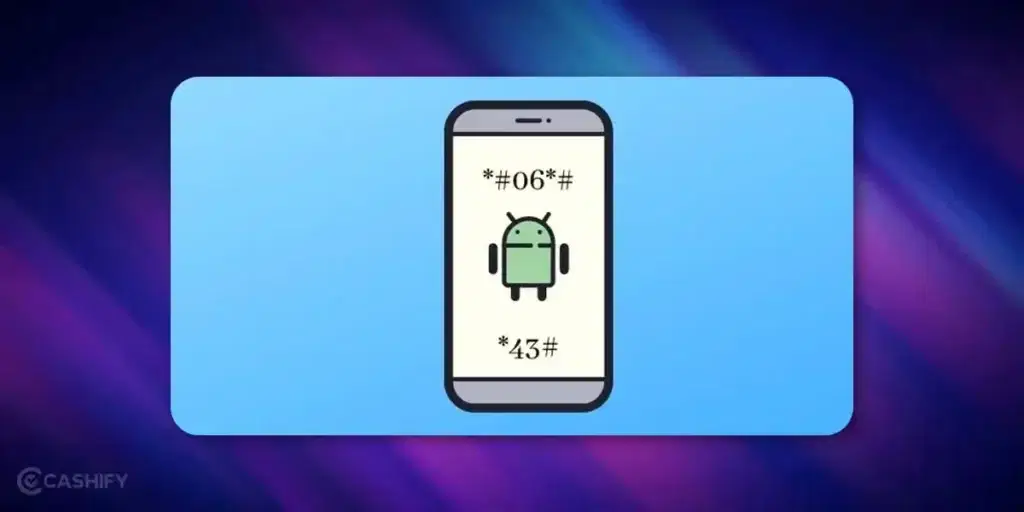
Your Android phone has superpowers! It is way cooler than it looks. By typing a few Android secret codes into your Dialer, you can unlock hidden menus. You can literally test hardware, see system stats, and even change stuff most people don’t touch. These are also called Android hidden codes or Android developer codes.
These secret features aren’t widely advertised. But they still work in the latest phones and Android 15 or 16 versions. You can use them to check battery health, fix glitches, or just explore Android’s hidden features. If you know these Android tips and tricks, you can really level up how you use your phone.
If you want to unlock hidden Android features, try some of these Android secret tricks. Let’s get started:
Also Read: How to Fix ‘Not Registered On Network’ Error On Android
Before You Begin…
Not every Android secret code works on every phone. It depends on your phone brand. For example, phones like Samsung One UI, Xiaomi HyperOS, and Google Pixel all run Android in different ways. Because of this, some android hidden codes may work on one phone but not on another.
It also depends on your Android version and even your SIM card company. Some android system codes are universal and work everywhere, but others are brand-locked.
Be careful! Some android secret settings can change important things on your phone. A few Android advanced codes can even erase your data. Before trying any Android secret tricks, always back up your photos, contacts, and files.
Carrier-based codes like call forwarding may work differently depending on your network. For example, they may act differently on Reliance Jio, Bharti Airtel, or Vi. If a code does not open an Android hidden menu, don’t worry. Just move on and try another one.
Watch Out – Scammers Use These Codes Too
Not every “dial this code” request is harmless. India’s cybercrime authorities have warned about a real scam where callers – posing as courier companies or telecom staff – ask you to dial a code starting with *21* followed by a number they give you.
That code silently turns on call forwarding, sending all your calls (including bank OTP calls and WhatsApp verification calls) straight to the scammer – without your phone showing any obvious warning.
Stay safe:
- Never dial a code given to you by an unexpected caller, even if they claim to be from your bank, courier company, or network provider
- If your phone stops receiving calls, or callers say your number seems busy or unreachable, check whether call forwarding has been turned on without your knowledge
- You can turn off all call forwarding at any time by dialing ##002#
- If you think you’ve been targeted, contact your bank immediately and report it at cybercrime.gov.in or call 1930
What Do the * and # Symbols Mean?
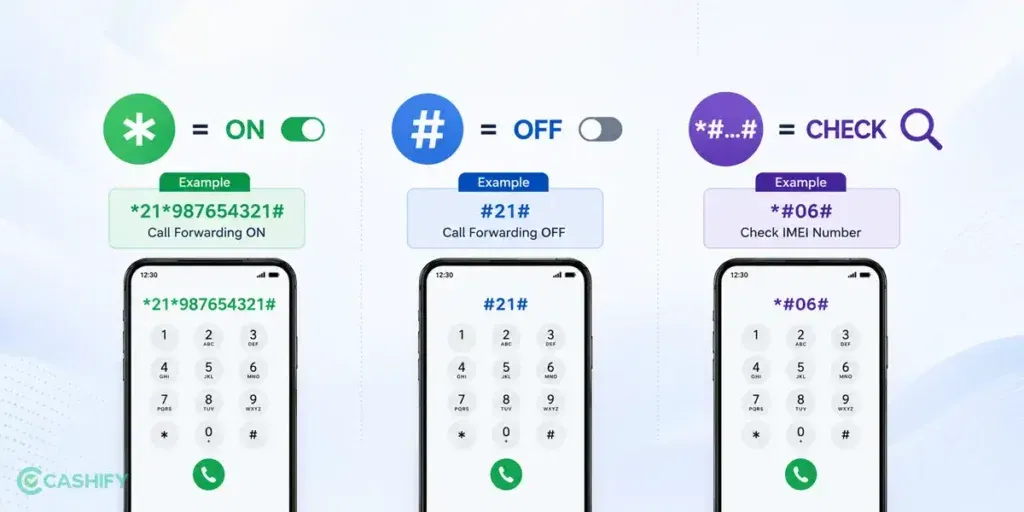
These codes are officially called USSD or MMI codes. They are short commands your phone sends straight to your network or hardware, without opening any app.
A quick way to read them:
- * (star) usually turns a feature on
- # (hash) usually turns a feature off
- *#…# (star, then hash at both ends) usually just checks the status of a feature, without changing anything
For example: *21*[number]# turns call forwarding on, #21# turns it off, and *#21# just tells you whether it’s currently on or off. Knowing this pattern helps you guess what an unfamiliar code probably does before you dial it.
Best Android Secret Codes For Settings & Diagnostics
| Android Secret Code | What It Does |
|---|---|
##4636## | Shows phone details, battery stats, usage history, Wi-Fi info, and network tweaks |
##7594## | Lets you change what the power button does (like direct shutdown without menu) |
##197328640## | Opens service mode for deep diagnostics and tweaks |
##225## | Displays calendar storage and events |
##426## | Google Play Services/Firebase diagnostics |
Best Android Secret Codes: Managing Calls & Messages Settings
| Android Secret Code | What It Does |
|---|---|
#31# | Hides your caller ID for the next call (shows as “Private” or “Unknown”) |
*31# | Turns caller ID back on |
*#67# | Checks call forwarding when you’re busy |
*#43# | Shows call waiting status (*43# to enable it) |
##4636## | Shows signal strength, network type (5G/4G/LTE), and usage info |
*#50057672# | Displays your SMS center number |
Also Read: How To Fix “Android Not Receiving Texts From iPhone” Issue
Best Android Secret Codes For Troubleshooting
| Android Secret Code | What It Does |
|---|---|
#0# | Full hardware test menu (screen, touch, sensors, camera, speakers). A goldmine for android hidden features on Samsung Galaxy S25, S25 Ultra, Z Fold series |
##2664## | Touchscreen responsiveness test. A useful android secret trick |
##0673## or ##0289## | Audio, speaker, and microphone test. Part of android hidden menu |
##0842## | Vibration and backlight check. Handy android tip and trick |
*#0228# | Battery voltage, temperature, and status readout. Monitors battery health using android secret settings |
*#9900# | System dump mode (Samsung only). Unlocks android hidden features and clears cache safely |
##1472365## | Quick GPS/location test. A simple android hidden trick |
##232338## | Wi-Fi MAC address and signal diagnostics. Must-know android secret code |
Best Android Secret Codes For Finding Phone Information
| Android Secret Code | What It Does |
|---|---|
*#06# | Shows your IMEI number. A must-know android secret code |
*#07# | Shows SAR radiation level. Handy for peace of mind. Part of android hidden features |
##1234## | Displays PDA/firmware version details. Useful android hidden trick |
##232337## | Shows Bluetooth MAC address. Lets you see hidden device info. Android secret setting |
##232338## | Shows Wi-Fi MAC address. Another handy android hidden feature |
##34971539## | Camera firmware info. Great for checking hidden camera settings. A neat android secret trick |
Also Read: Samsung Top Flagship Mobile Phones: Best Deals & Offers In?
Android Secret Codes For Specific Brands
| Secret Code | Brand | Purpose |
|---|---|---|
*#0*# | Samsung | Full hardware test menu (Galaxy S24, Z Fold 7, etc.) |
*#12580369# | Samsung | Software and hardware info |
*#32489# | Samsung | Ciphering info (network security) |
##6484## | Xiaomi (MIUI) | Hardware test and QC menu (e.g., Xiaomi 15 series) |
##4636## | Xiaomi (MIUI) | Usage and battery info |
*#808# | OnePlus | Engineering mode for component testing (e.g., OnePlus 13) |
*#888# | OnePlus | Serial number and hardware info |
##2846579## | Huawei | Project menu (hardware tests, network settings, select models) |
##225## | Google Pixel | Calendar and system info (Pixel 9, 9 Pro) |
Brand-wise Android Secret Code Compatibility
Not all Android secret codes work on every smartphone. Since each brand uses its own Android skin and security restrictions, the availability of hardware tests and engineering menus can vary. Use the table below to get a quick idea of what you can expect on different Android brands.
| Brand | Hardware Test | Engineering Mode | Overall Support |
| Samsung | Yes | Limited | Yes |
| Xiaomi | Yes | Yes | Yes |
| OnePlus | Yes | Yes | Yes |
| Google Pixel | Partial | No | Limited |
| Motorola | Partial | No | Limited |
| Nothing Phone | Partial | Limited | Partial |
| Realme | Yes | Limited | Yes |
| Vivo | Limited | Limited | Partial |
| OPPO | Limited | Limited | Partial |
Note: Secret code support may vary depending on your phone model, Android version, and software update. Even within the same brand, some codes may be disabled or restricted on newer devices.
What To Do If a Code Doesn’t Work
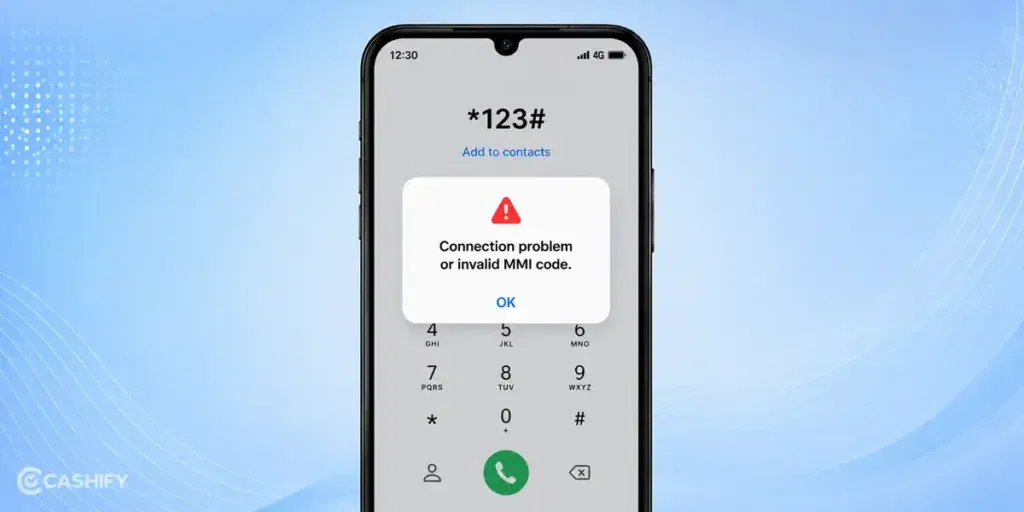
If you dial a code and see “Connection problem or invalid MMI code,” it usually just means one of these:
- Your phone brand or Android version doesn’t support that particular code
- The code needs a SIM-based network feature your carrier doesn’t offer
- You’re on a dual-SIM phone and dialed it from the wrong SIM slot
- You typed the code slightly wrong – even one missing * or # can break it
If this happens, don’t worry! Nothing on your phone has changed. Just double-check the code and try again, or move on to a different one.
More Advanced Android Secret Codes
If you’re looking for even more diagnostic and service menu shortcuts, here are some advanced Android secret codes. Keep in mind that many of these work only on specific brands or older Android versions.
| Android Secret Code | Purpose | Availability |
| ##7780## | Factory data reset (keeps system software intact). Use with caution. | Older Android devices |
| 27673855# | Performs a complete factory reset without confirmation on supported devices. Highly risky. | Some older Samsung phones |
| *#9090# | Opens diagnostic configuration menu. | Samsung (select models) |
| *#7465625# | Checks SIM lock status. | Samsung and some Android phones |
| *#7353# | Opens the quick hardware test menu. | Samsung |
| *#1111# | Displays FTA software version. | Samsung |
| *#2222# | Displays FTA hardware version. | Samsung |
Warning: Factory reset codes may erase all data instantly and are disabled on most modern Android phones for security reasons. Use them only if you fully understand their function.
Final Thoughts
That’s all about the Android secret codes! Make sure that you save the important codes in your phone’s contacts. You can even name them based on what they do, like “Battery Test” or “Wi-Fi Info.” Whenever you want to unlock hidden Android features or use Android hidden codes for troubleshooting, you just tap and call the code.
Using these Android secret tricks and Android hidden features makes checking your phone and testing hardware super easy and fun.
You will like these too:
Frequently Asked Questions
What is the Android secret code?
Android secret codes are short codes that you dial on your phone to access hidden menus and settings. These codes come handy when troubleshooting the device.
What is the 31 code for Android?
You can dial #31# followed by a phone number to hide your number for that particular call. The call will display as “Unknown” or “Private” on the recipient’s screen.
Is *#67 safe?
Yes, it is safe to dial *#67 from your phone. This Android secret code is used to display call forwarding information on your phone.
How to hide caller ID?
You can dial #31# followed by the number to show your call as “Unknown” or “Private” on the receiver’s phone.
What is the *#9900# code used for?
Using the #9900# code allows you to access System Dump Mode wherein you can remove all the junk files from your phone.
Do Android Secret Codes Still Work in Android 16?
Yes, but not all codes work anymore. Google and smartphone brands like Samsung, Xiaomi, OnePlus, and Google Pixel have restricted many engineering menus for security reasons. Some diagnostic codes still work, while others have been disabled or require service permissions.
If you’ve just bought a new phone and don’t know what to do with your old phone, then here’s your answer. Sell old mobile to Cashify and get the best price for it. If you are planning to buy a new phone, check out Cashify’s refurbished mobile phones. You can get your favourite phone at almost half price with six-month warranty, 15 days refund and free delivery.