As the winter chill sets in November, the long queues start growing in front of the banks. They are the elderly pensioners, bundled up against the cold, clutching faded IDs. They endure the long queues only to prove they are still alive. Only then do they get their hard-earned pension. Well, this has been the story of every pensioner in India for many years until one could download the Jeevan Pramaan Life certificate online.
In 2025, this simple digital shift will take away the annual hassle for senior citizens to show up in banks. For many, doing such processes online becomes a bit daunting. Today, we are breaking down all the steps to download this essential life certificate. Be it a website or an app.
What Is Jeevan Pramaan?
Jeevan Pramaan, or the Digital Life Certificate (DLC), is an online platform by the Government of India. This was built to simplify life certificate submission for central government pensioners.
The platform was introduced under the Department of Electronics and Information Technology (DeitY). It uses Aadhaar-based biometric authentication like fingerprints, iris scans, and even facial recognition. This ensures a secure way to verify a pensioner’s identify.
Once authenticated, a digital certificate is generated instantly. This is shared electronically with the pension disbursing authority (PDA), such as your bank or post office.
So, why download Jeevan Pramaan Life certificate online?
- No more paperwork, no more physical visits.
- Jeevan Pramman is made user-friendly for uninterrupted pension flow.
- It cuts down on fraud
- Administrative burden is reduced.
- It is completely secure.
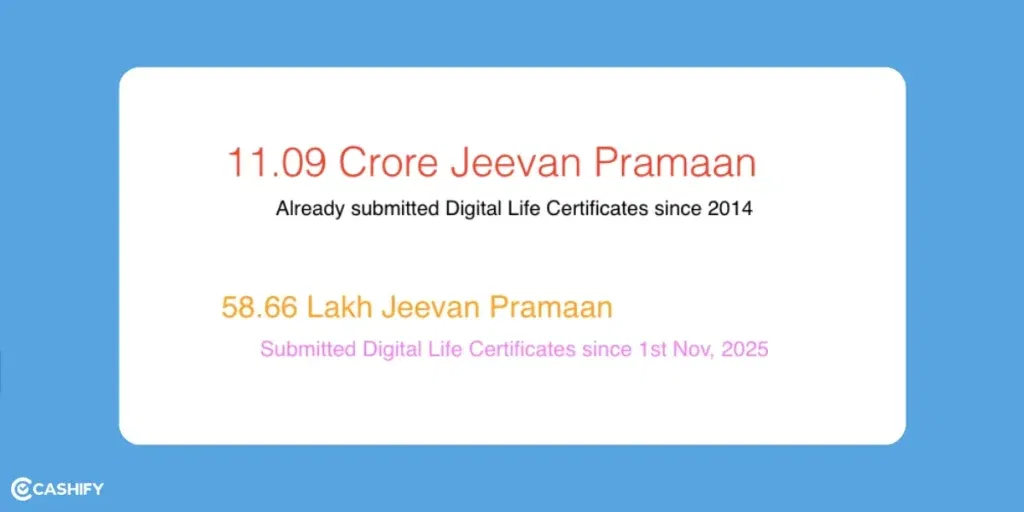
This system isn’t just convenient. It’s a lifeline for over 60 lakh pensioners, especially those in remote areas or with mobility challenges. And the best part? It’s free, valid under the Information Technology Act, and accepted nationwide.
Also read: How To Use Google Gemini AI Right Now?
Submit and Download Your Jeevan Pramaan Online: Step-by-Step Guide
There are two ways to submit your life certificate online. One is through the official Jeevan Pramaan portal (jeevanpramaan.gov.in). Another is via the Jeevan Pramaan App. For both mediums, you will need a few prerequisites:
- Pensioner’s Aadhaar number (linked to your mobile and bank account),
- Pension Payment Order (PPO) number, bank account details,
- A biometric device (like a fingerprint scanner) or a smartphone for face/OTP authentication. If you don’t have a device, you can use the UMANG app or visit a nearby Common Service Centre (CSC).
Jeevan Pramaan Life Certificate Download Online Via Portal Or Website
Register Your Biometric Device (If New):
- Head to the portal and select “Register Biometric Device.”
- Enter your Aadhaar number and the mobile number linked to it.
- An OTP will arrive via SMS. Enter it, then provide your name and email.
- Authenticate by scanning your fingerprint or iris.
- Success! Your device is now linked.
Log In and Enter Pensioner Details:
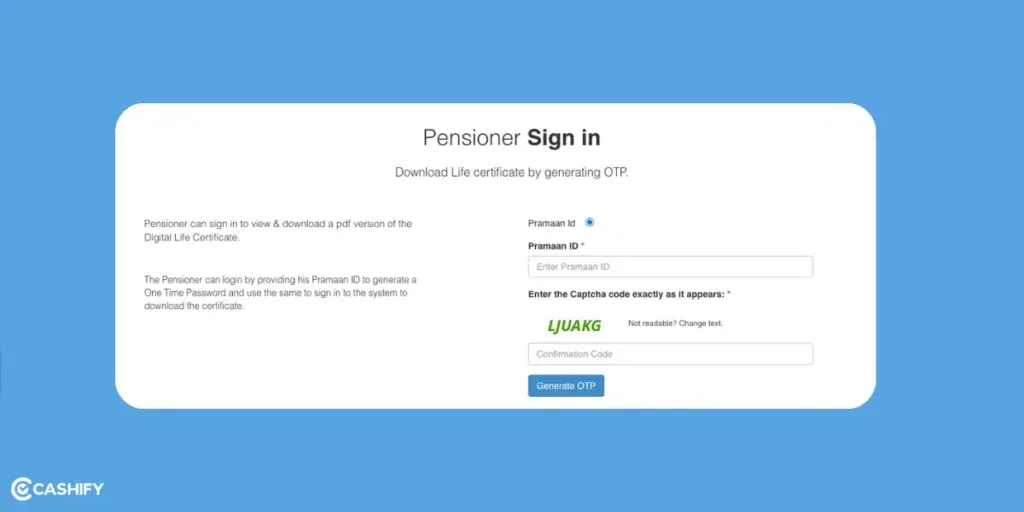
- Click “Pensioner Login” on the homepage.
- Use your Pramaan ID (from previous submissions) to log in with a captcha.
- Fill in key details: PPO number, pension type (e.g., superannuation), sanctioning authority (e.g., your department), disbursing agency (bank name), bank account number, and whether you’re remarried or re-employed.
- Double-check for accuracy. This seeds your Aadhaar with pension info.
Authenticate Biometrically:
- Select your authentication method (fingerprint, iris, face via app, or OTP).
- Position your device or phone accordingly and scan.
- The system verifies against UIDAI’s database in seconds.
- If it’s a match, congratulations! You are authenticated!
Generate the Certificate:
- Hit “Submit.” The portal instantly creates your Digital Life Certificate, complete with a unique Pramaan ID.
- You will basically receive an SMS with the ID and a confirmation.
- The certificate is auto-forwarded to your PDA for verification.
Download Your Certificate:
- Back on the portal, go to “View/Download DLC.”
- Enter your Pramaan ID or Aadhaar number,
- Now download the PDF version.
- Print it if needed for records. It’s your official proof, valid for the next year.
The whole process takes under 10 minutes.
If you are overseas or tech-shy, family members can assist and act as ‘Operator’. Initially, their Aadhar and mobile, and email details may be required for registration. Or if that’s not an option, head to a CSC (locate via SMS: JPL <PINCODE> to 7738299899).
Jeevan Pramaan Life Certificate Download Online Via Mobile App (Android/iOS)
If you are more comfortable with a mobile version, you can use their dedicated app for Jeevan Pramaan Life certificate download online. The Jeevan Pramaan Face App is available on Google Play & App Store. It lets you submit using face authentication. Or download the application from website itself.
Operator registration:
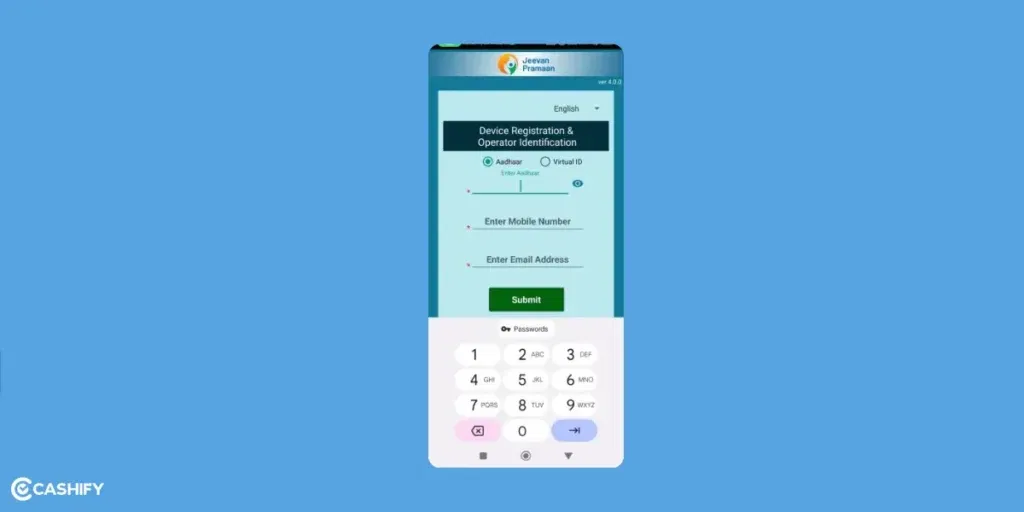
- If it’s your first time, the ‘Device Registration and Operator Identification’ opens first. Once you open the app, you will get a space for registration via Adhaar card, mobile number and email for the same. Fill them in.
- Write the operator’s name in the given blank.
- Next step, face verification of the operator (one who is filling in the forms for the pensioner)
Pensioner’s Identification

After completion of the operator’s registration, you will be redirected to another page. A similar registration page opens for the Pensioner.
- Fill in the Adhaar number, mobile number (linked to pension) and email address.
- Next, OTP Verification on the Pensioner’s number.
- Add Pensioner’s details like Name, Pension type, PPO No., Bank Account No., etc.
- Click on ‘Next’. A page opens with all details mentioned as you have entered, with a confirmation condition.
- Check those boxes and ‘Submit’.
- There’s another layer of confirmation, check the box again and ‘Submit’.
- Next, Face Scan for Verification happens. Look into the camera and blink when prompted.
- The certificate is generated instantly. An SMS with Pramaan ID is also shared.
- Next, view in the app and save or share the PDF.
Also read: What Is Blackbox AI And How To Use It? Will These Code Generators Eat Up Human Jobs?
FAQs: Jeevan Pramaan Life Certificate Download Online:
1. Is Aadhaar mandatory for Jeevan Pramaan?
Yes, Aadhaar (or its Virtual ID) is required for biometric authentication to prevent fraud. Link it to your mobile and bank first. If not, visit an Aadhaar centre.
2. Can I submit Jeevan Pramaan from abroad?
Absolutely! Use the Android/Windows app or portal with internet access. No need to return to India. You can authenticate via face or OTP.
3. What if my biometric scan fails?
Try another finger/eye, ensure good lighting, or switch to OTP/face auth. If issues persist, visit a CSC for assisted submission (nominal fee may apply).
4. How do I check if my certificate was accepted?
Log in to the portal with your Pramaan ID/Aadhaar, view status under “Track DLC.” Your bank will also confirm via SMS if needed.
5. Is the digital certificate valid forever?
No, it’s annual, like the traditional one. Submit by November 30 each year to avoid pension delays. The Pramaan ID, however, is lifelong for logins.
6. What if I don’t have internet or a device for Jeevan Pramaan?
Visit a CSC or designated office (find via the portal’s “Locate a Centre”). It’s free for central pensioners, and they handle everything.
7. Which name to put in the Operator name blank?
The person who is filling in the details of the pensioner also needs to register his/her device and verify their identity. Put their name in the Operator name blank.
Final Word
Jeevan Pramaan empowers senior citizens to exercise their right to pension effortlessly. No multiple visits to the bank or help centres. Just a single scan online once a year will keep your pension flowing on time. Just like the Jeevan Praaman app, you can also use UMANG- a government app for the same purpose! This means if one method is accessible, the other surely will be. Do it with comfort and enjoy your retirement with dignity.
Did you know that refurbished mobile phones cost almost 50 per cent less than new phones on Cashify? You also get other discounts, No-cost EMI and more, making it the most affordable way to buy a premium phone. So, what are you waiting for? Buy refurbished mobile phones at your nearest cashify store and avail exclusive offers.