Rockstar Games has not released an official mobile version of GTA 5. But, there are several ways to play the full game on Android and iPhone through cloud streaming and remote play services. In this guide, we’ll walk you through the safest and easiest methods to set up GTA 5 on mobile and enjoy gaming from virtually anywhere.
Also Read: BGMI 4.4 Update Download Guide: Link Is Live For Android And iOS Users
Quick Checklist: What You Need Before Starting
Before you jump into GTA 5 on mobile, make sure you have the following:
- A Compatible Phone: A reasonably recent Android or iPhone/iPad that meets the requirements of your service. Requirements differ between Xbox Cloud Gaming, GeForce NOW, and PS Remote Play.
- A Game Controller: Strongly recommended. Xbox controllers, PlayStation DualSense/DualShock controllers, and mobile clip-on options work well.
- A Copy of GTA 5: Required for most methods, either on PC, Xbox, or PlayStation. This is not always required separately. GTA 5 can currently be accessed through Xbox Game Pass when it is included in the applicable cloud catalogue, while Boosteroid requires a supported game entitlement.
- A Fast Internet Connection: A stable 5GHz Wi-Fi connection is ideal. Xbox recommends 20 Mbps or higher for mobile cloud gaming. NVIDIA recommends 15 Mbps for 720p/60fps and 25 Mbps for 1080p/60fps on GeForce NOW. Low latency is just as important as raw download speed.
- The Required App or Service: Xbox Cloud Gaming, Boosteroid, PS Remote Play, Steam Link, or another supported platform, based on your chosen method. GeForce NOW is not currently a GTA 5 option.
This can can make the setup process much easier and avoid performance issues during gameplay.
Also read: How To Connect PS5 Controller To PC? Easy Wired And Wireless Methods!
How To Download GTA 5 On Mobile? Follow This Guide
There are basically three ways to play GTA 5 on your phone. Let’s check them out:
Method 1. Cloud Gaming: The Easy Option
Think of this as video game streaming.
GTA 5 runs on a powerful computer in a data center. Your phone displays the game screen and sends your button presses back to that computer. Xbox Cloud Gaming currently supports GTA 5. You can stream the game on supported mobile devices through an eligible Game Pass subscription.
Boosteroid also currently supports GTA 5. It does that through cloud gaming. GeForce NOW lets you connect supported PC game-store libraries and stream compatible games you own. But GTA 5 is not currently available through GeForce NOW.
The main requirement is a fast and stable internet connection.
Note: GeForce NOW is not currently a way to play GTA 5. For GTA 5, check Xbox Cloud Gaming or Boosteroid instead.
If you have a Game Pass subscription, you can stream GTA 5 on your phone through Xbox Cloud Gaming.
Method 2. Remote Play: Use Your Own PC or Console
This option uses hardware you already own.
Your PC, PlayStation, or Xbox runs GTA 5, and your phone acts like a remote screen and controller.
- PS Remote Play connects your phone to a PS4 or PS5.
- Steam Link connects your phone to a gaming PC.
- The Xbox app can connect to an Xbox console.
Xbox Remote Play lets you play games installed on your Xbox console from a supported mobile device through the Xbox website.
Tip: GTA 5 can be challenging to play using on-screen touch controls. For a smoother experience, pair a Bluetooth controller such as a PlayStation DualSense, Xbox Wireless Controller, or a mobile controller like the Backbone One. This provides better control, improved accuracy, and a more console-like gaming experience.
3. PC Emulation: The Experimenter’s Route
This is the most complicated option.
Instead of streaming the game from somewhere else, people try to run GTA 5 directly on Android. This is done through Windows emulators, compatibility tools, custom graphics drivers, and manual setup.
Getting everything working can take hours. You may also face some common issues like crashes, graphical glitches, overheating, long loading times, and unstable frame rates.
Recent high-end Snapdragon phones generally have the best chance of running GTA 5 through Windows compatibility layers. Custom Turnip GPU drivers are commonly used on compatible Adreno-based devices. But they are community-developed components rather than official Rockstar drivers.
Some high-end Android phones can achieve playable performance after substantial tweaking.
For most people, this is more of a technical project than a practical way to play GTA 5.
Important Warning About “GTA 5 APK” Downloads
It is always advisable to be careful. Rockstar has never released an official Android version of GTA 5. Many websites claiming to provide a “GTA 5 APK” contain:
- Fake apps
- Malware
- Data-stealing software
- Simple fan-made apps pretending to be GTA 5
The safest choices are cloud gaming or remote play through official platforms.
How To Spot A Fake Cloud Gaming or GTA 5 App
A few quick checks before installing anything that claims to run GTA 5 on your phone:
- Check the publisher name, not just the app icon. The official apps are published by NVIDIA Corporation (GeForce NOW), Microsoft Corporation (Xbox), Sony Interactive Entertainment or PlayStation Mobile Inc. (PS Remote Play), and Valve Corporation (Steam Link). Anything published under an unfamiliar developer name claiming the same function is not official.
- Be suspicious of apps demanding upfront payment outside the Play Store or App Store’s own billing. Legitimate cloud gaming apps are free to download; you pay for the subscription inside the app or on the provider’s own website, never through a random payment link.
- Check review counts and dates, not just star ratings. A fake app can fake a 4.5-star rating with a handful of paid reviews. Look for apps with hundreds of thousands of reviews accumulated over years.
- Never download an APK file from a third-party website that claims to be “GTA 5 for Android.” As covered above, no such official file exists. Every legitimate method in this guide streams the game; it never asks you to install GTA 5 itself on your phone.
Also Read: How To Use Two WhatsApp Accounts In iPhone: Simple Steps!
Mobile System Requirements For GTA 5
Before starting, check if your device matches these requirements for smoother GTA 5 streaming or remote play:
| Feature | Minimum (Cloud & Remote Play) | Recommended (Best Performance) |
|---|---|---|
| Android OS | Xbox Cloud Gaming supports Android 12 or later, while GeForce NOW supports Android 7.0 or later | Latest available Android version recommended |
| iOS Version | Xbox Cloud Gaming supports iOS 14.4 or later, while GeForce NOW requires iOS/iPadOS 15.4 or later | Latest available iOS/iPadOS version recommended |
| Wi-Fi Band | Stable 5 GHz connection | Wi-Fi 6 / 6E / 7 router |
| Mobile Data | 5G or a stable connection meeting the service’s bandwidth requirements | 5G with low latency |
| Processor | No specific processor is required for cloud or remote play | Good Wi-Fi performance and efficient video decoding |
| Controller | Bluetooth-compatible gamepad | Xbox Wireless Controller / PlayStation DualSense / Backbone One |
Things To Note
- OS Compatibility: Don’t rely on a single Android or iOS version for every service. GeForce NOW currently supports Android 7.0 or later and requires iOS/iPadOS 15.4 or later. Xbox lists Android 12 and iOS 14.4 as cloud-gaming minimums.
- Internet Speed: A stable connection of at least 15 Mbps is starting point for 720p cloud streaming, while 25 Mbps is a better target for 1080p/60fps. Xbox recommends 20 Mbps or higher on mobile.
- Stay Away From Fake GTA 5 Downloads: Some websites and APK files claim that GTA 5 runs directly on Android phones or iPhones. Those claims are false. For an official, supported experience, GTA 5 still needs a compatible cloud service, gaming PC, or PlayStation/Xbox console.
iOS vs Android: Which Methods Actually Work On Your Phone?
Let’s check out:
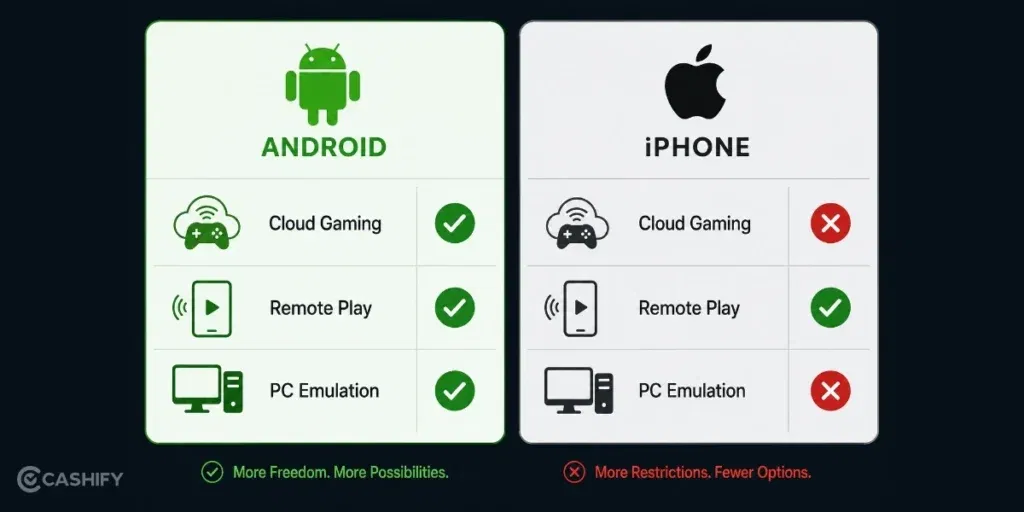
PC Emulation:
This is currently practical only on Android. Android has more flexibility for Windows compatibility layers and community graphics drivers. iOS does not have a general-purpose Windows emulation setup for GTA 5.
iPhone Users: If you have an iPhone, stick to cloud gaming or remote play for GTA 5.
Cloud Gaming And Remote Play:
Both Android and iPhone support these methods. Xbox Cloud Gaming is accessed on mobile through supported browsers, including xbox.com/play . Xbox Remote Play is available through the Xbox website. PS Remote Play uses a dedicated mobile app. GeForce NOW supports Android through its app and iPhone/iPad through Safari. But GTA 5 is not currently in its supported game catalogue.
Controller Support:
Android phones generally connect to Bluetooth controllers easily. On iPhone, use an iOS-compatible controller, such as a supported Xbox, PlayStation, or MFi controller. GeForce NOW lists Xbox, DualSense/DualShock 4, and MFi controllers among its supported gamepads.
Storage and Background Limits:
iOS is stricter about apps running in the background. PS Remote Play currently allows background operation on iPhone/iPad for up to five minutes before automatically closing.
Battery Optimisation:
Some Android manufacturers use aggressive battery optimisation that can affect streaming or remote-play sessions. If an app disconnects unexpectedly, check your phone’s battery-management settings.
In short: If you’re on iPhone, your realistic options are cloud gaming and remote play. Android gives you those options plus PC emulation.
How Much Mobile Data Does GTA 5 Cloud Gaming Actually Use?
Cloud gaming is a data monster, but nobody warns you about it.
On GeForce NOW or Xbox Cloud Gaming, streaming GTA 5 can eat up 6 GB to 10 GB of data every single hour. That depends on your video quality setting. Play for three hours a day, and you could burn through 20 to 30 GB before you know it.
If you’re on a limited Jio or Airtel data pack, this can wipe out your daily quota in under an hour. So here’s the fix: stick to Wi-Fi whenever you can. And if you must use mobile data, drop your stream quality from 1080p to 720p. This alone cuts your data use almost in half, and you will barely notice the difference on a phone screen.
Will Cloud Gaming Kill Your Phone’s Battery?
Yes, cloud gaming kills your phone’s battery pretty fast.
Streaming games keeps your screen at full brightness, your Wi-Fi or 5G radio working non-stop, and your processor decoding video the entire time. Expect your battery to drop by 15 to 20 per cent every hour during a GTA 5 session.
A few simple fixes help a lot here. Lower your screen brightness a notch. Close background apps you don’t need. And if you’re planning a long session, just keep your charger close by. Most mobile cloud gamers play while charging, and there’s nothing wrong with that.
How Much Storage Space Do You Actually Need?
People often assume they need tons of free storage to play GTA 5 on mobile, but that isn’t true for cloud gaming or remote play.
You aren’t downloading the full game onto your phone. You’re mainly installing a streaming or remote-play app. App sizes can change after updates. Some services may use temporary cache or other local storage.
A controller companion app may add a little more space. The total requirement is still far smaller than installing the PC version of GTA 5.
A few gigabytes of free storage is a sensible amount to keep available.
Can You Stream GTA 5 To Your TV Using Your Phone?
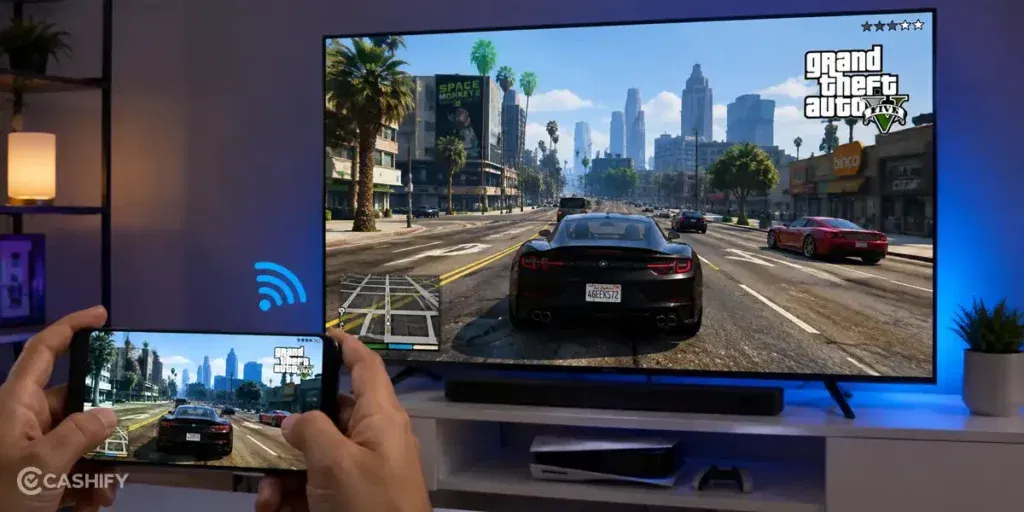
Yes, and it’s way easier than most people think.
If your TV supports Chromecast or has built-in Miracast, you can mirror your phone screen straight onto it. Most Android phones let you turn this on from the quick settings panel in a couple of clicks without any cable.
Don’t have a smart TV? An Amazon Fire Stick or a Chromecast dongle plugged into any TV will do the trick just as well. Once connected, you get a proper living-room gaming setup, minus the console and the extra spending.
In a nutshell, cloud gaming on mobile isn’t just about picking a service and hitting play. Keep an eye on your data pack, carry your charger, and don’t stress about storage. Grab a budget controller if the premium ones feel too pricey, and if you’ve got a TV nearby, cast your game and enjoy GTA 5 on the big screen too.
Official GTA Mobile Alternatives
If you are looking for a native mobile GTA experience instead of streaming, we have some options for you. These official Rockstar titles run directly on your phone and are available through app stores.
These games are solid offline-friendly options that still bring the classic GTA feel.
GTA: The Trilogy: The Definitive Edition
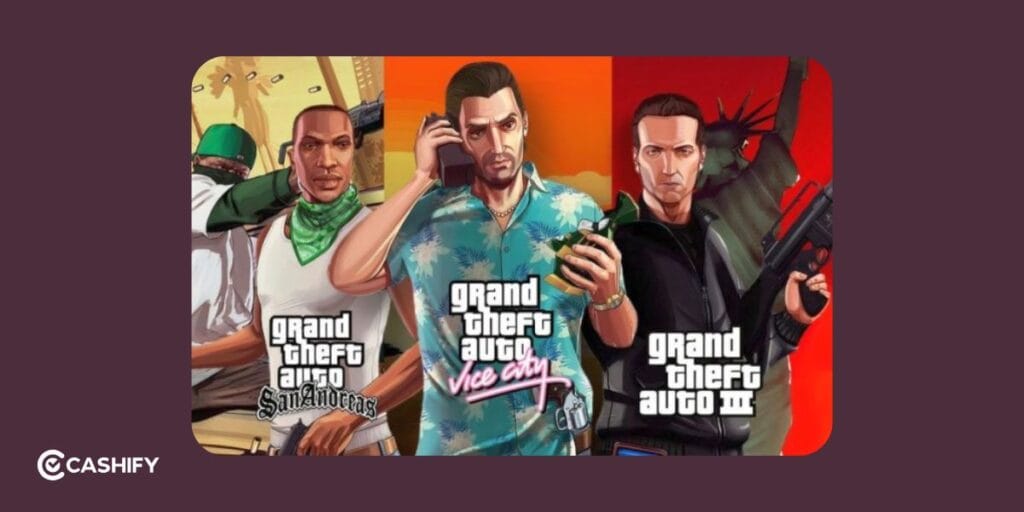
It includes GTA: San Andreas, GTA: Vice City, and GTA III. These are all remastered for modern Android and iOS devices. They are available via official app stores.
Netflix Games Versions
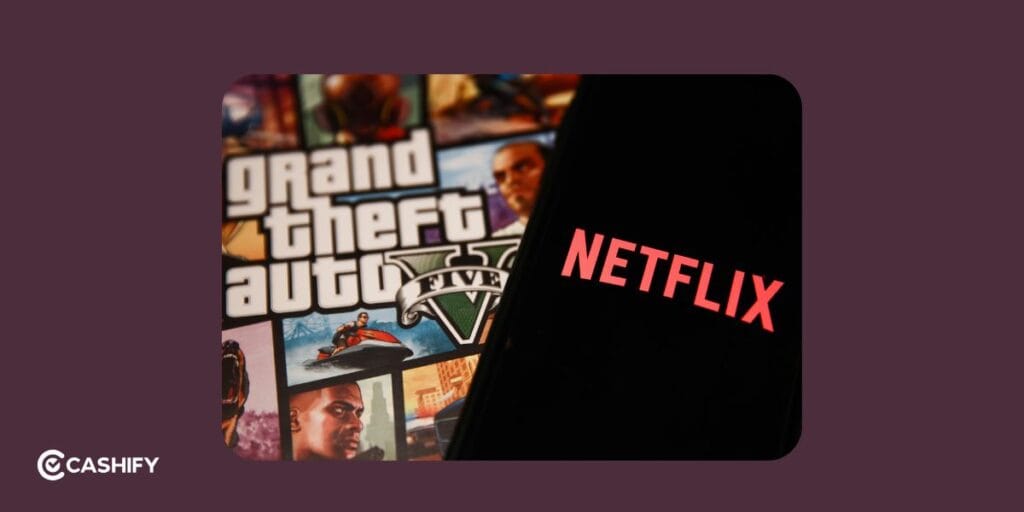
If you have an active Netflix subscription, you can download and play select GTA: Definitive Edition titles. You will find this in the Netflix mobile games section at no extra cost.
Classic Mobile Ports
There are some older but optimised titles like GTA: Liberty City Stories and GTA: Chinatown Wars. They run natively on mobile and support touch controls plus Bluetooth controllers.
New Native Mobile Alternatives
For a true mobile experience, try Gangstar Mirage City (releasing August 20, 2026), a GTA Online-style open-world game from Gameloft and Tencent. It offers offline-friendly progression and is optimized for Android (iOS version TBA).
End Note
For the smoothest experience, you should stick to official cloud gaming platforms or remote play apps. You should also ensure you have a stable, high-speed internet connection. Avoid downloading GTA 5 APK files from unverified websites, as they can pose security risks. You can even pair your phone with a Bluetooth controller, launch the game, and get started.
Also Read: GTA 6 Preorders May Begin Soon As New Online Listing Sparks Fresh Speculation
If you’ve just bought a new phone and don’t know what to do with your old phone, then here’s your answer. Sell your old mobile to Cashify and get the best price for it. If you are planning to buy a new phone, check out Cashify’s refurbished mobile phones. You can get your favourite phone at almost half price with a six-month warranty, 15-day refund and free delivery.