Google has officially launched Google Antigravity 2.0, and this could become one of the company’s biggest AI developer tools yet. The new platform introduces autonomous AI agents, voice-controlled coding, workflow automation, and parallel task execution powered by Gemini AI.
Unlike traditional AI coding assistants that only suggest code snippets, Antigravity 2.0 can now handle multiple development tasks simultaneously. Developers can automate coding, debugging, testing, documentation, and project workflows using AI agents working together in real time.
The launch comes as the AI coding race becomes more competitive, with companies like Google, OpenAI, Anthropic, and Microsoft all pushing heavily into AI-assisted software development.
Here’s everything you need to know about Google Antigravity 2.0, how it works, and how you can install it.
Also Read: 5 Best Video Downloader Apps For Android: Fast And Free Picks
TL;DR
Google Antigravity 2.0 introduces:
- Multi-agent AI workflows
- Voice-controlled coding
- Dynamic AI subagents
- Automated task scheduling
- Gemini AI-powered development
- Background coding automation
- AI workflow orchestration
The platform is designed to help developers automate repetitive coding tasks and improve productivity.
What Is Google Antigravity 2.0?
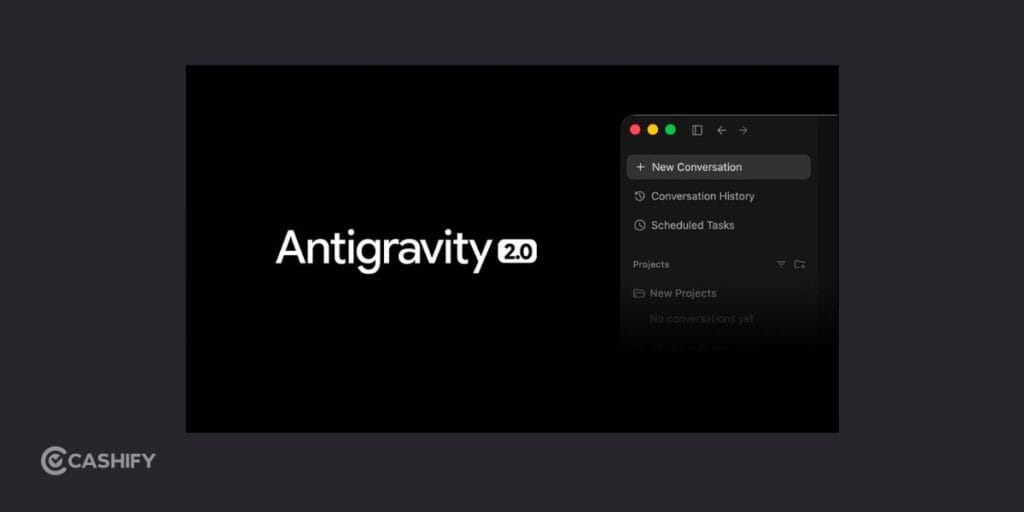
Google Antigravity 2.0 is Google’s latest AI-powered coding platform designed for autonomous software development workflows.
Instead of functioning like a simple AI coding assistant, the platform now works as an AI development workspace where multiple AI agents can collaborate together across projects.
The platform can:
- Write code
- Debug applications
- Execute commands
- Generate documentation
- Run tests
- Organize workflows
- Handle repetitive development tasks
Google describes this as an “agent-first” approach to coding, where AI agents become active participants in software development instead of passive assistants.
The platform is heavily powered by Gemini AI models, especially Gemini 3.5 Flash.
What’s New In Google Antigravity 2.0?
Google has introduced several major upgrades in the latest version. Here are the features of the Google Antigravity 2.0:
Multi-Agent AI Workflows
This is the biggest feature in Antigravity 2.0.
Users can now run multiple AI agents simultaneously inside the platform. Instead of performing tasks one by one, developers can assign different responsibilities to separate AI agents.
For example:
- One AI agent can write frontend code
- Another can debug backend logic
- A third can generate documentation
- Another can run tests automatically
This parallel workflow system is designed to reduce manual workload significantly.
Dynamic Subagents
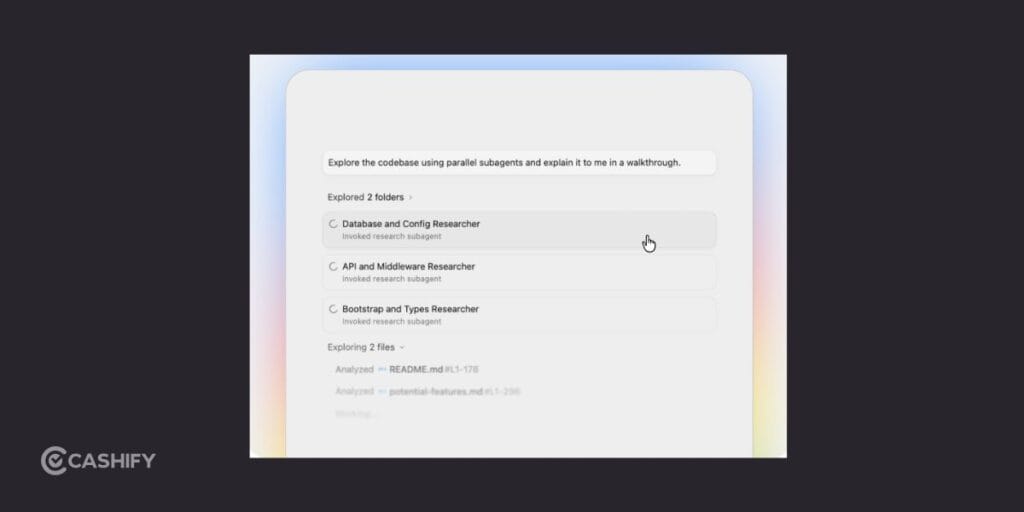
Google has also added Dynamic Subagents.
If you assign a complex task, Antigravity 2.0 can automatically divide the work into smaller subtasks and distribute them across multiple AI agents.
This allows:
- Faster execution
- Better workflow automation
- Improved project management
- Smarter task handling
This feature makes Antigravity feel much more advanced than traditional AI coding assistants.
Also Read: Vivo X300 FE Vs Samsung Galaxy S26 Camera: The Better Phone?
Voice Commands And Live Transcription
Antigravity 2.0 now supports:
- Voice-controlled commands
- Live voice transcription
- Hands-free coding interaction
Developers can interact with the platform using natural language voice instructions, making the workflow more conversational and accessible.
This is especially useful during:
- Debugging
- Rapid prototyping
- Multitasking
- Team collaboration
Automated Task Scheduling
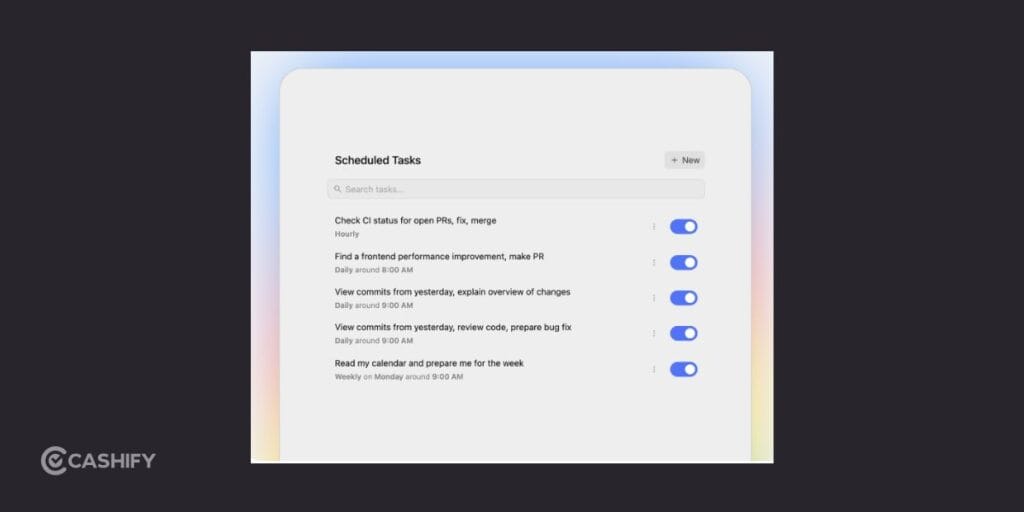
One of the most powerful additions is workflow automation.
Users can now schedule recurring development tasks directly inside Antigravity 2.0.
This includes:
- Automated testing
- Background documentation
- Code cleanup
- Deployment workflows
- Monitoring tasks
The platform behaves more like an AI operations system than a traditional code editor.
Better Gemini AI Integration
Google has upgraded Antigravity 2.0 with deeper Gemini AI integration.
This improves:
- Code understanding
- AI reasoning
- Response speed
- Workflow planning
- Automation quality
The platform also integrates better with:
- Firebase
- Android Studio
- Google AI Studio
Why Developers Are Talking About Antigravity 2.0
AI coding tools are becoming one of the hottest categories in tech right now.
Platforms like Cursor, Claude Code, OpenAI Codex, and Windsurf have already gained popularity among developers.
Antigravity 2.0 is clearly Google’s answer to this growing market.
The biggest reason developers are paying attention is the platform’s focus on autonomous AI agents instead of simple chatbot-style coding assistance.
Google appears to be pushing toward a future where developers supervise AI systems instead of manually handling every coding task themselves.
Also Read: iOS 26.5 Release Date And Supported Devices: Is Your iPhone Getting The Update?
How To Install Google Antigravity 2.0?
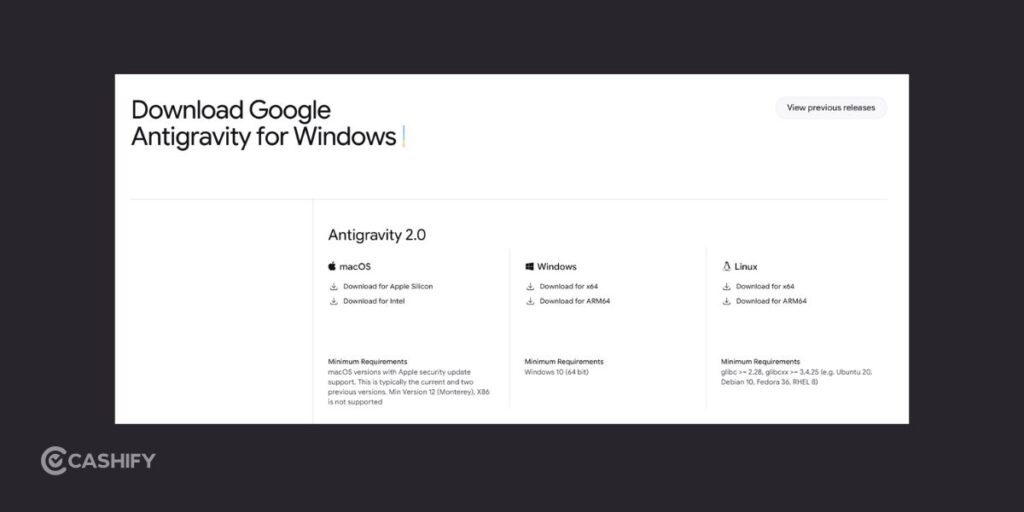
Installing Antigravity 2.0 is fairly simple.
The platform currently supports:
- Windows
- macOS
- Linux
Steps To Install Google Antigravity 2.0
- Visit the official Google Antigravity website.
- Download the installer for your operating system.
- Run the installation file.
- Sign in with your Google account.
- Connect your project folders or repositories.
- Start using AI agents inside the platform.
Download Google Antigravity 2.0
Users upgrading from older Antigravity versions may see:
- Replace Existing Version
- Keep Both Versions
Google recommends using the latest build for full AI workflow support.
Some Users Are Facing Upgrade Issues
Although the Antigravity 2.0 launch has generated excitement, some early users are reporting installation and compatibility issues.
A few developers claim:
- Older IDE versions stopped launching
- Extensions became incompatible
- Settings were reset during installation
Some users also feel the platform is becoming too AI-focused compared to traditional coding environments.
Still, many developers are praising the productivity improvements, especially the automation and multi-agent workflow features.
Can Google Antigravity 2.0 Replace Traditional IDEs?
Not completely- at least not yet.
While Antigravity 2.0 introduces impressive automation, many developers still prefer traditional IDEs for:
- Manual control
- Lightweight workflows
- Custom plugin ecosystems
- Familiar coding environments
However, Google clearly sees AI agents becoming a major part of future software development.
Antigravity 2.0 shows how AI coding platforms are evolving from simple assistants into autonomous development systems.
Final Thoughts
Google Antigravity 2.0 is one of Google’s most ambitious AI developer launches so far.
Features like multi-agent workflows, dynamic subagents, voice-controlled coding, etc., make the platform far more advanced than traditional AI coding assistants.
While some developers may still prefer manual coding workflows, it is becoming increasingly clear that AI-driven software development is moving into the mainstream.
If you are interested in the future of AI coding tools, Google Antigravity 2.0 is definitely worth watching closely.
Also Read: Vivo X300 Ultra Vs Samsung Galaxy S26 Ultra: Which Is Better?
Frequently Asked Questions
Is Google Antigravity 2.0 free to use?
Antigravity 2.0 currently offers limited free access for developers, but some advanced AI workflow and automation features may require a paid subscription or Google AI plan depending on usage and enterprise requirements.
How do you install Google Antigravity 2.0?
To install Google Antigravity 2.0, download the installer from the official Antigravity website, run the setup file, sign in with your Google account, and connect your coding projects or repositories to start using AI agents.
What are the new features in Google Antigravity 2.0?
Antigravity 2.0 introduces multi-agent workflows, voice-controlled coding, dynamic subagents, automated task scheduling, Gemini AI integration, live transcription, and workflow automation designed to improve coding productivity and reduce repetitive development tasks.
Can Google Antigravity 2.0 replace traditional IDEs?
Antigravity 2.0 can automate many coding tasks, but most developers still use traditional IDEs for manual coding, plugin flexibility, and workflow control. Currently, it works better as an AI development companion rather than a full IDE replacement.
Which operating systems support Google Antigravity 2.0?
Antigravity 2.0 supports Windows, macOS, and Linux systems. Users can install the platform on supported devices and access AI-powered coding workflows, automation tools, and Gemini AI features across multiple development environments.
Is Google Antigravity 2.0 good for beginners?
Yes, Antigravity 2.0 can help beginners by automating coding tasks, generating code suggestions, and simplifying workflows. However, understanding programming basics is still important to properly manage projects and review AI-generated outputs effectively.
How is Google Antigravity 2.0 different from ChatGPT?
Antigravity 2.0 is designed specifically for software development workflows. Unlike ChatGPT, it can run multiple AI agents simultaneously, automate coding operations, execute commands, manage workflows, and integrate directly with development environments and projects.
If you’ve just bought a new phone and don’t know what to do with your old phone, then here’s your answer. Sell old mobile to Cashify and get the best price for it. If you are planning to buy a new phone, check out Cashify’s refurbished mobile phones. You can get your favourite phone at almost half price with six-month warranty, 15 days refund and free delivery.