Looking for an easy way to use the GenYouTube download photo feature in 2026? You’re in the right place. GenYouTube is a popular online tool that lets you download photos, thumbnails, videos, and even music from platforms like YouTube and Instagram in just a few clicks.
Whether you want to save a YouTube thumbnail or download an Instagram image in HD quality, this guide covers everything. From step-by-step instructions to safety tips and common fixes, here’s how to use GenYouTube to download photos quickly and efficiently.
What Is GenYouTube?
GenYouTube is a free online tool that helps you download videos from YouTube. You can save videos in HD quality, such as 720p and 1080p, and watch them later without an internet connection.
It’s not limited to YouTube. You can also use GenYouTube to download videos from platforms like Facebook, Vimeo, Dailymotion, and a few others. If you only want the audio, you can convert videos into MP3 files and listen to your favourite songs offline.
One of the biggest reasons people use GenYouTube is its simplicity. You don’t need to create an account or install any software. Just follow a few easy steps, choose your preferred format, and download the content you want. The platform supports many video and audio formats, giving users plenty of options.
Also read: How To Start A YouTube Channel On Your Phone? Use These 5 Best Apps!
Key Features of GenYouTube
- Free to Use: No sign-up, subscription, or payment is required for basic downloads.
- Works in Your Browser: You don’t need to install any apps, plugins, or browser extensions.
- Multiple Download Formats: Save videos in formats like MP4, WebM, or 3GP, and download audio as MP3 or M4A.
- Choose Video Quality: Select from different resolutions, ranging from 144p up to 1080p.
- Compatible with Popular Browsers: Works well on Chrome, Firefox, Safari, and other modern browsers.
- Supports Different Devices: You can use it on Windows PCs, Mac computers, Android phones, iPhones, and tablets.
- Fast Download Processing: Designed to handle downloads quickly and efficiently.
- Thumbnail and Photo Downloads: Let users save video thumbnails and images from supported platforms.
- Built-In Search Feature: Search for YouTube videos directly on the website without opening YouTube separately.
- Can Access Some Restricted Content: May support certain age-restricted or region-limited videos that other downloaders cannot process.
Also read: Easy Ways To Download YouTube Videos On Jio Phone
Benefits of GenYouTube
Easy and Convenient
Everything works online, so there’s no need to install extra software. You can download videos directly from your browser in just a few clicks.
Completely Free
GenYouTube does not charge users for its basic downloading features, making it a cost-effective option.
Simple for Beginners
The website has a clean layout and straightforward navigation, making it easy to use even if you’re not very tech-savvy.
Flexible Download Options
You can choose from different file formats and video qualities based on your needs and device storage.
Also read: How To Create A YouTube Channel: Step-By-Step Guide
Disadvantages of GenYouTube
Limited Features
While GenYouTube is useful for downloading videos, it may not offer as many advanced tools and options as dedicated video download software.
Safety Concerns
As with many third-party download websites, there can be security risks. Users should be careful, as some sites may contain unwanted ads or potentially harmful files.
Possible Legal Issues
Downloading videos from YouTube or other platforms may go against their terms of service and could raise copyright concerns, depending on how the content is used and local laws.
Steps to Download Photos & Videos Using GenYouTube From YouTube
The steps that you need to follow while downloading videos from the app and website are similar.
- Open genyt.net
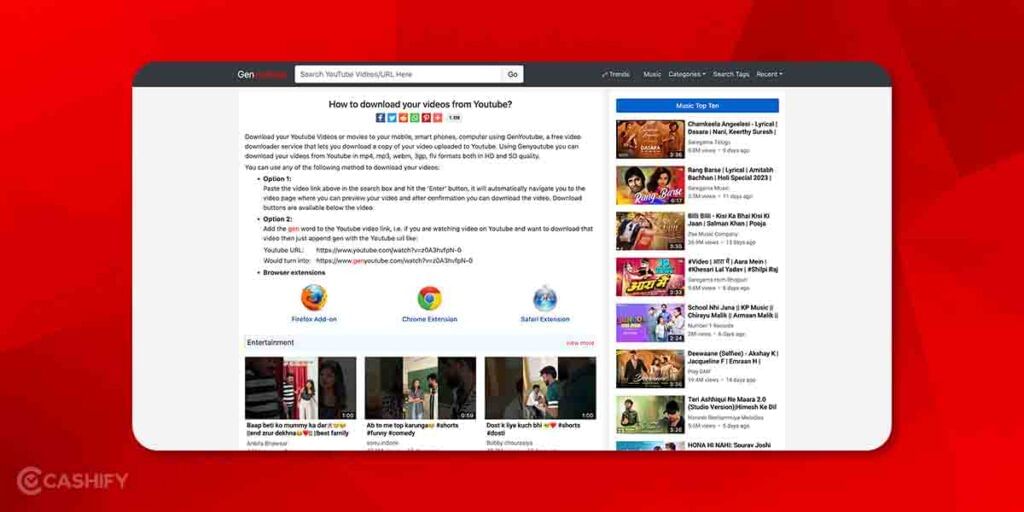
- Now, enter the video URL in the search box -> press enter
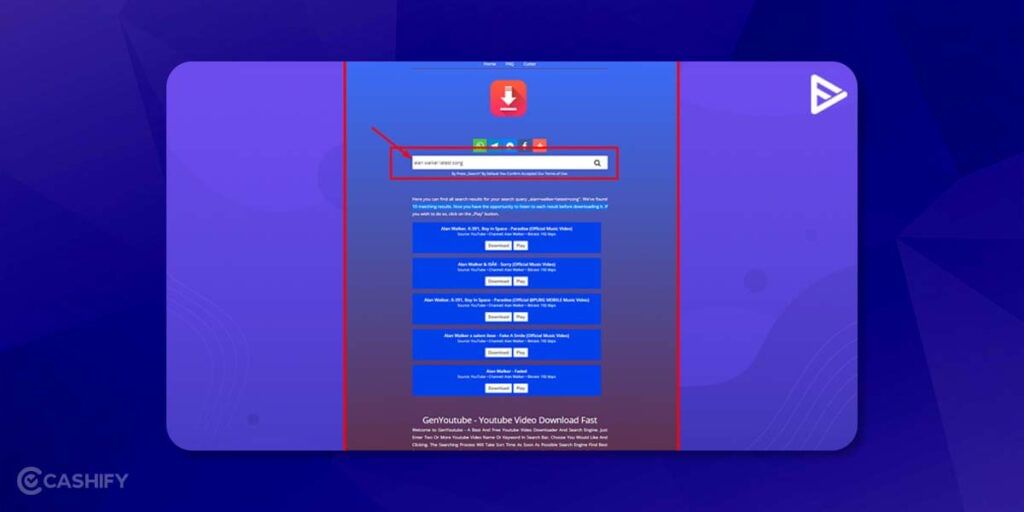
- Here, click on the “Generate Download Link”
- After that, select the desired video format in which you want to download the video.
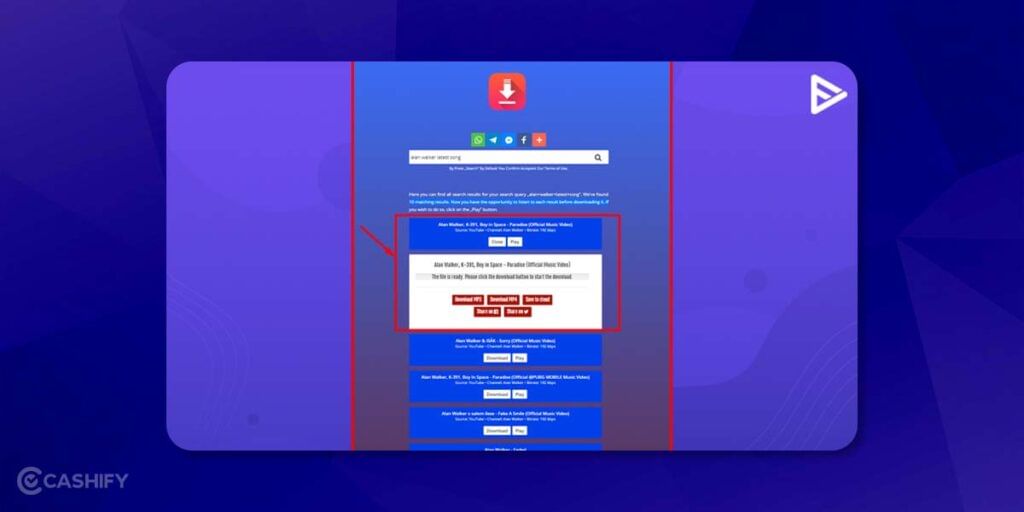
- Rename the video -> click on the OK button
- You will see the new tab opened with the video.
- Click the three dots there, then click download.
- Video downloading will get started.
How To Use GenYouTube Download Photo (Step-by-Step)
Using the GenYouTube download photo feature is simple and quick. Follow these easy steps to save images in high quality:
- Open YouTube or Instagram on your device.
- Copy the photo or video link you want to download.
- Visit the official GenYouTube website in your browser.
- Paste the copied link into the search box.
- Click on the “GenYouTube download photo” option.
- Choose the image quality (HD if available).
- Tap the download button to save the photo to your device.
This method works on smartphones, tablets, and desktops without requiring any app installation.
Also read: Easy Ways To Fix YouTube Not Working On Android
Is It Safe To Download YouTube Videos?
Downloading YouTube videos is against YouTube’s policies, which is why we do not encourage you to do so. Still, if you want to download YouTube videos, opt for YouTube’s premium subscription. With YouTube Premium, you can download ad-free videos and music.
Currently, the GenYouTube downloader is secure, fast, and quick to use. Using it, you can download videos in the original formats and without any watermark.
Tips To Avoid Security Risks While Using GenYouTube
If you want to avoid malware and other security risks while using GenYouTube, follow these steps:
- Use a reliable antivirus program – This will help protect your device from potential malware or security threats.
- Visit the official website – Always use GenYouTube from a reputable source, such as its official website or a trusted third-party site.
- Be cautious with pop-ups and ads – These can sometimes carry malware or other security risks. Use ad blockers and avoid clicking on suspicious pop-ups or ads.
- Keep your personal information private – Never share your email, phone number, or name on GenYouTube to protect yourself from fraud.
- Use a VPN – A VPN will encrypt your internet connection, ensuring your online privacy and providing an extra layer of protection while using GenYouTube.
Also read: How To Download YouTube Videos For Free
Which Tips to Keep For Efficient Photo Downloading?
Here are a few tips that you need to keep in mind for efficient photo downloading.
- Make quality settings. When users adjust the quality settings, it can download the image’s resolution and file size. Users can select HD images for professional projects or smaller file sizes for quick sharing on social media.
- Do batch downloading. GenTube lets users downlaod multiple photos simultaneously. It saves time and effort. When users select multiple images at once, they can easily create photo albums or back up their digital collection with ease.
Winding Up
In a nutshell, GenYouTube is an excellent website for downloading videos, photos, and songs. Using GenYouTube to download a photo or video, you don’t need to pay anything. It is entirely free. Besides, you can download HD photos and videos.
Hopefully, you got complete information about the GenYoutube download photos and videos. Still, if you have any questions, ask us in the comment box below. We would love to hear from you.
Also read: How To Get More Subscribers On Youtube?
FAQs
Is GenYouTube Free?
Yes, GenYouTube comes with a free version. Its free version offers basic features, including photo download capabilities.
Is It Possible to Download Photos From Social Media Using GenYouTube?
Yes, you can download photos from various sources, incorporating social media platforms such as Instagram, Twitter, and Facebook, using GenYouTube.
Is There Any Limitation On the Number of Photos You Can Download?
No, there is usually no limit on the number of photos you can download using GenYouTube. It offers unlimited access to the photo download feature.
How Much Time Does It Take to Download Photos From GenYouTube?
Download times generally vary based on factors such as internet connection speed, file size, and server load. Typically, smaller files download faster than the larger ones.
Is GenYouTube Compatible With All Devices and OS?
Yes, GenYouTube is compatible with almost all devices and operating systems, including Windows, iOS, Android, and macOS.
If you’ve just bought a new phone and don’t know what to do with your old phone, then here’s your answer. Sell old mobile to Cashify and get the best price for it. If you are planning to buy a new phone, check out Cashify’s refurbished mobile phones. You can get your favourite phone at almost half price with six-month warranty, 15 days refund and free delivery.