Your own iPhone screen got locked out randomly? This often happens after getting a screen replacement. The iPhone screen locked to owner after replacement allows only restricted functionality. Apple’s enhanced security features in recent iOS versions (like iOS 18 and beyond) does this to eliminate security issues. Let’s get into the details about why it happens and how you can resolve it with easy troubleshoots or professionally.
Also read: Apple iPhone 15 Pro Max Rear Camera Not Focusing? Here’s The Fix!
Why Does This Happen?
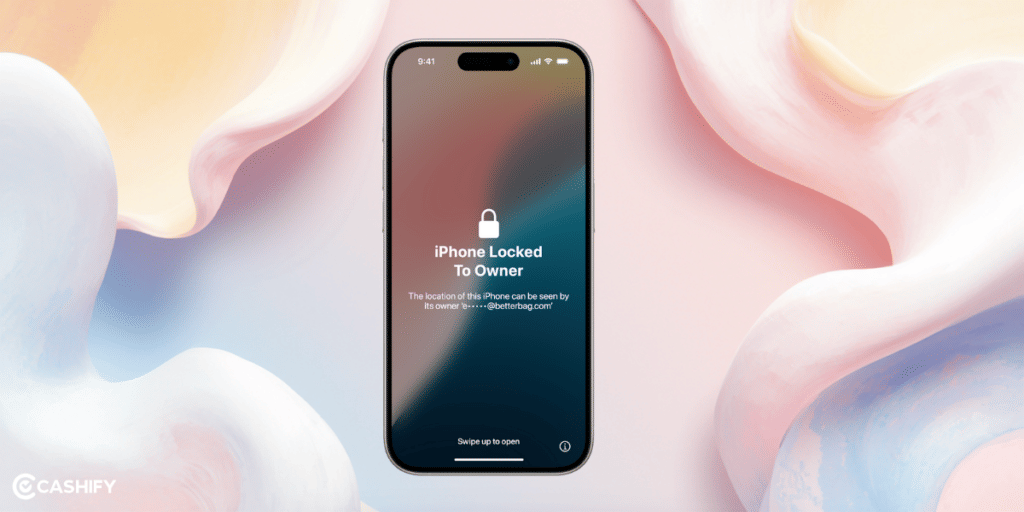
Apple introduced a feature called ‘Activation Lock’ for parts. This was mainly done in iOS 18 to protect devices from Theft. They end up in the black market for stolen iPhone components. Individual parts like the built-in display (your screen), battery, TrueDepth camera, or Touch ID sensor can be linked to the original owner’s Apple Account. That’s possible only when Activation Lock was enabled on the device they came from.
When you install a replacement screen that’s “previously used” (i.e., salvaged from another iPhone), your device runs a check during setup or through the Repair Assistant. If the part is still tied to someone else’s Apple Account, it triggers a lock saying ‘iPhone screen locked to owner’ after replacement. This means:
- The screen might not configure properly.
- Features like True Tone, Face ID, or even basic display calibration could be limited or disabled.
- You will see warnings in Settings. Go to General > About > Parts & Service History, labelling it as needing to “Finish Repair.”
- In extreme cases, it could mimic the full-device “iPhone Locked to Owner” screen if the part’s lock interferes with activation.
By this, Apple makes stolen iPhones less valuable. Their parts can’t be easily reused without the owner’s consent. Although it’s a smart anti-theft move, but it can catch innocent users off guard. Imagine you simply went for a screen replacement because your phone needed it. How will you figure if your provider is sourcing parts from non-legit places?
Note: This isn’t the same as a full iCloud Activation Lock on the entire phone (which happens after a reset without removing Find My). It’s part-specific, but it can feel similar if it blocks key functions.
Also read: Broken Back Glass on iPhone 11? Replace It Quickly!
What Can You Do When iPhone Screen Locked To Owner After Replacement
Don’t assume you can’t use your phone anymore! There are legitimate ways to resolve this without voiding your warranty or resorting to shady workarounds. These steps are based on Apple’s official guidance and real-user experiences. Always start with the simplest option and work your way down.
The only setback is that if the part is from a stolen device, these won’t work, and you should return it to the seller for a refund.
1. Use Repair Assistant to Unlock the Part Directly
This is the quickest fix if you have (or can get) the original owner’s Apple ID credentials. It’s built right into your iPhone.
- Go to Settings > General > About and scroll to Parts & Service History. Tap on the affected part (e.g., “Display”).
- If it shows “Finish Repair,” your iPhone will launch Repair Assistant automatically.
- When prompted, enter the email address (or phone number) and password for the Apple Account linked to the part.
- Wait a few minutes for the unlock process to complete. Your device will verify and configure the screen.
If you are doing this right after installation, restart your iPhone and let it boot up. It often triggers Repair Assistant on its own.
Also read: How To Identify And Repair Dead Pixels On iPhone 11?
2. Remove Activation Lock via iCloud (If You Have Access to the Original Device)
If the direct unlock doesn’t work or you don’t have the password handy, head to iCloud to remove the lock from the source.
On a computer or another device,
- Go to icloud.com/find](https://www.icloud.com/find) .
- Sign in with the Apple Account that was used on the original iPhone (the one the screen came from).
- Select the device that originally contained the part from the list.
- If it’s marked as “Lost,” turn off Lost Mode first.
- Choose Remove from Account (or “Erase Device” if needed, but only as a last resort. This wipes the original device if it’s still active).
- Wait a few minutes for the change to sync, then return to your iPhone’s Repair Assistant to finish the process.
3. Visit a Professional iPhone Repair Store.
The safest bet would be to get original components from Apple Store or Authorised Service Provider. Bring your iPhone and proof of purchase for the part. They can run diagnostics and, in some cases, assist with configuration if the part is genuine.
The only problem is, it’s not going to be cheap. In fact, considering you just got a screen replacement, your overall expense would hurt your bank account.
Reputable alternatives for mobile phone repair like Cashify, offers high quality compatible replacement screens for iPhone. Here it’s much more aqffordable and you won’t find such issues arising. In any case, you can use the 7-day refund option if it isn’t up to mark.
Also read: Apple iPhone 13 Pro Max Speaker Not Working? Troubleshooting & Fix!
How Can Cashify Help With iPhone Repair?
A lot of times, users hesitate to repair their iPhones from third parties due to trust issues. Getting low-quality replacements being the prime concern. Other than that, it’s either expensive or an Apple authorised centre is not available nearby.
In such cases, the only no-brainer remains Cashify. Cashify is a certified platform that is known to perform high-quality mobile repair. Thanks to the team of expert technicians who relentlessly work on the complicated stuff so that you get back your phone fully functioning.
That being said, iPhone repair on Cashify is reliable and affordable. Get the correct diagnosis of the issues be it screen, battery or anything else. The replacements are only high-quality compatible parts.
Benefits on top like:
- Warranty on screen and battery repair/replacement.
- Seven-day refund is also available on screen repairs.
- Free doorstep visit.
- Screen replacements have six-months warranty too. Plus one-month complimentary warranty for repacement screen.
- Additional discount coupons to lower the phone repair fee.
- Convinience to book from the app or website rather than visiting the physical store.
- 200 plus offline stores, so you easily find one nearby in case you choose to visit the store directly.
Also Read: I Got The Refurbished Apple iPhone 11 From Cashify, My Real Experience!
Final Thoughts
There you have it! A simple way to tackling “locked to owner” issue after a screen swap. Most cases resolve with a quick credential entry or seller contact. Just don’t panic if the methods don’t work. Bring it to professionals like Cashify for hassle-free and affordable solutions.
If you’ve just bought a new phone and don’t know what to do with your old phone, then here’s your answer. Sell old mobile to Cashify and get the best price for it. If you are planning to buy a new phone, check out Cashify’s refurbished mobile phones. You can get your favourite phone at almost half price with six-month warranty, 15 days refund and free delivery.