Technology keeps evolving, and Microsoft is once again preparing to redefine the PC experience. After the widespread adoption of Windows 11, users around the world are now searching for one big answer: what is the Windows 12 release date and what new features will it bring?
Windows 12 is expected to be Microsoft’s most advanced operating system yet, with a strong focus on AI-powered tools, smarter performance, modern design upgrades, and enhanced security. From deeper Copilot integration to next-generation gaming and productivity improvements, Windows 12 aims to change how we interact with our devices.
In this detailed guide, we cover everything you need to know about Windows 12 release date, expected features, system requirements, supported devices, and who should upgrade. Whether you’re a student, professional, gamer, or planning to buy an AI-powered laptop, this article will help you decide if Windows 12 is worth the wait.
Also Read: Snapdragon 8 Elite Gen 5 Vs A19 Pro: Performance & Gaming Battle
Before diving deep into Windows 12 expected features and release date, let’s first understand what happened to Windows 9.
Why Windows 12? What Happened to Windows 9?
You might be thinking, ‘Why did we skip Windows 8 and go straight to Windows 10?’ And, now we are jumping to Windows 12? What happened to Windows 9? Well, you’re not imagining these things. Microsoft skipped Windows 9 in 2015. The reason is to avoid technical bugs caused by legacy code, which might confuse Windows 9 with Windows 95 or 98. So, Microsoft jumped straight to Windows 10.
Here is the complete version history.
| Windows Version | Year Passed |
| Windows 7 | 2009 |
| Windows 8/8.1 | 2012/2013 |
| Windows 10 | 2015 (Skipped 9!) |
| Windows 11 | 2021 |
| Windows 12 | Expected 2027 |
What’s The Windows 12 Release Date?
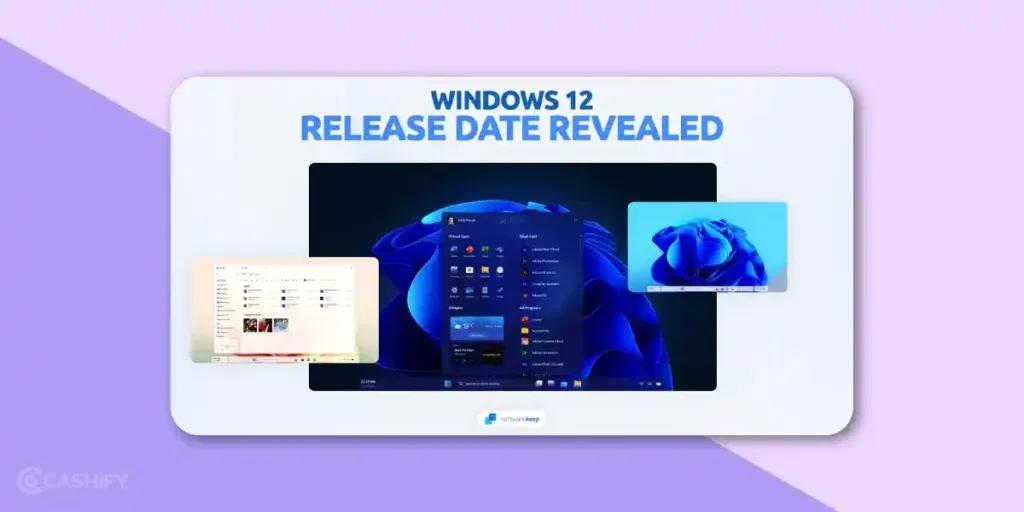
Let us start with the biggest question of all- when is Windows 12 coming out?
As of now, Microsoft has not officially confirmed the release date of Windows 12. That’s right- there is no formal announcement or teaser yet. However, based on patterns from past releases and recent industry rumours, we can take a guess.
Microsoft’s October 7, 2026 Windows and Surface event is the company’s first major Windows event since May 2024. The event will focus on how local AI will shape the next chapter of the PC, with Microsoft expected to discuss new Surface hardware, NVIDIA-powered PCs, and its broader AI strategy.
According to Windows Central, Microsoft has no plan to launch Windows 12 in 2026. The entire 2026 roadmap is focused on fixing Windows 11 and improving its reputation. Even Windows Central’s journalist argues that if Windows 12 does come out, it won’t be until 2027.
So, while the October event carries plenty of Windows branding, it should not be mistaken for a Windows 12 launch event. Microsoft is expected to focus on its current Windows strategy and AI-powered PCs instead.
Trusted Reviews predicts that the Windows 12 release date is likely sometime in the second half of 2027. They’re assuming it based on the fact that Windows 11 launched six years after Windows 10.
So, the most honest answer right now is that Windows 12 is not coming in 2026. Most likely, it will come in 2027. But even that is not confirmed yet. Microsoft has not officially said a word about it.
According to PCWorld, the codename for Windows 12 would be “Hudson Valley Next,” and even leaks suggest Windows 12 will feature deep AI integration as the core system component.
Quick Summary of the Milestones of Windows 12 Release
The table below summarizes the current status of Windows 12 and Windows 11, as well as key Microsoft Windows milestones for 2026.
| Key Milestone | Status As Of 2026 |
| Windows 12 announcement | No official announcement yet. |
| Expected release time window | Late 2026 or Early 2027 (expected) |
| Windows 11 Major AI Updates | Ongoing |
| Copilot and PC rollout | Active |
| Windows 10 support ended on | October 14, 2025 |
We will talk about the Windows 12 features but let us first understand why there is a delay in the release date.
Why The delay?
There are two main reasons:
- Focus on AI Integration in Windows 11:
Microsoft has been pouring energy into transforming Windows 11 into a smarter, AI-powered OS. They have introduced features like Copilot, improved productivity tools, and tighter integration with Microsoft 365. This focus on upgrading Windows 11 might have shifted the Windows 12 timeline a bit further out. - Windows 10’s End of Support: Windows 10 support officially ends in October 2025. This timing makes late 2025 a logical launch window for Windows 12- perfectly aligning with the phase-out of the older version.
Current Status Of Windows 12 Release: Will Windows 12 Come Out In 2026 Or Not?
As per the latest leaks, the reports suggest that Windows 12 will not come out in 2026. Yes, that’s what the reports say, that the delay will stay longer, and the supposed release timeline for Windows 12 will be in 2027.
Now that you know about the Windows 12 release date, time to talk about the features. But before that, let us see when the Windows 11 support is ending.
Also Read: Accessories For iPhone 17 Series: Best Chargers, Cases & Add-Ons
When Does Windows 11 Support End?
Before you start worrying about upgrading, it is important to know that Windows 11 will continue to be supported for years after Windows 12’s release.
Microsoft typically provides:
- 5 years of mainstream support (updates and features)
- Followed by extended support (security patches only)
Given that Windows 11 was officially released in October 2021, you can safely expect it to remain supported until at least 2030.
So even when Windows 12 launches, you won’t be forced to upgrade immediately. Users and businesses can transition gradually- which is good news for those who prefer stability over experimenting with new tech right away.
End of Support for Windows 10
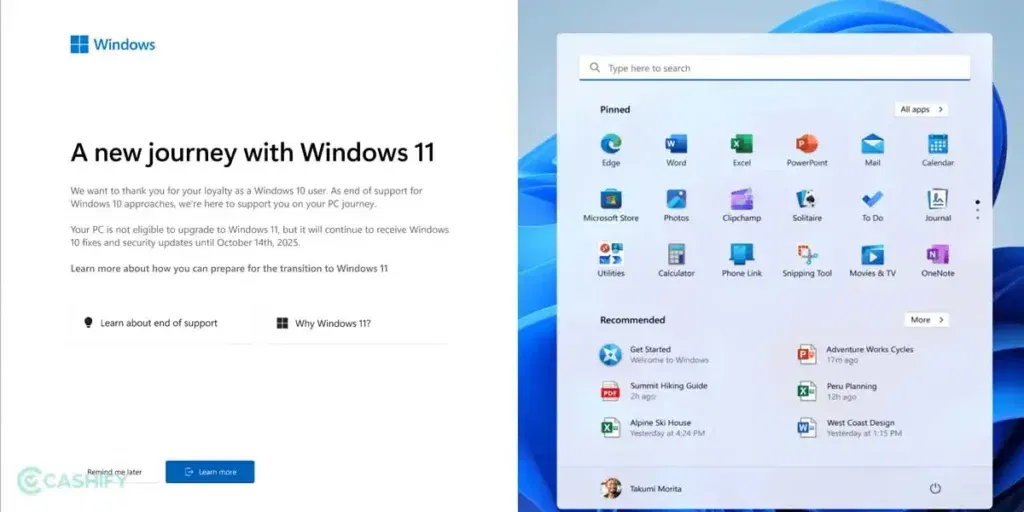
Microsoft has officially ended support for Windows 12 on October 14, 2025. Therefore, if you’re still using Windows 10, it means you’re not eligible for any new feature updates or security updates. So, over time, your device will become slower. It also becomes more susceptible to cybersecurity and malware attacks.
Check if your device is eligible for Windows 11, and if so, we recommend upgrading to Windows 11. It is free to download for eligible computers and PC. To check your eligibility, you need to download the PC Health Check App from the Microsoft Store.
In case your device does not meet the system requirements for Windows 11, there are some other options too. You can sign up for the Windows 10 Consumer ESU (Extended Security Updates). It is a free program that provides critical updates for Windows 10 users until October 13, 2026.
When you do it, you will get some more time to learn about what Microsoft has in store for Windows 12. Another option is upgrade to Windows 11 now.
So you need to decide based on your convenience.
What Are The Windows 12 New Features?
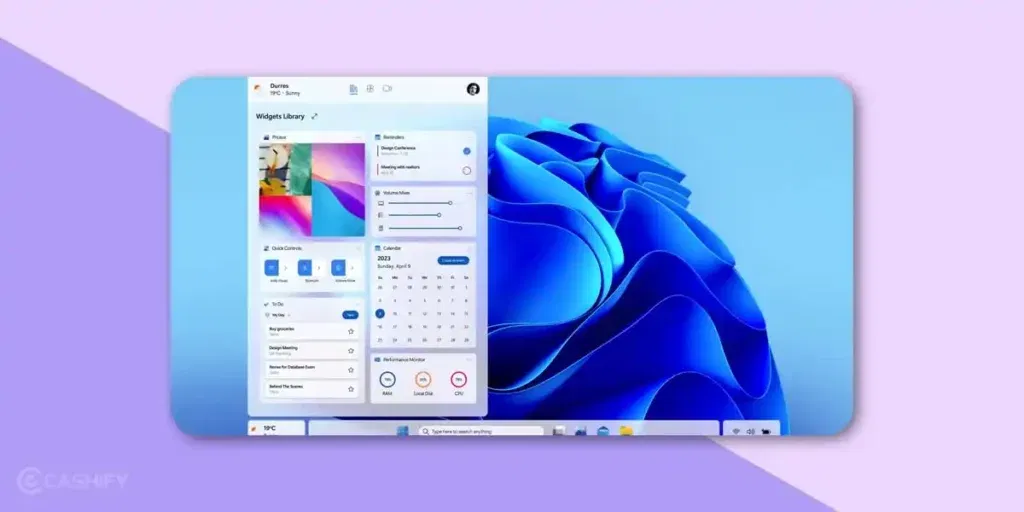
Now that you know about the Windows 12 release date, let us have a look at its features. If the rumors and leaks are to be believed, Windows 12 will be the smartest, most AI-driven operating system ever built.
Windows 12 is expected to be more AI-driven than Windows 11. It means AI may not just be a feature, but it could become a core part of the operating system.
Therefore, instead of doing things manually, Windows 12 may help you do tasks faster using smart suggestions.
For example, you open your laptop every morning for your office work. Windows 12 AI could automatically turn on Do Not Disturb, Open Teams, Outlook, and Excel, or suggest files you worked on yesterday. It will make the system feel more personal and intelligent.
Here are some AI features you can expect in Windows 12.
| AI Feature | What It Means | Example |
| Smart Search | Search becomes more accurate | “Show my resume file.” |
| Auto Task Suggestions | Windows suggests what you may need | Suggests calendar meeting |
| AI Performance Control | Better RAM/CPU usage | Speeds up the laptop during gaming |
| AI Battery Optimization | Saves battery smarter | It reduces background apps automatically. |
| AI Security Alerts | Detects threat early | Warns about suspicious files |
Let us break down the key areas where big changes are expected.
Artificial Intelligence (AI)
AI is at the heart of Microsoft’s next-generation operating system. Windows 12 will likely go beyond cosmetic updates and focus on making the OS smarter, more adaptive, and more personalised.
Here are some standout AI features to look forward to:
1. Copilot Integration
You may have already seen Copilot in Windows 11- a handy AI assistant that can summarise emails, draft documents, or help manage settings.
In Windows 12, Copilot will reportedly be deeply embedded into the entire system, acting as a personal digital assistant that:
- Suggests actions based on your activity
- Helps with productivity tasks (e.g., summarising PDFs, creating presentations)
- Adapts to your workflow over time
Imagine being able to say, “Copilot, find that Excel sheet I was editing last Tuesday,” and getting an instant result- that’s what Microsoft is aiming for.
Also Read: Xiaomi Pad 7 Vs Redmi Pad Pro: Specs, Features & Price Compared
2. Smart Recall
Another exciting AI addition is Smart Recall, a feature designed to remember what you have been doing on your PC.
It will allow you to search for files, emails, websites, or even conversations using natural language queries. For instance, you could type:
“Show me the presentation I worked on about sales trends last month.”
And Smart Recall would instantly find it.
However, Microsoft is being cautious with this feature because of privacy concerns. They are expected to use local storage and encryption to ensure that your personal data stays private.
3. NPU Acceleration
Windows 12 will be optimised for devices with Neural Processing Units (NPUs)- chips designed specifically for AI tasks.
NPUs will handle tasks like:
- Real-time video background blur
- AI-enhanced photo editing
- Voice command processing
- On-device translation
This offloads the CPU and GPU, improving performance and battery life- especially on laptops.
What is an NPU? Does Your Laptop Have One?
We’ve talked a lot about NPU in this article, but if you don’t know what it is, read on.
Usually, your laptop has two main processors.
- CPU – the main brain
- GPU – that handles graphics
NPU stands for Neutral Processing Unit, which is the third chip designed specifically to run AI tasks. It is like a specialist who handles only AI stuff, faster and with less battery use.
It is specifically designed to execute the deep learning math operations that make up AI models. Leaks suggest that Windows 12 will come with an NPU-first hardware that requires a dedicated NPU with around 40 TOPS (Trillion Operations Per Second) for full feature access.
AMD Ryzen AI 300 series, Intel Core Ultra 200V series, and Qualcomm Snapdragon X Elite/Plus chips have NPU. Besides, if you bought a laptop in late 2024 or 2025 with these chips, you probably already have an NPU. But if you’re not sure, check your laptop’s spec sheet and look for NPU or AI accelerator in the processor section.
4. Offline AI Features
A game-changing improvement will be Offline AI. Some AI features are expected to work without an internet connection, meaning:
- Faster responses
- Increased privacy
- Reduced data usage
This is particularly useful for users who need AI assistance on the go, such as during travel or in low-network areas.
Time to talk about more Windows 12 features.
5. Cloud Integration and Cross-Device Experience
Windows 12 may focus heavily on cloud-based features. It means your PC could stay connected with your Microsoft account and devices.
It could help users who use Windows laptops, Android phones, tablets, and Microsoft OneDrive.
You can also expect cross-device integration, which means you can start something on your phone and continue it on your laptop without restarting.
For example,
You copy a text on your phone and paste it instantly on your PC, or you start reading a document on your laptop and continue on a tablet.
Here are some expected cloud features in Windows 12
| Features | Benefit | Why It Matters |
| OneDrive Sync Upgrade | Faster backup | Less risk of losing files |
| Cloud PC Mode | Run a Windows app online | Better performance on low-end devices |
| Cross-Device Clipboard | Copy-paste across devices | Useful for work/students |
| Smart File Access | Access files without downloading | Save storage |
| Cloud Recovery | Restore PC quickly | Faster system reset |
User Interface (UI) And Design Changes
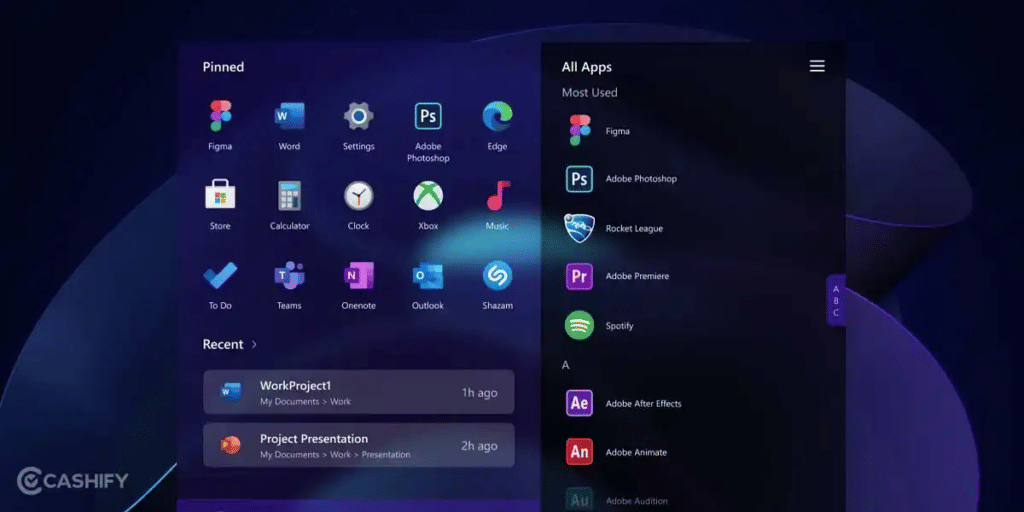
Microsoft is expected to refine the Windows 11 interface rather than reinvent it completely. Still, several visual and functional upgrades are in the pipeline.
1. Modular Design
Windows 12 may introduce a modular architecture.. This means the OS will be built in layers that can be updated independently- improving stability and update speed.
It also allows Microsoft to offer lightweight versions of Windows for different devices (like tablets, 2-in-1s, or gaming rigs).
Benefits include:
- Smaller installation sizes
- Faster updates and rollbacks
- Fewer system crashes
2. Revamped UI Layout
Rumors suggest a more refined interface featuring:
- A floating taskbar that adjusts dynamically
- A centered Start Menu similar to Windows 11 but cleaner and more adaptive
- A top system bar with quick settings like Wi-Fi, Bluetooth, and brightness controls
These changes will make the interface more touch-friendly and consistent across desktops, laptops, and tablets.
Also Read: Vivo V60e Launch Date, Price, Specs And Features Revealed
3. Parallax Live Wallpapers
This is one of the most visually appealing rumored features- AI-powered live wallpapers. These wallpapers could:
- Change based on your local time or lighting
- Subtly move when you tilt your device or move the cursor
- React to your interactions, creating a dynamic desktop experience
It is personalization on a whole new level, combining beauty and interactivity.
Performance, Gaming & Security
Aside from design and AI, Microsoft is also focusing on making Windows 12 faster, safer, and more efficient.
1. Enhanced Gaming Experience
Gamers can expect major performance gains, thanks to:
- DirectX 13, offering better graphics and lower latency
- DirectStorage technology, which drastically reduces loading times
- Smarter resource management, ensuring smoother gameplay
Essentially, Windows 12 aims to deliver console-level gaming performance right on your PC.
2. Improved System Performance
The new modular system will make installations lighter and more tailored to specific hardware. This will result in:
- Faster boot times
- Better battery optimization
- Fewer compatibility issues
Whether you are using a high-end gaming rig or an entry-level laptop, Windows 12 should feel more responsive than ever.
3. Stronger Security Measures
Security remains one of Microsoft’s top priorities. Windows 12 is expected to bring:
- AI-based threat detection that can identify unusual system behavior in real-time.
- Enhanced biometric authentication, combining facial recognition and fingerprint scanning.
- Improved Secure Boot, which ensures your device only runs trusted software.
With cyber threats becoming more advanced, these updates will be crucial for keeping your data safe.
Also Read: Oppo A6 Pro 5G To Debut Soon: Key Features & Expected Pricing
Windows 12 vs Windows 11: What’s New?
| Feature | Windows 11 | Windows 12 |
|---|---|---|
| AI Integration | Limited (Copilot) | Deep system-wide AI |
| Offline AI | No | Yes |
| NPU Support | Optional | Strongly Optimized |
| UI Design | Static | Modular + Dynamic |
| Performance | Good | Faster & lighter |
| Security | TPM 2.0 | AI-based threat detection |
| Cloud features | Basic integration | Deep cloud connectivity |
Windows 12 UI Features Vs Windows 11
| Feature | Windows 11 | Expected in Windows 12 |
| Start Menu | Basic customisation | More personalisation options |
| Widgets | Limited usefulness | Smarter widgets with AI |
| Taskbar | Fixed layout | More flexible taskbar design |
| Virtual Desktops | Manual switching | Better workspace management |
| Touch Support | Decent | Improved for tablets and 2-in-1 PCs |
Expected Security Features in Windows 12
| Security Feature | What It Does | Benefit |
| AI Threat Detection | Detects viruses faster | Less chance of hacking |
| Improved Windows Defender | Stronger built-in antivirus | Better protection without extra apps |
| Enhanced Encryption | Protects stored files | Data stays safe |
| Stronger Account Security | Better Microsoft account login | Safer access |
| Better Privacy Dashboard | Easy permission control | More user control |
What Are The Requirements For Upgrading To Windows 12?
So, now you know all about the Windows 12 release date and features. Microsoft has not released official system requirements yet, but based on the AI-heavy direction of the OS, the bar might be slightly higher than Windows 11.
Here’s what experts expect:
| Component | Minimum Requirement | Recommended for AI Features |
| Processor | 1 GHz or faster, 64-bit, 2 cores | NPU-enabled processor |
| RAM | 8GB | 16GB or more |
| Storage | 64GB | SSD preferred |
| Graphics | DirectX 12 compatible | Dedicated GPU for gaming/AI tasks |
| TPM (Trusted Platform Module) | Version 2.0 | Version 2.0 |
| Display | 9-inch, 720p | Full HD or higher |
| Internet | Required for setup | Required for updates & Copilot |
If your computer already supports Windows 11, chances are good that it will handle Windows 12- though AI-related features might require newer hardware.
Who Should Upgrade to Windows 12?
Windows 12 is not just a visual refresh — it’s designed for users who want speed, intelligence, and future-ready computing. While Windows 11 will remain supported for years, certain users will benefit the most from upgrading to Windows 12.
Creators (Designers, Video Editors, Developers)
If you work with design, video editing, coding, or creative software, Windows 12 will be a strong upgrade. AI acceleration through NPUs can improve photo editing, rendering, background effects, and multitasking, while better performance optimization ensures smoother workflows on powerful hardware.
Gamers
Gamers will find Windows 12 especially appealing thanks to DirectX 13, DirectStorage improvements, reduced latency, and smarter resource management. These upgrades promise faster load times, better graphics performance, and console-level gaming experiences on PCs.
Business Users & Professionals
For professionals and enterprises, Windows 12 offers AI-assisted productivity, stronger security, and improved system stability. Features like Smart Recall, Copilot automation, enhanced biometric security, and modular updates make it ideal for modern workplaces and hybrid work environments.
Students
Students can benefit from offline AI tools, smarter search, faster performance on mid-range laptops, and better battery optimization. Windows 12 helps with research, assignments, presentations, and multitasking — even without constant internet access.
AI Laptop Buyers
If you’re planning to buy a new laptop with an NPU (Neural Processing Unit), Windows 12 is built specifically for you. AI-ready devices will unlock the full potential of features like on-device AI processing, voice commands, live translation, and intelligent system automation.
How Can You Join the Windows Insider Program and Get Early Access
You need to follow the steps below to join the Windows Insider Program and get early access to the latest release.
- Go to Settings -> Click on “Windows Update.” Search for “Windows Insider Program.”
- Click on “Get Started.” Sign in with your Microsoft account. If you don’t have an account, create it.
- Select a channel. There are mainly three channels – Dev Channel, Beta Channel, and Release Preview.
- Restart your PC, and Windows will start downloading Insider builds automatically.
The issue with these Insider builds is that they are test versions. They can have bugs. So, don’t use it as your only PC if you do it for school or work. However, if you’re curious and want to try a new Windows feature before everyone else, it is completely free and easy to leave anytime.
What Is CorePC?
Right now, Windows 11 is one giant piece of software. When Microsoft needs to update one part, for example, the taskbar, it has to update a huge chunk of the system. It’s slow, risky, and often causes bugs.
CorePC changes that. It breaks Windows into separate layers that can be updated independently. The core OS sits at the bottom, and the interface sits on top. AI tools sit in their own layer. Each layer can be updated without touching the others.
You must be wondering why this matter for me? Well, here are a few reasons:
- Updates become faster and less likely to break your PC.
- Lightweight versions of Windows can run on low-power tablets or budget devices.
- New features can be added without requiring a full OS reinstall.
It is the biggest change Microsoft has planned for Windows since the jump from Windows 7 to Windows 8.
Windows 12 Is Already Inside Your PC – You Just Can’t See It
According to a detailed analysis posted on the Microsoft Community Hub in April 2026, Windows 12 foundations are already visible inside recent Insider builds.
The new build 29558 shows that ShellCompatibility is already using version 12.*, GDI+ and the Search engine have new generations of libraries, and Defender and Networking UI have new branding resource packages.
All of which point to a new shell and a new UI that is physically present in the system but just not unlocked yet.
Simply put, as rumours about Windows 12 release date features are surfacing all over the internet, keep in mind that Windows 12 isn’t being built from scratch. It’s being assembled piece by piece inside Windows 11.
This is actually good news. It means when Windows 12 does launch, the transition will likely be smooth. There won’t be a completely alien interface to learn. It will feel like a natural step forward from Windows 11.
Will Windows 12 Require a Paid Subscription? Let’s Find Out..
A rumor went viral earlier in 2026 claiming Windows 12 would come with a mandatory subscription fee for AI features. People panicked, but let’s clear this up.
Windows Central and Windows Latest directly pushed back on these claims. Windows Latest called the subscription rumors “junk” and pointed out that a lot of the viral reporting was built on AI-generated content and old, recycled rumors.
Here’s what’s more likely to happen, based on credible sources:
- The base version of Windows 12 (Home/Pro) will remain a one-time purchase or a free upgrade for eligible devices, similar to how Windows 10 users could upgrade to Windows 11 for free.
- Microsoft has effectively adopted the “Apple model” for its consumer base. It has made the OS free for eligible hardware to prevent the version fragmentation that historically plagued the Windows ecosystem.
- Some premium cloud-powered AI features may be offered as optional paid add-ons through Microsoft 365 or Windows 365 subscriptions. But these won’t be required to use Windows 12.
So no, you won’t be forced to pay a monthly fee just to run Windows 12 on your laptop.
Should You Buy a Laptop Now or Wait for Windows 12?
You should buy a laptop now if:
- Your current laptop is more than 4–5 years old and is slowing down.
- You need a laptop for college, work, or everyday use right now.
- You’re looking at mid-range options under ₹60,000.
A good Windows 11 laptop today will handle Windows 12 later especially if it comes with an Intel Core Ultra or AMD Ryzen AI chip. These already have NPUs built in, which means you’re future-proofed for Windows 12’s AI features.
You should wait if:
- You’re planning to spend ₹80,000 or more on a premium device.
- You’re specifically buying for AI-heavy tasks like content creation or coding.
- You can hold off for another 12–18 months without your current setup failing you.
In short, don’t hold off buying a budget or mid-range laptop just because Windows 12 is coming. But if you’re making a big investment, it’s worth waiting for devices officially certified as “Windows 12 Ready” which OEMs like Dell, HP, and Lenovo are already quietly preparing.
Final Thoughts – Windows 12 Release Date Features
That’s all about the Windows 12 features and release date. Windows 12 represents the future of computing- intelligent, adaptive, and user-focused.
By combining AI innovation, modern design, and performance enhancements, Microsoft seems ready to deliver a platform that not only works for you but also thinks with you.
So, if you are planning to buy a new laptop or PC soon, consider getting an AI-ready device- one with a built-in NPU and SSD storage. It will ensure you are fully prepared for the Windows 12 era when it arrives.
Stay tuned- the next chapter of Windows is just around the corner!
Also Read: Samsung Galaxy S24 Ultra Gets Massive Price Drop In Flipkart BBD Sale
Frequently Asked Questions
When will Windows 12 release?
Windows 12 will be released in 2027. Earlier, it was supposed to be released in 2026, but as per the latest reports, the delay and development phase have been extended, and it will take next year for this version to hit the floors.
Is Windows 12 coming soon?
Microsoft hasn’t officially confirmed the release date for Windows 12 yet. However, based on leaks and industry reports, Windows 12 is expected to launch around late 2025 or early 2026. This timeline makes sense because Windows 10 support ends in October 2025, which could line up perfectly with the new version’s debut.
How much RAM will Windows 12 need?
While the exact specifications haven’t been released, it’s safe to assume that Windows 12 will need at least 8GB of RAM to run smoothly. However, since Windows 12 is expected to include advanced AI features, 16GB or more will likely provide the best performance.
Is Windows 12 better than 11?
Yes, Windows 12 is expected to be smarter, faster, and more secure than Windows 11. It builds on Windows 11’s design but adds deep AI integration, improved performance, and stronger security. With features like Copilot, Smart Recall, and a modular system for smoother updates, Windows 12 will offer a more intelligent and efficient user experience.
Which devices will support Windows 12?
Most PCs that run Windows 11 should also support Windows 12. However, newer AI-powered devices with Neural Processing Units (NPUs) will deliver the best experience. Major brands like Dell, HP, Lenovo, and ASUS are already working on AI-ready laptops and desktops optimized for Windows 12.
What are the benefits of Windows 12?
Windows 12 will bring AI-powered productivity, faster performance, and enhanced security. Key benefits include the Copilot assistant, Smart Recall, offline AI functions, better gaming performance with DirectX 13, and a modern, customizable interface. Overall, it promises a smarter, faster, and safer Windows experience.
Will Windows 12 be a FREE Upgrade?
There is no official announcement from Microsoft yet. Before Windows 10 to 11, Microsoft offered free upgrades for compatible PCs. It is expected that it might stick to that with the Windows 12 launch. Windows 10’s support ended on October 14, 2025. People who want to extend it need to pay $30 per year. We expect that it would be a similar deal for Windows 12. However, if your PC is too old, hardware upgrades could cost you. So, keep revisiting this article for latest updates.
How Can I Get Early Access to Windows 12?
If your desparate about Windows 12, you can sign up for the Windows Insider Program. It will give you early access to Windows 12.
When is Windows 12 expected to be released?
Microsoft has not made any official announcement about Windows 12 release as of now in 2026. Therefore, most industry experts are expecting its release either in late 2026 or early 2027.
Why didn’t Windows 12 launch in 2025?
The majority of experts were expecting Windows 12 to be released in 2025, but Microsoft has shifted its complete focus to AI-first updates in Windows 11. It includes Copilot+, system-level AI features, and new hardware requirements.
Will Windows 12 require new hardware?
Yes, if Windows 12 is released, it is expected to have stricter hardware requirements, especially for AI acceleration. It may include the latest CPUs, NPUs, and cutting-edge security features.
Are you still browsing through your broken screen? Don’t worry! Book at-home mobile phone screen repair with Cashify—an affordable and one-stop destination for all your mobile phone needs. In case you break your screen within 1 month of repair, we will replace your screen again—for FREE.