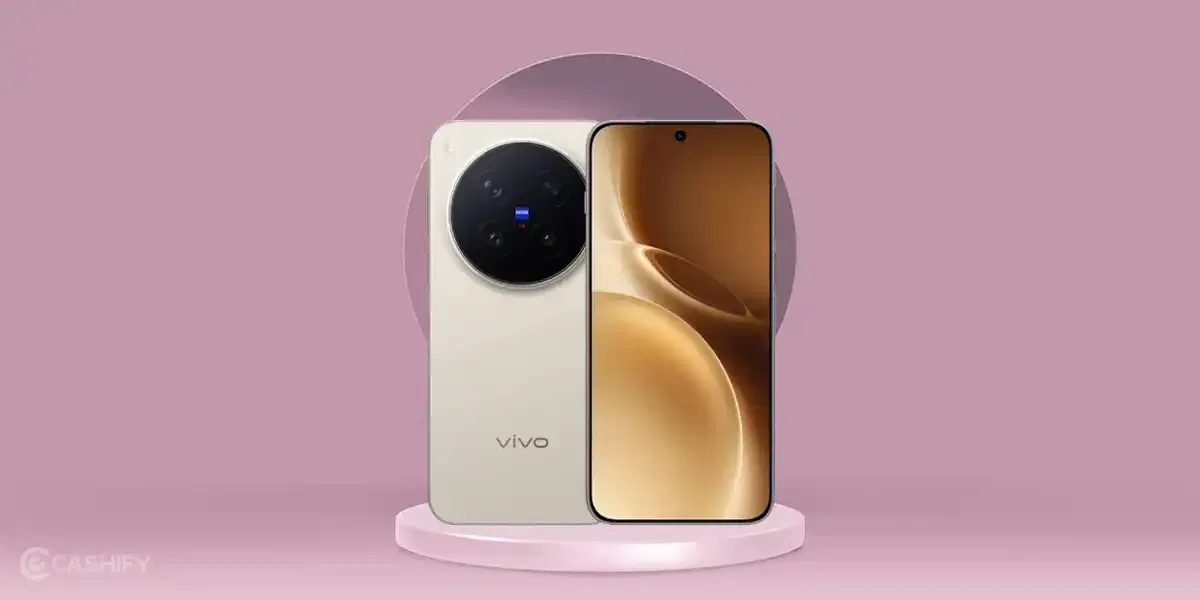
The Vivo X300 series is currently the best choice for camera lovers if you are seeking a phone from the Vivo brand. This series launched with some impeccable camera qualities and has impressed audiences worldwide, all thanks to the ZEISS photography technology paired with decent AI specs. So, if you have justbought the Vivo X300 or X300 Pro, or are looking to buy one, then this blog is surely for you. In this blog, we present you with a guide on Vivo X300 best camera settings, and tell you which are the best settings to help you get the best shots.
Also Read: Google Pixel 10a Best Camera Settings: All Pro Mode Explained
Vivo X300 Camera Modes And Details
Before we dive any further into the Vivo X300 best camera settings guide, we’ll tell you a bit about this phone’s camera resolutions and different modes. With a 200MP main camera lens, the Vivo X300 outshines every other camera flagship phone and gives you a premium facility for one of the clearest and smoothest shots. Moreover, with flexible Portrait settings, ZEISS technology, and AI specs, things get to the point where you can say that Vivo X300 is one of the best choices for a camera.
Also Read: Vivo X300 Pro Review: The Phone That Changed Camera Standards
Here are all the details of Vivo X300’s camera:
| Camera Modes | Details |
| Photo Mode | 200 MP ZEISS main camera (default photos often 12.5 MP via pixel-binning; full 200 MP Ultra HD supported). |
| Portrait Mode | 200 MP main camera or 50 MP telephoto with ZEISS Natural Portrait. |
| Ultra-Wide Mode | 50 MP ultrawide camera with 119-degree field of view for wide shots. |
| Telephoto / Zoom Mode | 50 MP ZEISS telephoto lens with 3× optical zoom and higher hybrid digital zoom. |
| Night Mode | 200 MP main camera with AI night processing for low-light photography. |
| Pro Mode | Manual controls using all rear cameras: 200 MP main, 50 MP telephoto, and 50 MP ultrawide. |
| Panorama Mode | Uses ultrawide or main camera; stitched ultra-wide panoramic photos. |
| Ultra HD Mode | Full-resolution 200 MP capture for maximum detail and cropping flexibility. |
| Stage Mode | Multi-camera capture optimised for concerts or stage lighting conditions. |
| Time-Lapse | Records time-lapse videos using the main camera. |
| Slow-Motion | Up to 240 fps slow-motion video recording. |
| Selfie Mode | 50 MP wide-angle front camera with autofocus and 92-degree field of view. |
Also Read: Best Camera Settings For Motorola Edge 60 Pro!
Vivo X300 Best Camera Settings
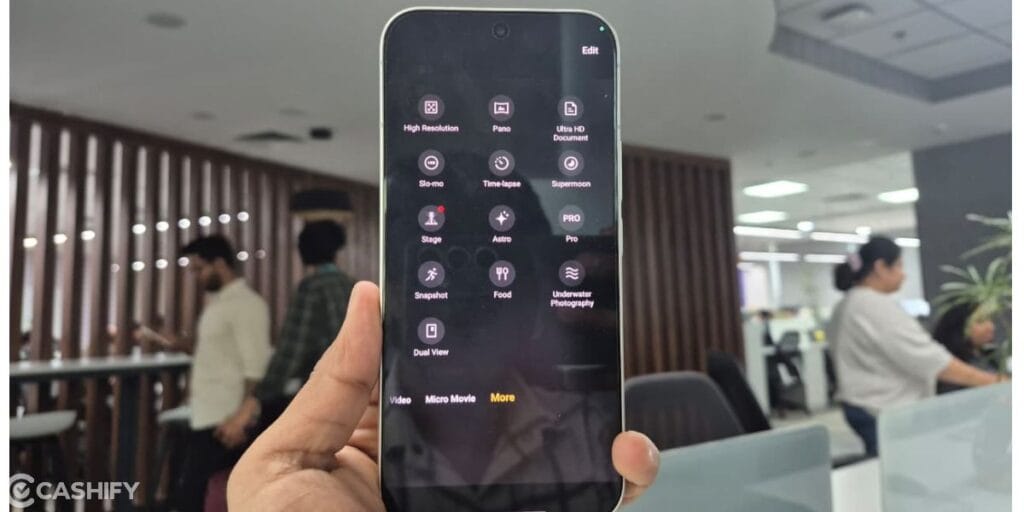
Now, let us begin with the Vivo X300 best camera settings list, and make you aware of all the best settings and modes which will help you get the best shots and videos.
Use Night Mode For Low-Light Shots
For low-light shots, the night mode is the best mode. The 200MP main lens gets activated and gives you the sharpest night shots, and the light balance is also good.
Use AI Styles Alongside Vivo X300 Best Camera Settings
AI is everywhere, so why not use it to make the best out of your phone’s camera? Vivo X300 allows you to make the best use of AI in camera modes, as it has a built-in AI assistant-type tool which gives live photography suggestions, and is also useful for after-click editing.
Use Ultra HD Document Mode For Official Photos
There’s an Ultra HD mode which you get inside Vivo’s latest phones, which is useful for taking official photos like documents, Aadhar card photo, or some detailed clicks where you need high resolution and zooming.
Also Read: Apple iPhone 17 Pro Camera Settings: The Ultimate Guide To Better Photography!
Shift To Micro Movie Mode for Cinematic Reel-Like Shots
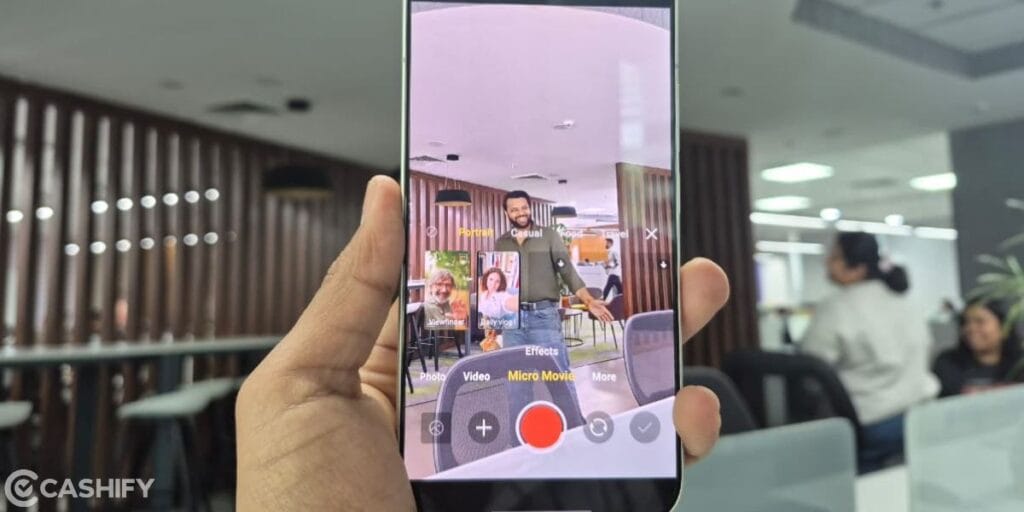
Among the Vivo X300 best camera settings list, a key highlight is the Micro movie mode. This mode is useful for shooting reels and content creation, as it comes with hidden AI suggestions, angle suggestions, and is better for post-shoot editing.
Set UHD 60 Mode
In the Vivo X300, 8K and 4K facilities are available, but the Ultra HD 60 FPS still gives you better video recording and a natural feeling. But, on the other hand, if you are shooting reels, then switch to 4k mode.
Use a Stabiliser for Outdoor Video Recording
Go to settings and activate stabilise video mode to ensure that your camera doesn’t shake up when you are outdoors or in a noisy environment. This way, you will get clean and smooth videos and no need to edit them.
Keep ISO Manual
If you are using the Pro mode, and want to take a different shot than normal, then it is the best Vivo X300 camera setting that you keep the ISO manual, and then see the magic. The ZEISS technology has helped this phone to have advanced lenses and focal lengths. And when you shift ISO to lower zones or higher zones, you get some superb aesthetic shots!
Use 50mm and 85mm Portrait Modes
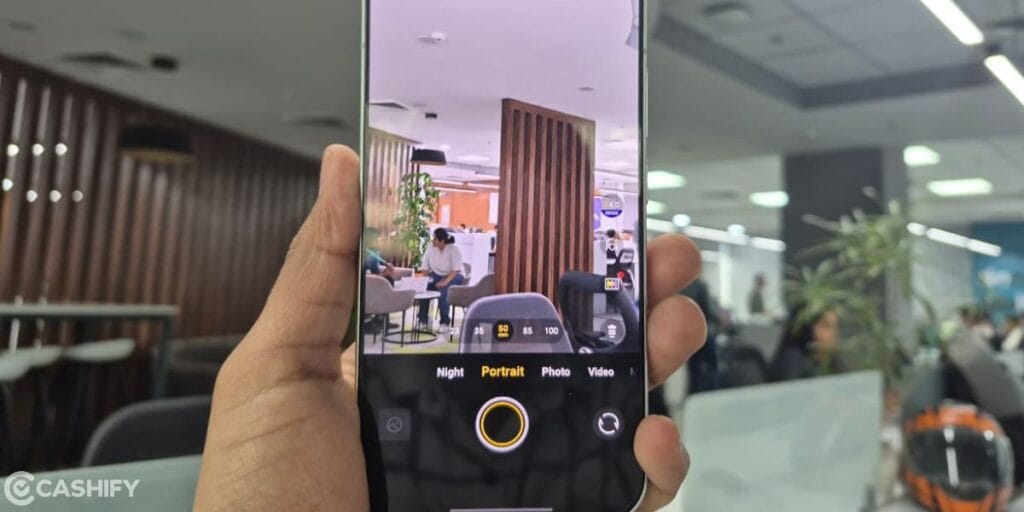
50mm, 85mm, 100mm, etc., are different portrait modes in Vivo X300. We suggest that for the best and most focused portrait shots, prefer using 50mm or 85mm mode.
End Note
That’s it from this Vivo X300 best camera settings guide. In conclusion, the Vivo X300 series truly stands out as a powerhouse for photography enthusiasts, offering a blend of ZEISS optics, AI enhancements, and versatile shooting modes.
The best part of the Vivo X300 is its ZEISS technology, portrait photography, telephoto zoom shots, and video recording in night mode. Rest features are also very good. By using the above-mentioned settings, you will be able to get the best out of X300’s camera. The key is to experiment with these tools and adapt them to your style. With the right settings, the Vivo X300 ensures every click reflects precision, creativity, and unmatched clarity.
Also Read: Best Camera Settings For Motorola Signature: All Modes Explained
If you’ve just bought a new phone and don’t know what to do with your old phone, then here’s your answer. Sell old mobile to Cashify and get the best price for it. If you are planning to buy a new phone, check out Cashify’s refurbished mobile phones. You can get your favourite phone at almost half price with six-month warranty, 15 days refund and free delivery.