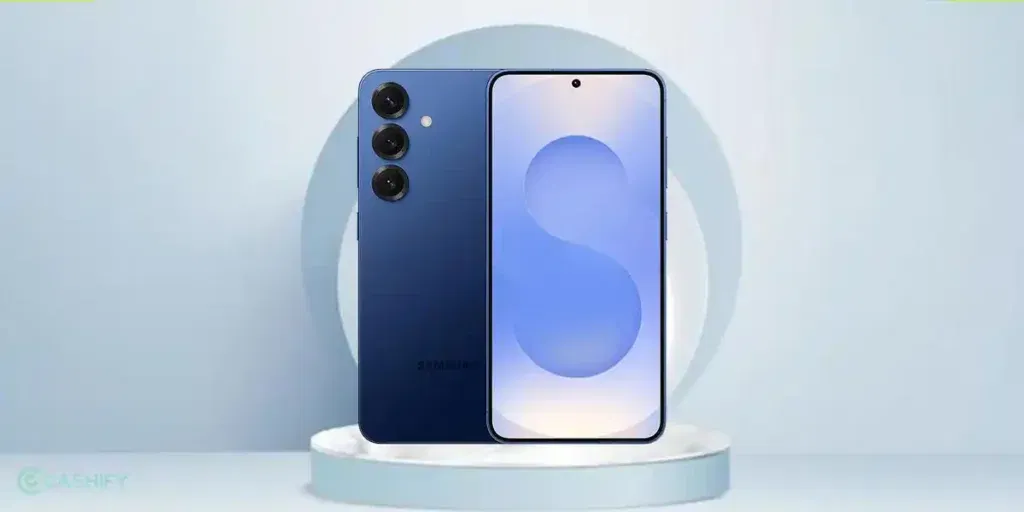
Having Samsung Galaxy S25 sound issues can get annoying really fast. Like you are on a call and suddenly there’s a sound issue, the volume feels too low. Or audio sounds crackly or muffled, one speaker isn’t working properly. People keep saying they can’t hear you clearly on calls. That could get embarrassing pretty quick.
The good part? You don’t always need to panic or rush for repairs. Sometimes, the issue is something super simple, like dust buildup, a software glitch, or Bluetooth being connected to another device without you noticing. And if it does turn out to be hardware-related, Cashify offers an easy and affordable repair solution. Get rid of all kinds of Samsung Galaxy S25 sound problems smartly.
Before spending money, though, try a few quick fixes at home first.
Also read: Redmi 14C Battery Problem: Drain Issue, Repair Guide & Replacement Cost Explained!
Why Samsung Galaxy S25 Sound Problems Happen?
Samsung Galaxy S25 sound issues can happen in components like the loudspeaker, mic, or earpiece. Most of the time, these audio issues happen because of everyday stuff. Dust or lint can block the speaker and earpiece grills, especially if you keep your phone in pockets or bags a lot. A recent One UI update can mess with audio settings or create temporary software bugs.
Moisture is another common culprit. Even a little water exposure or humidity can affect the speaker, microphone, or receiver. And of course, there’s always the possibility of actual hardware damage in the loudspeaker, mic, or earpiece.
Sometimes it’s just an app acting weird or the wrong audio settings being enabled.
Easy Fixes You Can Try Yourself First!
Before booking a mobile repair, give these basic fixes a shot.
Sound Adjustments
Check the obvious stuff first. Increase the volume while playing music or a ringtone and make sure your phone isn’t stuck on silent or vibration mode. Head to Settings > Sounds and vibration and confirm
Sound mode is set to Sound. Sounds simple, but it works surprisingly often. Then restart the phone. Classic move, but still effective.
Bluetooth OFF
Turn off Bluetooth. Your phone might be connected to earbuds, speakers, or your car audio system. Switch Bluetooth off and test again.
Remove Phone Case
Remove your phone case or screen protector temporarily. Some bulky cases partially cover speaker grills and affect sound output, causing Samsung Galaxy S25 sound issues.
Cleaning Sound Components
Clean the speaker and mic properly. Turn the phone off first. Then gently clean the speaker grills, top receiver, and microphone holes using a soft dry toothbrush or compressed air.
Just don’t go full DIY mode with water, pins, needles, or aggressive tools. Your phone will not appreciate it.
Also read: Redmi 14C 5G Screen Not Responding Suddenly? Here’s Your Repair Guide!
Software Fixes
Try software fixes. Make sure your Galaxy S25 is updated with the latest software from Settings > Software update.
You can also run Samsung’s built-in diagnostics. Open the Samsung Members app, go to Support, and test the Speaker, Receiver, and Microphone.
If needed, boot into Safe Mode or wipe the cache partition to rule out app conflicts.
Test everything separately. Play audio on YouTube, make a normal call, test WhatsApp calling, and record a voice note. This helps figure out whether the issue is with the speakers, the microphone, or both.
If nothing changes after all this, then yeah! It’s probably a hardware issue.
Cashify Repair For Samsung Galaxy S25 Sound Issues
If fixes at home aren’t helping, Cashify can handle the repair professionally. They offer fixes for speaker, receiver (earpiece), and microphone issues on the Samsung Galaxy S25. All happens under flat Rs. 2499.
What makes it convenient is that you don’t have to go hunting for repair shops.
Why people prefer Cashify:
- Affordable prices paired with discounts
- Doorstep repair service in supported cities
- Fast diagnosis and same-day repair in many cases
- Good-quality compatible replacement parts
- Skilled technicians and prompt professionals
Booking is pretty straightforward, too. Just open the Cashify website or app, choose your Samsung Galaxy S25. Select the Samsung Galaxy S25 sound issues like the mic, speaker or receiver. Book a slot, and pay after the repair is completed.
Pretty hassle-free.
Also read: Vivo Y83 Pro Aux Jack Not Working? Repair It Fast With Cashify
How To Avoid Sound Problems If They Ever Happen Again?
A little maintenance goes a long way.
- Clean the speaker and mic grills regularly.
- Use a proper case that doesn’t block openings.
- Avoid exposing the phone to dust, moisture, or water.
- Keeping software updated also helps reduce weird bugs after major updates.
And maybe don’t blast audio at max volume 24/7 unless you are trying to turn your phone into a mini concert to your ears.
In The End
Samsung Galaxy S25 sound issues are not the end of the device. AS much as they can feel frustrating, they are often fixable. Start with the free methods first since many problems are caused by dust, settings, or software bugs.
If the issue still sticks around, Cashify’s repair for speaker, receiver, and mic problems is a practical option that saves time and effort.
Also read: 8 Signs That Your Android Phone Motherboard Needs Repair!
Need instant discounts? Try these coupon codes.
Use code: TECH25 to avail of a discount of up to Rs. 300 by using the (on the minimum order value of Rs. 2499).
Use code: RPR50 to avail up to 50 per cent off on a minimum spend value of Rs. 1000. (Limited Offer)
If you’ve just bought a new phone and don’t know what to do with your old phone, then here’s your answer. Sell old mobile to Cashify and get the best price for it. If you are planning to buy a new phone, check out Cashify’s refurbished mobile phones. You can get your favourite phone at almost half price with six-month warranty, 15 days refund and free delivery.