When I tried the Samsung Galaxy S25 recently, I was super excited. It looked really cool, had an amazing camera. I was excited to use the Snapdragon 8 Elite chip. I honestly thought this phone would last me for many years.
One day, while I was just watching YouTube, my phone began to feel really hot. At first, I didn’t think it was a big deal because phones usually get a little warm. But this was different. The battery started draining very fast, and my usual apps were lagging. This phone became so hot that it was uncomfortable to hold during calls.

I remember trying to play Roblox one afternoon. I had to stop because the area near the SIM tray felt like it was burning. I was really frustrated. I didn’t expect this from such an expensive and powerful phone.
After trying a few things and searching online for help, I finally figured out how to fix the heating problem. If you are also facing the Samsung Galaxy S25 heating issue, don’t worry. I will explain what worked for me. Let’s check out all the details:
Also Read: Phone Screen Green Line Issue Explained: Hardware or Software?
Signs Your Samsung Galaxy S25 Is Overheating!
Let’s start with the basics. Not every warm phone means there is a big problem. Sometimes phones get a little warm during normal use. But there are some clear signs that your Samsung Galaxy S25 might be overheating. I noticed these signs early:
The Phone Feels Very Hot To Touch
If your phone feels too hot to hold comfortably. This is especially around the top or near the SIM tray; that’s a warning sign. A slightly warm phone is normal. If it feels like it’s burning your hand after a few minutes, something is wrong.
Battery Drains Very Fast
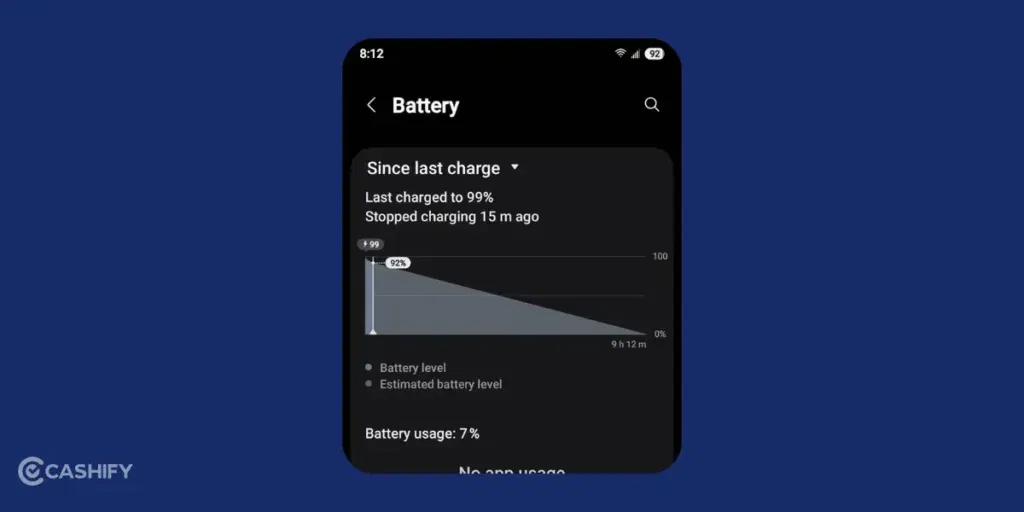
I noticed my battery would drop from 100 percent to 70 percent really quickly. This was even when I wasn’t using the phone much. It also got warmer when the battery level went below 70 percent. Fast battery drain, along with heat, is not a good sign.
Phone Starts Lagging Or Freezing
Another sign is poor performance. Apps may start lagging, videos may stutter, or the touchscreen might not respond. This happened to me while watching videos and switching between apps.
Unexpected Shutdowns Or Warning Messages
If your phone shows a “cooling down” message or turns off by itself, it is definitely overheating. This is the phone’s way of protecting itself from damage.
Hot Even During Normal Use
Heating should not happen only during gaming. If your phone gets very hot while browsing, scrolling through social media, or even charging, that is also a problem.
If you notice many of these signs together, don’t ignore them. I ignored them at first, and the problem only became worse.
Also Read: Why Is My Phone Switching Off On Its Own? Common Reasons & Fixes
Why The Samsung Galaxy S25 Heating Issue Happens?
There are a few main reasons why you are facing Samsung Galaxy S25 Heating Issue. First, the Snapdragon 8 Elite chipset is very powerful. It is made for high performance. But more power also means more heat. The S25 series runs a faster version of this chip, so it can heat up quickly.
Samsung has added a bigger vapour chamber inside the phone to control the heat better. This helps move heat away from the internal parts. Because of this, the heat can sometimes be felt more on the surface of the phone. Even if the inside is being protected, the outside may feel hotter in your hand.
Here are some other common reasons for Samsung Galaxy S25 Heating Issue:
- Playing games, streaming 4K videos, or using apps for a long time puts pressure on the processor. This causes heat to build up.
- Sometimes the problem is not the hardware but the software. Outdated apps, bugs after transferring data, or system errors can cause the phone to heat up.
- Some apps keep running in the background without you knowing. These apps use power and increase the phone’s temperature. Using the phone in hot places can also make it worse.
- Right after buying the phone, it may heat up more than usual. This is because it is setting up apps, updating software, and adjusting after data transfer. This usually settles down after some time.
In my case, the heating problem happened because of a mix of heavy apps running in the background.
Also Read: iQOO 15 Vs iQOO 15 Ultra: Which One Should You Buy?
Immediate Fixes You Can Try Right Now: Samsung Galaxy S25 Heating Issue
These easy steps helped cool my phone down almost immediately. You can surely try these fixes:
Restart Your Phone
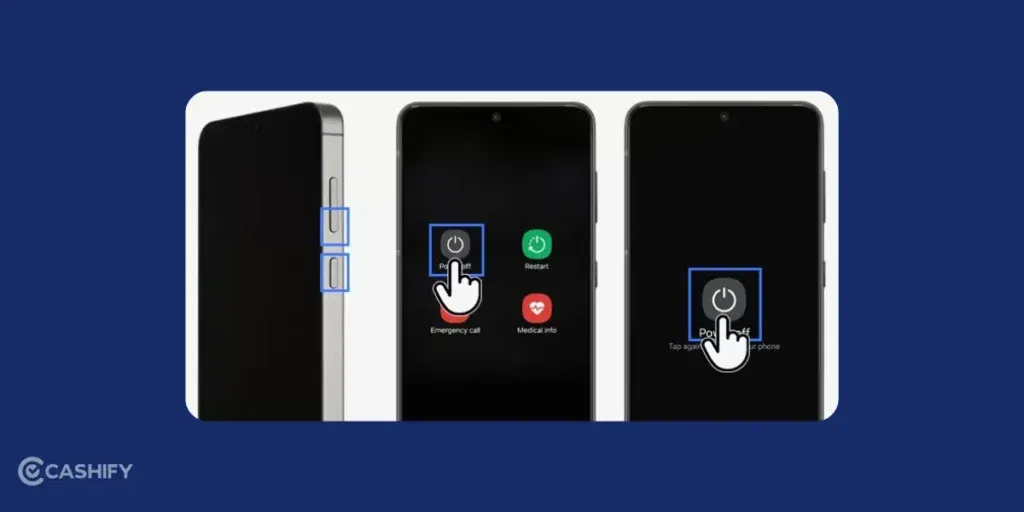
This may sound very basic, but it really works. I did a soft reboot by holding the power button and volume down button together for about 7 seconds. This cleared small glitches and helped my phone cool down quickly.
Close Unused Apps
I swiped up to see all my recent apps and closed them. I was surprised to see how many apps were running in the background. Closing them reduced the heat and improved performance.
Turn Off Unused Features
Go to Settings > Connections and turn off Wi-Fi, Bluetooth, or GPS if you are not using them. Even lowering the screen brightness makes a big difference. A bright screen uses more battery and creates more heat.
Avoid Heat Around You
Do not leave your phone in direct sunlight or inside a hot car. Also, avoid using it heavily while charging, especially in a warm room. Let your phone “breathe” and stay in a cool place.
Update Your Phone
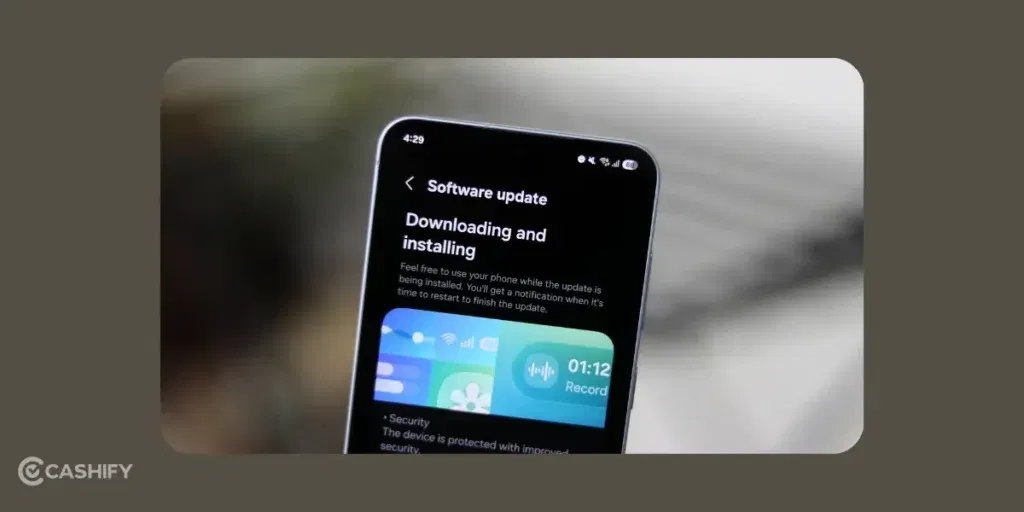
Go to Settings > Software Update and check for updates. Samsung often releases updates to fix bugs, including overheating issues. Updating helped improve my phone’s performance.
Also Read: Cheapest Country To Buy MacBook: Global Price Comparison
Pro-Level Solutions For Samsung Galaxy S25 Heating Issue!
If the simple fixes don’t solve the heating problem, you might need to try some deeper solutions. These steps took a little more effort, but they really helped me.
Wipe the Cache Partition
- First, power off your phone.
- Then press and hold the Volume Up and Power buttons together to enter recovery mode.
- From there, select “Wipe cache partition” and restart your phone.
This method only removes temporary system files that might be causing problems.
Factory Reset (Last Option)
If nothing else works, you can try a factory reset. Make sure to back up all your data first using Google Drive or Samsung Cloud. Then go to:
Settings > General Management > Reset > Factory Data Reset
This erases everything and gives your phone a fresh start. It can remove bugs that came from transferring data from my old phone. After resetting, the heating issue improved a lot.
Use Thermal Guardian

You can also turn on Thermal Guardian. Go to:
Settings > Battery and Device Care > Performance
This feature helps control your phone’s temperature by reducing performance when needed. It may slow things down a little during heavy tasks, but it keeps the heat under control.
Also Read: Best Google Pixel 9a Camera Settings To Capture Pro-Level Shots
The Bottom Line
It is difficult to deal with the Samsung Galaxy S25 Heating Issue because it’s a flagship device. But once I figured out how to fix it, I started appreciating it more. It truly is a beautiful device when it runs properly. You should always start with simple fixes like adjusting your settings, restarting the device, and more. If nothing works, you can then move to pro-level solutions.
As a last resort, you have Samsung Care, which you can contact. Samsung Support is one of the best in the market! Try these tips and see what works for you. And if they help, share your experience in the comments section below. I would love to hear you out!
If you’ve just bought a new phone and don’t know what to do with your old phone, then here’s your answer. Sell old mobile to Cashify and get the best price for it. If you are planning to buy a new phone, check out Cashify’s refurbished mobile phones. You can get your favourite phone at almost half price with six-month warranty, 15 days refund and free delivery.