Just bought yourself the Realme 16 Pro Plus and want to know how to get the best camera results and the best shots from this phone? Well, we are here to help you out with the best Realme 16 Pro Plus camera settings. The Realme 16 Pro Plus has been one of the best choices for photographers in the mid-range budget. Beating phones like the Vivo V60, Samsung S24FE, and other such models, this phone has made its own legacy as a great choice for clicking good shots. Hence, to make the good choice an even better choice, we bring you the best Realme 16 Pro Plus camera settings, wherein we will discuss portrait mode, ultrawide angle, video recording, and other modes, and help you get the best possible photographs and reels! So, without further ado, let us begin.
Also Read: Realme 16 Pro Plus Review: The Portrait Master That Lasts All Day
Realme 16 Pro Plus Key Specs: A Phone Whose Camera Won’t Disappoint
Before we move ahead to give you the best Realme 16 Pro Plus camera settings, it is important for you to know what are the main features of this phone, and why the camera of this phone is worth every penny! If you are looking for a phone around 35-40K, this phone counts in as a great option. Sometimes, a deal might come and you might see this phone come under the tally of the best mobiles under 35000. And the reason why it’s supreme? Well, it’s the camera.

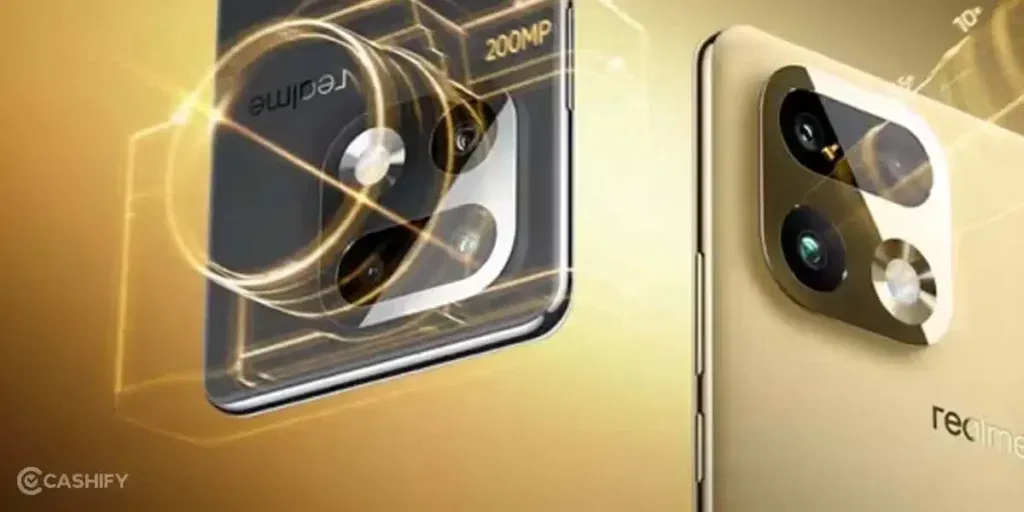
The Realme 16 Pro Plus offers a 200MP + 50MP + 8MP camera setup, perfect for all sorts of photography needs. Moreover, the Pro mode, the video mode, and the portrait mode of this phone give some amazing results. The photo processing is superb! And when you look at the front camera as well, it’s very good.
Let us give you a brief of all key features of this phone right here, and then we will move ahead with the best Realme 16 Pro Plus camera settings.
| Category | Summary |
| Display | 6.8-inch curved AMOLED, 144Hz refresh rate, up to 6500 nits brightness. |
| Processor | Qualcomm Snapdragon 7 Gen 4. |
| Memory & Storage | Up to 12GB LPDDR5X RAM and 256GB UFS 3.1 storage. |
| Rear Cameras | 200MP (OIS) main, 50MP telephoto, 8MP ultra-wide. |
| Front Camera | 50MP selfie camera, supports 4K video. |
| Battery & Charging | 7000mAh battery with 80W fast charging. |
| Software & Protection | Android 16 [ Realme UI ]. |
Also Read: 12 Best Google Gemini AI Photo Editing Prompts
So were the key specs of this phone. Now, let us have a deeper look into the camera modes and camera settings of this phone. Having an idea of all the features of the camera will help you get a better understanding of all the best Realme 16 Pro Plus camera settings that we discuss ahead.
All Camera Specs Of Realme 16 Pro Plus
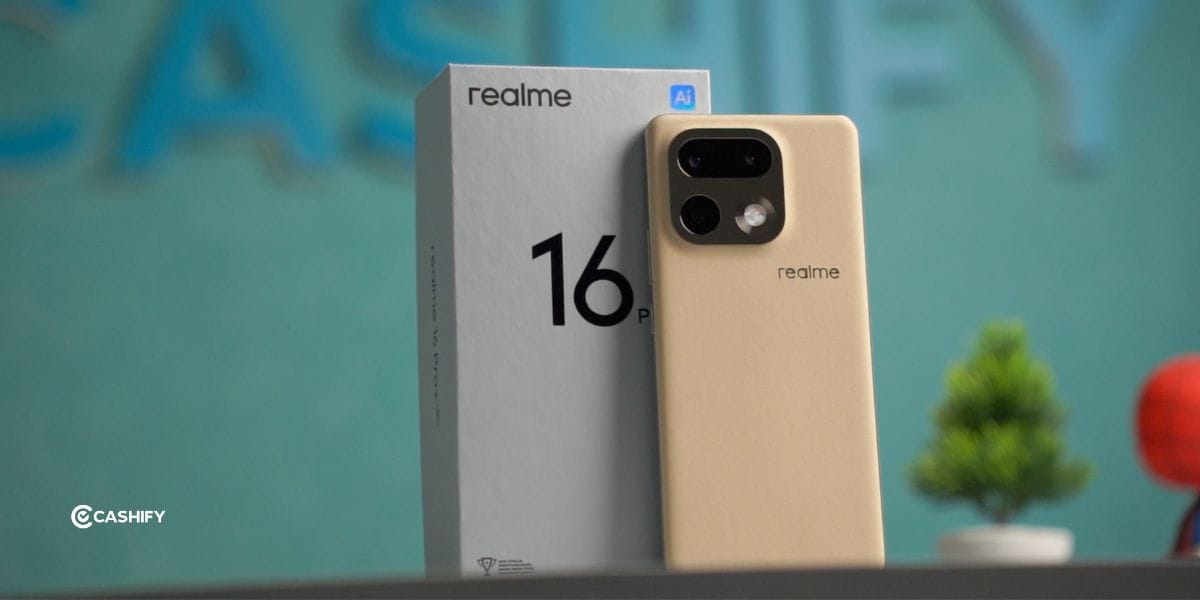
| Feature | Details |
| Main Camera | 200MP (Samsung HP5, f/1.8, OIS) |
| Telephoto | 50MP Periscope (3.5x Optical, 120x Digital) |
| Video FPS | 4K @ 30/60fps (Front & Rear), 1080p @ 120fps |
| Portrait Modes | 1x, 2x, 3.5x, 4x focal lengths; ProDepth Bokeh |
| Slow-Mo | Yes (1080p @ 120/240fps) |
| Other Modes | Vibe Master, Night, Starry, Dual-View, AI Perfect Shot |
| ISO / Pro | Manual control (ISO/Shutter) via Pro Mode |
Also Read: Best Camera Settings For Motorola Signature: All Modes Explained
Best Realme 16 Pro Plus Camera Settings
Now, it’s time to see the best Realme 16 Pro Plus camera settings.
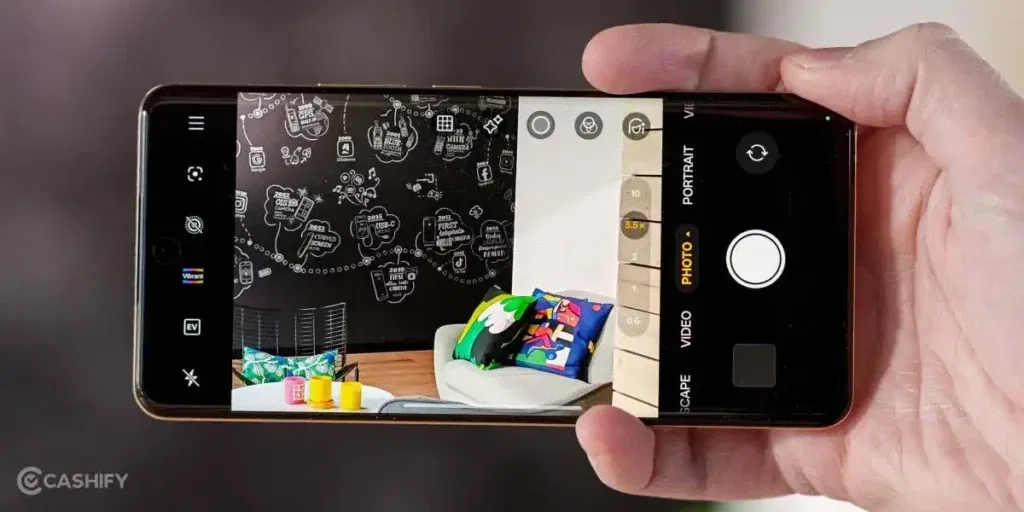
Portrait Mode Settings: Use 2x for better focus
Use portrait mode at 2x for the best portrait shots. This phone’s portrait mode gives some great shots, especially if you are interested in object photoshoots. It blurs the background nicely, and the after-effect photos are cool.
ISO Settings: Lower For Fast shots
Keep ISO lower than standard ISO if you’re clicking moving shots or are in a fast-paced outdoor location. This will blur the background and will give you filmy clicks.
Keep Video Settings To 60FPS
If you want to shoot videos in the best settings, capturing movements in a realistic manner, then you must set your Realme 16 Pro Plus’s camera settings to 60FPS while shooting videos. This gives you standard reel-worthy shots.
Use Stabliser For Videography
You should use stable mode for better videos, and it will eliminate extra noises and shakes that hamper your video shooting. Either turn it on from settings, or download a camera app that uses a better stabiliser for videos.
HDR For Daylight Shots
That’s an unsaid rule for photography. For normal, daylight clicks, no experiments needed. Just set your frame right, keep focus on, adjust your ISO, and in the simplest and most standard mode, which is the HDR mode, you should click your shots.
AI Landscape
There is a special AI landscape mode, which comes with this phone. You can use this mode for landscape shots, and it sets automatic focus, captures clear frames, and maintains good skin tones. For landscape shots, you must try it.
Use AI Editing For Touchup
Now, when you talk of the best Realme 16 Pro Plus camera settings, then its AI tools have to come in the game. The Realme 16 Pro Plus has got some amazing AI features and tools, wherein you can adjust frames, add AI elements to fill backgrounds, and do a lot more than just touch-up, and completely reshape your photos.
Also Read: Best Snapdragon 8s Gen 3 Phones: Complete List
End Note
That’s it from this blog on the best Realme 16 Pro Plus camera settings. We have discussed all the modes and all the results. To get the best results, use manual settings, watch some YouTube tutorials, and check this blog, and that’s it! You will be fully trained to get the best results from your phone, and no need of any fancy camera or any fancy editing apps. So, set your guide right, and enjoy your phone photography!
Also Read: iPhone 16 Croma Valentine Sale Is Live: Buy It Under 50000!
Are you still browsing through your broken screen? Don’t worry! Book at-home mobile phone screen repair with Cashify—an affordable and one-stop destination for all your mobile phone needs. In case you break your screen within 1 month of repair, we will replace your screen again—for FREE.