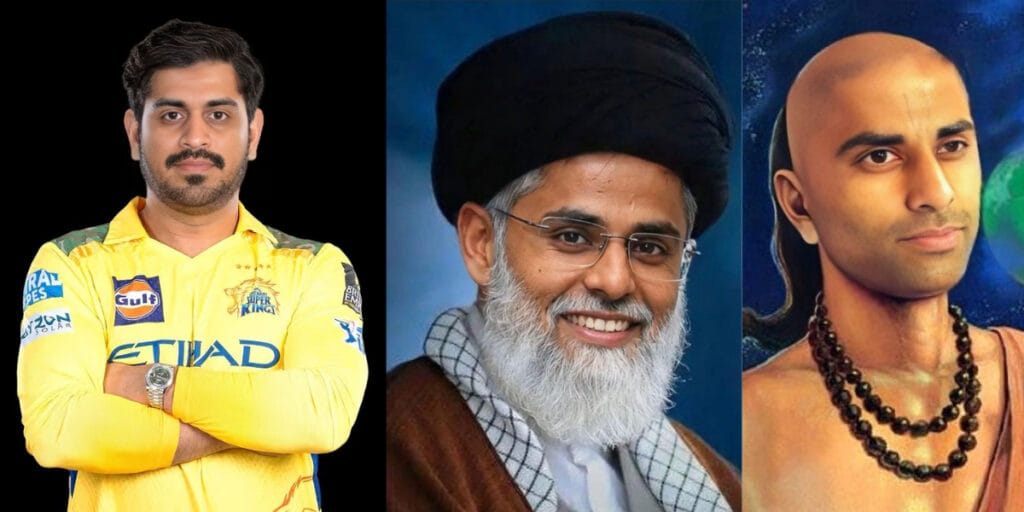
Remaker AI face swap is an AI tool based on the web and app that allows users to swap faces in images, videos, and GIFs. You can also upload a picture of a face you want to use and a photo or video of yourself to the website. This AI tool lets you try a fun activity where you can change your face to someone else’s.
You can switch faces with your friends, famous people, or even people from history. You can also make funny videos, create memes, make collages, or just have fun trying out different looks. I mostly use this platform to create meme likewise, I created multiple memes during the T20 World Cup final.
Also Read: 10 Best Google Gemini AI Photo Editing Prompts
How To Create A Face Swap Using Remaker AI
You can easily create a face swap using Remaker AI by following these simple steps:
- Open Remaker AI and go to the Face Swap tool.
- Choose the type of face swap you want to create.
- Upload your images according to the selected option.
- Generate the face swap and download the final image.
Face Swap Options Available In Remaker AI
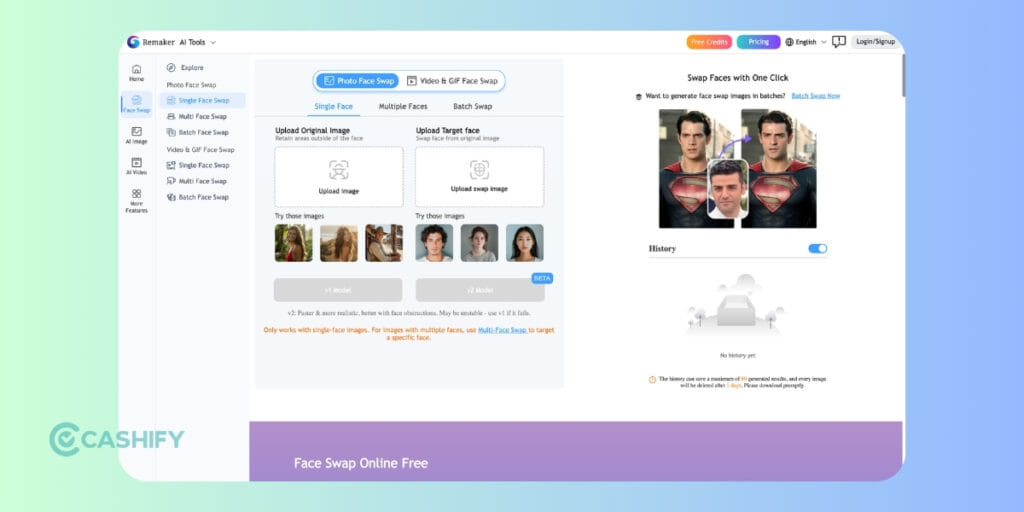
Single Face Swap: Upload one original photo and one target face to replace it.
Multiple Face Swap: Upload a group photo and select different target faces for each person.
Batch Face Swap: Upload multiple original images and target faces to process up to 50 photos at once.
Tips To Gets Best Results For Face Swap
Choose between V1 (faster) and V2 beta (better quality/blending). I suggest you use V2 for better realism. Use simple, clear pictures of faces that are easy to see. The tool keeps the original background and the person’s expressions while changing the face. You can use it online in a web browser, and you don’t need any special editing skills.
Also Read: Best Mobile Phones Under 30000- Latest & Reliable Picks In 2026
Is Remaker AI Face Swap Free?
Remaker AI face swap is not completely free. It works on a credit-based pricing system, where each AI task (such as face swap, image generation, or video editing) consumes a certain number of credits.
Users can either earn limited free credits or purchase credit packs for more usage. The platform currently offers several one-time payment plans without requiring a monthly subscription.
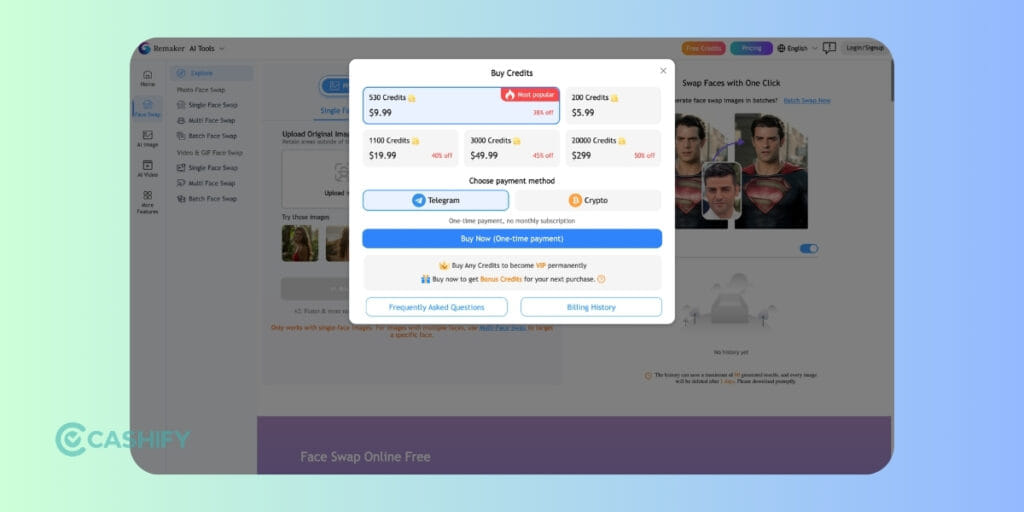
The pricing starts with 530 credits for $9.99, which is marked as the most popular plan and offers around 38% discount. For smaller usage, users can buy 200 credits for $5.99.
If you need more credits, Remaker AI also offers 1100 credits for $19.99, 3000 credits for $49.99, and a large 20000-credit package for $299, which includes up to a 50% discount. Once purchased, these credits can be used for different AI tools available on the platform.
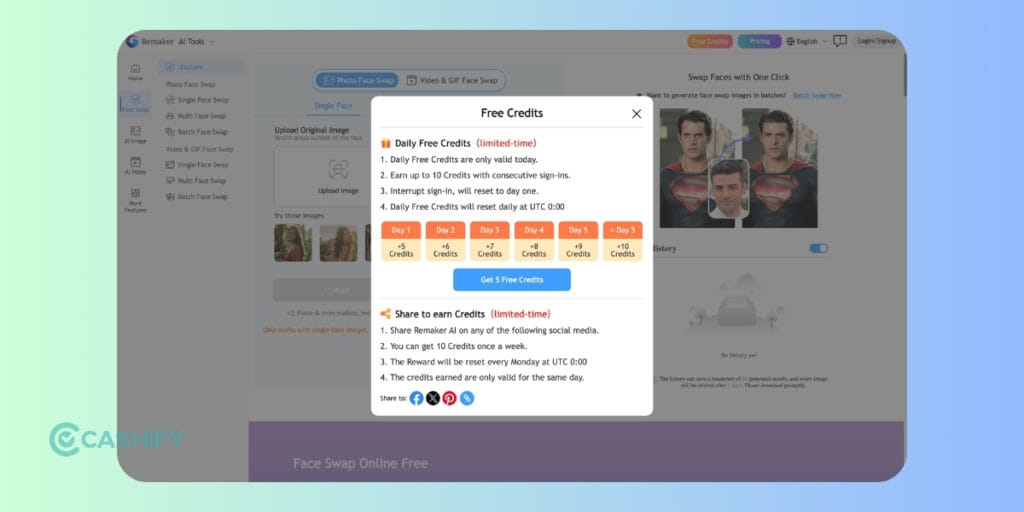
In addition to paid plans, Remaker AI also offers free credits through daily sign-ins and social sharing. Users can get up to 10 free credits through consecutive daily logins, starting with 5 credits on day one and increasing with each day.
The platform also allows users to earn 10 extra credits per week by sharing Remaker AI on social media, although these free credits are usually valid only for the same day they are earned.
Also Read: Best Mobile Phones Under 25000 In India
Remaker AI Features
Remaker AI is limited to face swap; it offers many features to help you generate multiple types of photos, videos, and GIFs. I tried to figure out all the feature which list on their website with one line introduction
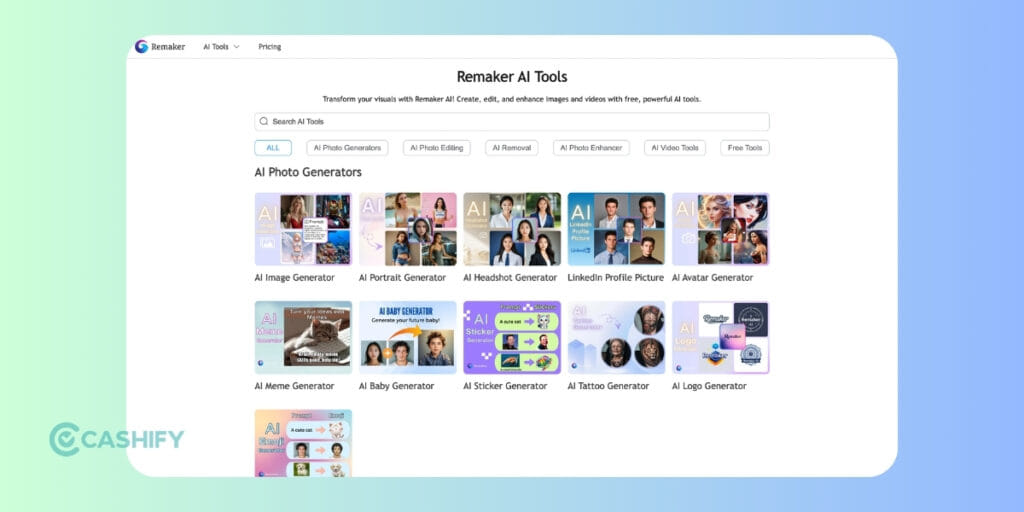
Face & Portrait Tools
- Photo Face Swap: Replace faces in photos with realistic results.
- Multi-Face Swap: Swap multiple faces in a single photo automatically.
- Batch Photo Face Swap: Process many images for face swapping at once.
- Video Face Swap: Replace a face in videos using AI tracking.
- Video Multi-Face Swap: Swap several faces in the same video.
- Head Swap Tool: Replace heads in photos for memes, portraits, or creative edits.
- AI Portrait Generator: Create realistic portrait images using AI.
- AI Headshot Generator: Generate professional profile photos instantly.
Image Creation & Editing Tools
- AI Image Generator: Generate new images or artwork from text prompts.
- AI Photo Editor: Edit photos, remove objects, and apply creative styles.
- Background Remover: Remove or replace image backgrounds with one click.
- Background Blur Tool: Blur backgrounds for a DSLR-style effect.
- AI Photo Enhancer: Improve image clarity, colors, and details automatically.
- AI Image Upscaler: Increase image resolution while preserving details.
- Unblur Image Tool: Restore blurred or pixelated photos using AI.
- Style Transfer / AI Filters: Apply artistic styles and creative effects.
Video Generation & Animation Tools
- AI Video Generator: Create videos from text prompts or images.
- Image-to-Video: Convert static images into animated videos.
- Live Portrait Generator: Turn photos into moving portraits or animated avatars.
Creative AI Tools
- AI Tattoo Generator: Generate custom tattoo designs from prompts.
- Photo-to-Anime / AI Style Conversion: Convert photos into anime or stylised artwork.
Also Read: Best Gaming Phones Under 20000 In India
Is Remaker AI Safe?
Remaker AI is generally safe for casual AI photo and video editing, including face swaps, memes, and creative content generation. The platform works through a web browser and allows users to upload images or videos for AI processing.
However, users should avoid uploading sensitive personal photos, confidential documents, or private media files. Since face swap tools use cloud-based AI processing, it is always recommended to review the platform’s privacy policy and data handling practices before using it for professional or commercial purposes.
For better safety:
- Avoid uploading personal identity documents
- Use copyright-free or self-owned images
- Do not use AI face swaps for misleading or harmful content
- Review generated content before sharing publicly
Overall, Remaker AI is suitable for entertainment and content creation, but users should use AI-generated media responsibly.
Final Words
Overall, Remaker AI face swap is a fun and easy tool for creating face swaps in photos, videos, and GIFs. Whether you want to make memes, edit creative content, or experiment with different faces, the platform offers multiple tools with simple controls. While it works on a credit-based system, the free credits and easy workflow make it a great option for beginners and casual creators.
FAQs
What is Remaker AI face swap?
Remaker AI face swap is an online AI tool that allows users to swap faces in photos, videos, and GIFs. You simply upload a source image and a target face, and the AI automatically replaces the face while keeping the original background and expressions.
How do I use Remaker AI face swap?
To use this, open the Remaker AI website, select the Face Swap tool, upload your original photo and the target face image, then click generate. The AI will process the images and create the swapped face within seconds.
Is Remaker AI face swap free?
Remaker AI face swap is not completely free. The platform uses a credit-based system where each AI task consumes credits. However, users can earn limited free credits through daily sign-ins or social sharing.
Can Remaker AI face swap work on videos?
Yes, Remaker AI face swap also supports video face swapping. You can upload a video and a target face, and the AI will track the face throughout the clip to replace it with realistic blending.
If you’ve just bought a new phone and don’t know what to do with your old phone, then here’s your answer. So, Sell old mobile to Cashify and get the best price for it. If you are planning to buy a new phone, check out Cashify’s refurbished mobile phones. You can also get your favourite phone at almost half price with a six-month warranty, 15-day refund, and free delivery.