The official portal for Sanchar Saathi is https://www.sancharsaathi.gov.in/. It’s run by the Department of Telecommunications (DoT). It is the main place to keep track of all your mobile connections. There’s also a mobile app to check mobile connection with sanchar saathi.
Your phone is basically your lifeline these days. It has banking, UPI, and OTPs for everything. But here’s the catch: fraudsters love misusing the details. They can activate extra SIMs in your name for scams, spam, or worse.
That’s where Sanchar Saathi comes in. It’s a free, government-backed tool that lets you see every active mobile connection linked to your identity. It is super handy for spotting anything suspicious before it becomes a problem.
So, let’s begin.
Also Read: How To Download Ayushman Card In Minutes [Complete Guide]
What Exactly Does Sanchar Saathi Do?
Sanchar Saathi isn’t just a SIM checker anymore. It’s like a one-stop portal with multiple tools made for regular users like us.
- TAFCOP (Telecom Analytics for Fraud Management and Consumer Protection) is the main feature. It shows all mobile numbers registered under your name. You can spot any unknown or fake connections.
- CEIR helps you block or trace a lost or stolen phone using its IMEI number.
- Chakshu portal lets you report scam calls, fake SMS, and bogus customer care numbers easily.
- You can report unauthorised connections and even check if a mobile device is genuine.
The portal helps reduce telecom fraud and improves transparency. It does that by giving you real control over your digital identity. This is honestly super important these days.
Why You Should Check Mobile Connections In Your Name?
Honestly, it takes barely 5 minutes. It’s totally worth doing every few months. Here’s why people are checking now:
- Catch identity theft early: Scammers use leaked KYC details to activate SIMs for OTP fraud, bank scams, or even bigger crimes.
- Avoid random problems later: Unknown SIMs can lead to surprise bills or issues with telecom limits.
- Keep family connections sorted: If you’ve taken SIMs for parents or kids, it’s easy to forget how many are active.
- Stay safe in a connected world: Your mobile number is linked to Aadhaar, banking, and government services. This way, knowing what’s active matters a lot to your privacy and security.
If you cross the allowed SIM limit, the DoT can now send alerts or even auto-disconnect extra numbers.
Sanchar Saathi By The Numbers
- Over 82 lakh fake mobile connections were disconnected and more than 35 lakh lost or stolen phones blocked, as of July 2025.
- The portal saw 16 crore visits, with about 2 lakh users a day.
- Under CEIR, 35.49 lakh devices were blocked, 21.57 lakh traced, and 5.19 lakh recovered.
- The platform helped recover 77,692 lost or stolen handsets in July 2026, the first month above 75,000.
Also Read: iPhone 15 Plus vs iPhone 14 Pro Max: Which Retains Value Better?
How To Check Mobile Connections In Your Name With Sanchar Saathi?
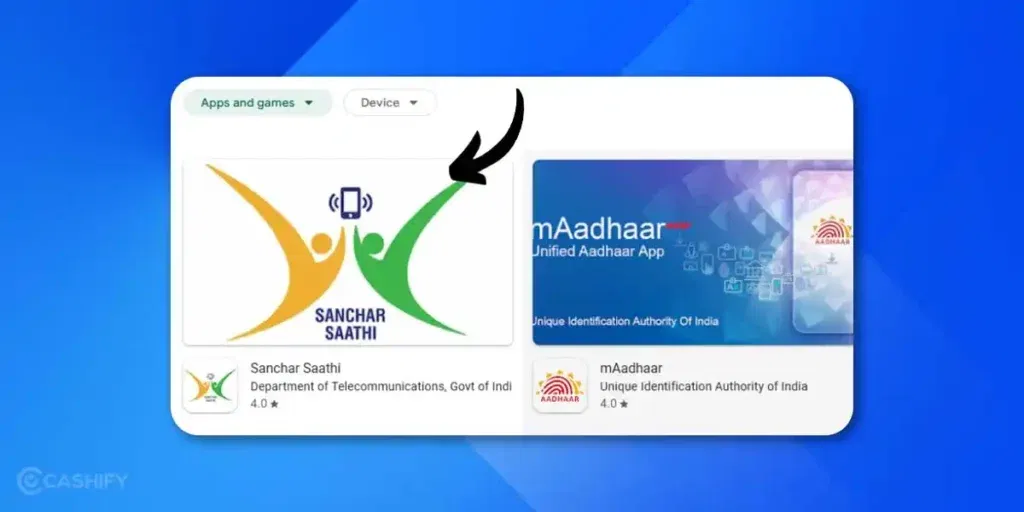
The process is pretty straightforward. It is just OTP-based verification and you can do it on your phone or computer.
Steps to follow:
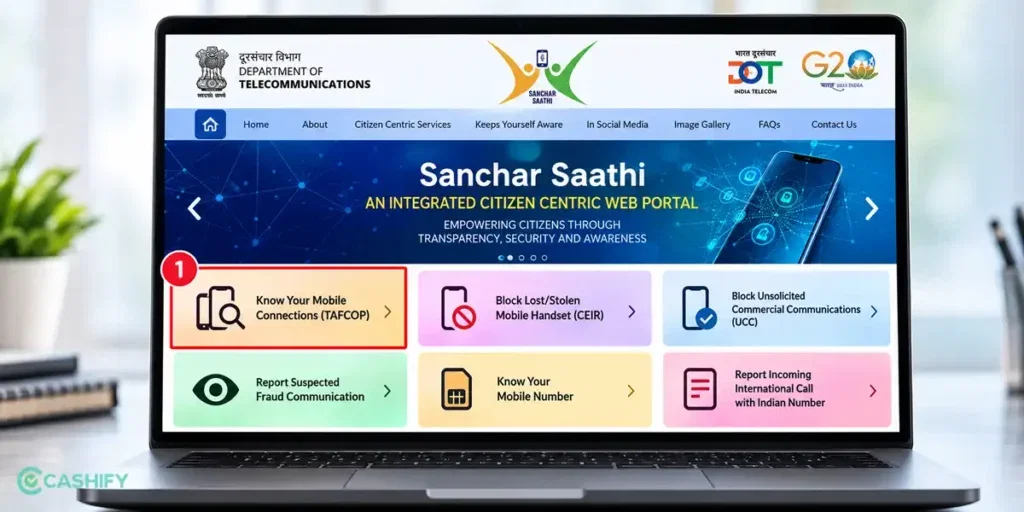
- Go to the official website: sancharsaathi.gov.in
- On the homepage, look for Citizen Centric Services or tap TAFCOP / Know Your Mobile Connections.
- Enter your mobile number to begin so that you can get OTP.
- Once logged in, select Know Mobile Connections.
- If asked, provide a bit of extra verification (basic and secure).
And that’s it. You’ll see a full list of all active connections in your name, including:
- Mobile number
- Telecom operator (Jio, Airtel, Vi, BSNL, etc.)
- Activation date
- Current status
You don’t need to enter your Aadhaar number anymore for the basic check. The current process mostly uses mobile number + OTP.
SIM Limits: What’s Allowed?
As per DoT rules (still valid in 2026):
- You can have up to 9 active mobile connections across all operators in most parts of India.
- In Jammu & Kashmir, Assam, and North Eastern states, the limit is 6 connections.
If you go over the limit, telecom companies may automatically disconnect the extra or oldest SIMs. You’ll also get alerts. So if anything looks unusual, it’s best to report it immediately.
What Changed In August 2026: SIM Limits Are Now Enforced
India caps how many SIMs one person can hold. Most people can hold nine connections across all operators. In Jammu & Kashmir, Assam and the North-East, the cap is six.
The cap is not new, but its enforcement is. The DoT issued a circular on August 17, 2026. It told operators to identify anyone seeking a connection beyond the limit and to tell them a new SIM cannot be issued. The rule applies from August 24, 2026.
Here is how it works:
- Operators check your existing connections through the DoT’s Digital Intelligence Platform (DIP).
- From August 23, 2026, DIP shows operators a representative photo of each subscriber who has reached the limit.
- Until operators automate the check, any connection activated beyond the limit is suspended until the issue is resolved.
- Operators must move to real-time checks by 30 November 2026.
What does this mean for you? Fraudsters may have used your ID to open SIMs. You might then hit the cap without knowing. Your own genuine request for a new SIM would be rejected. Check Sanchar Saathi before you apply for a new connection.
What If You Already Hold Too Many SIMs?
Start by listing every number the portal shows. Mark the ones you no longer use as “Not required”. Then ask the operator to confirm the disconnection.
Penalties exist too. News reports on the Telecommunications Act, 2023 say a first breach of the SIM limit can bring a fine of Rs 50,000, rising to Rs 2 lakh for each repeat violation. The same reports say getting a SIM by deception, using someone else’s ID, can mean up to three years in jail, a fine of up to Rs 50 lakh, or both. Confirm the exact penalties against the notified rules before publishing.
Found An Unknown Or Unauthorised Connection? Do This Immediately
Follow these steps:
- Note down the details from the portal (mobile number, operator, activation date).
- Report it on the Sanchar Saathi portal using the option for unauthorised or unwanted connections.
- Contact the telecom operator and ask for blocking or disconnection. Share the Sanchar Saathi reference number if you get one.
- Save all complaint or reference numbers so you can track the issue later.
- If it feels like serious fraud, file a report on cybercrime.gov.in. Keep that complaint ID too.
In most cases, things get sorted pretty quickly once you report it properly.
How To Report A Number That Isn’t Yours
Once the list loads, check each number. Tick “This is not my number” for a connection you didn’t take. Tick “Not required” for one you no longer need. Submit the report.
Then act on two fronts. Call your operator and ask for disconnection. Save every reference number. If you lost money, report it on helpline 1930 or at cybercrime.gov.in.
Also read: How To Check BSNL Balance, Data Usage, And SMS Validity Using USSD Codes
Common Issues And How to Solve Them
While Sanchar Saathi is designed to be user-friendly, some users face issues. Here are common problems that you might encounter when you check mobile connections with Sanchar Saathi:
1: OTP Not Received
- Ensure your mobile number is active and able to receive messages.
- Check for network issues or SMS blocking apps.
- Request OTP again after a few minutes.
2: Connection Not Showing
- Make sure the mobile number is correctly linked to your Aadhaar.
- Contact your telecom operator to confirm KYC details are accurate.
3: Unauthorised Connections
- Immediately lodge a complaint with the telecom operator.
- Escalate to DoT if the operator does not respond.
- Keep documentation for future reference.
Check A Used Phone Before You Buy It
Sanchar Saathi can also vet a handset. Dial *#06# to see your 15-digit IMEI. Then SMS “KYM” followed by the IMEI to 14422. This is the Know Your Mobile (KYM) check. It tells you whether the device is genuine.
If your phone is lost, report it under CEIR. The network then blocks the handset. Any attempt to use it alerts the citizen and the police station.
Is The Sanchar Saathi App Safe? Do You Have To Install It?
The DoT launched the app on January 17, 2025. In late November 2025, the DoT ordered phone makers to pre-install it. The order, issued on November 28, also covered existing phones via software update. Privacy concerns followed.
On December 3, 2025, the government withdrew the pre-installation order. The DoT said it was reacting to rising voluntary downloads. Communications Minister Jyotiraditya Scindia told the Lok Sabha that snooping was neither possible nor would it happen. Users can delete the app at any time.
Download it only from official app stores. The DoT warns people not to install APKs or click suspicious links. The app also supports regional languages: the minister launched it in Hindi and 21 other languages.
Final Thoughts
Sanchar Saathi is a powerful tool that gives you complete control over your mobile connections. Now that you know how to check mobile connections with Sanchar Saathi, you can easily prevent fraud, safeguard your identity, and stay informed about every connection registered under your name.
Checking mobile connections is simple, free, and crucial for digital safety in today’s world. Don’t wait, log in to Sanchar Saathi today and secure your mobile identity!
Also Read: What Is ChatGPT Go? Features, Price And All That You Need To Know
Frequently Asked Questions
How do I check mobile numbers linked to my name?
You can check all mobile numbers registered under your name using the Sanchar Saathi portal. Simply visit https://www.sancharsaathi.gov.in/, sign up or log in with your mobile number, verify via OTP, and the portal will display a list of all active mobile connections linked to your name.
How do I check how many connections are in my name?
You can check mobile connections under your name with Sanchar Saathi. To find out how many connections are registered under your name, log in to the Sanchar Saathi portal. Under the “Know Your Mobile Numbers” section, enter your mobile number, verify with OTP, and you will see a complete list of all active mobile connections associated with your identity.
How do you check how many phones are registered in your name?
All mobile phones or SIM cards linked to your identity can be checked via Sanchar Saathi. After logging in and verifying your identity with your mobile number and OTP, the portal will show each number, along with the telecom operator and activation date. This gives you a full view of all phones registered in your name.
Can I find out who owns a number?
No, TAFCOP only lists numbers tied to your own ID.
What is Sanchar Saathi, and why should I use it?
Sanchar Saathi is a government portal by the Department of Telecommunications. It helps you check all mobile connections registered under your name. The platform prevents fraud and identity theft. You can detect unauthorized connections and protect your digital identity. It’s completely free and easy to use.
How do I check mobile connections in my name using Sanchar Saathi?
Visit the official Sanchar Saathi portal and sign up with your mobile number. Verify your identity through OTP. Go to “Know Your Mobile Numbers” section. Enter your mobile number and verify again. The portal will show all connections registered under your name with operator details and activation dates.
Can someone register a SIM card in my name without permission?
Yes, fraudsters can misuse your KYC details to activate unauthorized connections. This is why checking your mobile connections regularly is crucial. Sanchar Saathi helps you identify such unauthorized numbers. You can then contact your telecom operator to block them immediately.
What should I do if I find unauthorized connections in my name?
Contact your telecom operator immediately to block the unauthorized connection. Lodge a formal complaint with them. Keep the complaint reference number for follow-up. If the operator doesn’t respond, escalate the issue to the Department of Telecommunications.
How often should I check my mobile connections on Sanchar Saathi?
Check your registered mobile connections every few months. It helps you stay updated about your digital identity. Regular monitoring prevents identity theft and fraud. It takes just a few minutes and keeps you secure.
Is my Aadhaar information safe on Sanchar Saathi?
Yes, Sanchar Saathi is an official government portal with secure protocols. Your Aadhaar details are protected. However, never share your Aadhaar number unnecessarily. Only use the official Sanchar Saathi website for verification. Keep your login credentials private.
Can I check mobile connections for my family members?
You can only check connections registered under your own Aadhaar. Each family member needs to verify their connections individually. It maintains privacy and security. They can follow the same process using their own Aadhaar and mobile number.
If you’ve just bought a new phone and don’t know what to do with your old phone, then here’s your answer. Sell old mobile to Cashify and get the best price for it. If you are planning to buy a new phone, check out Cashify’s refurbished mobile phones. You can get your favourite phone at almost half price with Six-month warranty, 15 days refund and free delivery.