Airtel network problem happening again? Calls dropping, internet crawling, or suddenly seeing “No Service” right when you need your phone the most? Yeah, super annoying.
Who would want to be at a place with no network?! That feels like you’re with Aliens, and can’t communicate. But worry not, our platform has a solution for literally everything!!!
Network issues can happen for many reasons. Things like temporary outages, SIM issues, software glitches, weak signal areas, or even incorrect network settings. The good news is that most Airtel network problems can be fixed in just a few minutes.
Before you panic or assume your SIM is dead, try these simple fixes first.
Also Read: Are You Facing Jio Network Problem? Here is How to Fix Network Issues on Jio
Facing Airtel Network Problem: Here Are The Reasons Why It Is Happening

Your phone showing that ‘no service’ message, or no signal towers on your screen, feels frustrating, right? Well, Airtel network problems are not that common, but under recent trends and unforeseen circumstances, these issues have been frequent.
But why? It is important to know why you are facing these network errors. Is there a problem with your phone? Or do you need to change the SIM? Or is it just a circumstantial fault? What is it actually? Well, let us find out.
Airtel Network Problem: Common Reasons
1- You Are In A Low Network Zone
The first and most obvious reason that your Airtel network is down is the external factor, and it is your location. If you are in a location that has weak signals, which is probably a remote location, then you might be facing an Airtel network problem.
2- Weather Conditions
Weather conditions like rainy climate, clouds, and windstorms often affect network services. Hence, these are one of the major reasons for network errors.
3- Network Jammers
In a concert and can’t upload your shoot on Insta? Well, that’s probably because of the network jammers installed. Network jammers are specific barriers located in a crowded/elite place/gathering, to avoid network errors, criminal activities, etc. Hence, if you are at a place where jammers are installed, you’ll face some issues.
4- SIM Card Issues
The home of your Airtel network problem can be your SIM itself. Sims with physical damage, outdated manufacturing, chip damage, etc., face network errors, which might lead to a problem for you.
5- Sim Not Inserted Properly
Check if your Airtel SIM card is inserted properly or not, or if there is any damage to your SIM card slot. This is also one of the key reasons why people face network problems.
6- Wrong Network Preference
Did you just select a bullock cart for a cab service? Well, that’s exactly what you do if you choose 2G network preference in a 4G or 5G phone. This also leads to network disturbances or a lack of proper internet connection.
7- Incorrect APN Settings
Misconfigured APN settings on your phone can also lead to a barrier to the internet connection. So, if you are facing an Airtel network problem, this might also be the prime reason.
Also Read: How to Fix ‘Not Registered On Network’ Error On Android
8- Airplane Mode
If you turn on the ‘Airplane’ mode on your phone, it will discontinue all the networks of your phone, and you can’t even make a call.
9- Sim Inactive
Is your SIM inserted but not turned on? This means that your SIM is not active and you can’t experience any network.
10- Plans Expired
Another key reason why you are facing an Airtel network problem on your phone is that your plan has expired. An expired plan means no internet, no calls, even when the network is there. So check your plans.
How To Fix Airtel Network Problems? Quick Solutions
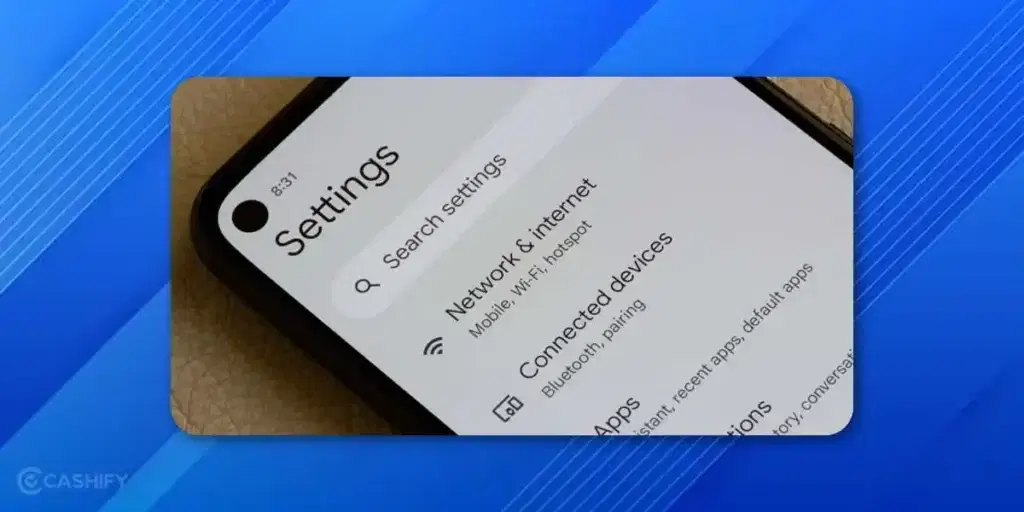
Now, let us come to the final act! Let us join hands to fix your network problems. Don’t be there lying down with sorrows and no communication at all! Wake up, take your calls, and just act out with these mentioned solutions. Here are all the solutions to Airtel network problems that users can try:
Also Read: What Is Google AI Mode, And How Does It Change Your Search
1- Toggle Airplane Mode
This is the classic fix for a reason.
Just:
- Turn Airplane Mode ON
- Wait for 15 to 30 seconds
- Turn it OFF again
This refreshes your network connection and often fixes temporary signal issues instantly.
2- Reset Your Network Settings
The first and foremost trick that works is resetting your network. Just turn off data for one, then turn it on again. This might get your network back to normal and start connecting again better.
Or
Go to:
Settings > Mobile Network > SIM & Network
Now set your preferred network to:
- 5G/4G/3G/2G (Auto) or
- 4G/3G/2G (Auto)
If Airtel 5G is unstable or not connecting, switch to 4G only for now.
Sometimes forcing 4G gives a much more stable connection.
3- Check SIM Plan And Status
If you want to check the status of your recharge plan, just dial #121 or your respective USSD code. This will help you know the status of your pack.
4- Contact Airtel Support
Reach out to the Airtel support team if you are facing Airtel network problems. Dial their toll-free number, or reach out to online support through some other contact.
5- Check APN Settings
Check the APN settings of your phone to solve the Airtel network problem. Just go to settings>Network settings> APN.
6- Choose The Right Network Preference
Don’t use 2G/3G network preference as it leads to a low network. Always stick to 4G network preference.
7- Check Network Outage
See if there’s any Airtel network outage currently. If there is, then wait for some time for the network services to return.
8- Update Software
Outdated software can be a burden on your network facilities. So, it is advised to update your software, and then you can enjoy optimised internet services.
9- Use Emergency Calls In Case Of Airtel Network Problems
If you are in an emergency, and your Airtel network is down, just call the emergency numbers in that case. Emergency numbers can be contacted anytime, and you’ll not face a problem.
10- Move to a Better Location
Weak network? Your location might be the problem.
Try moving:
- Near a window
- Outdoors
- To a higher floor
Avoid areas like:
- Basements
- Elevators
- Thick concrete buildings
Sometimes your phone just needs a little breathing room.
Also Read: Apple iPhone 13 Pro Max Speaker Not Working? Troubleshooting & Fix!
11- Reset Airtel APN Settings
Internet not working even with a full signal? APN settings may be incorrect.
Go to:
Settings > Mobile Network > Access Point Names
Then:
- Tap the three-dot menu
- Select Reset to Default
Or manually add these settings:
- Name: Airtel
Save and select it.
Done.
Apps That Help You When Your Airtel Network Is Down

There are several social media platforms, apps, and websites that tell you that if there is any network outage, or any network issue in your area, or if there is a fault inside your SIM. These platforms can be a boon when you are facing Airtel network problems, as they certainly give some legitimate solutions.
Airtel 5G Network Down? Fix Slow Airtel Internet Issues!
Airtel 5G is the latest and probably the best solution to modern network issues. But it often happens that we are not able to enjoy 5G settings.
If your network is fine but the internet feels painfully slow, try these fixes.
Check Data Balance
First things first! Make sure your data pack is active.
You can check using:
- Dial *121#
- Airtel Thanks app
No data = no internet magic.
Turn Off Data Saver
Data Saver can restrict background usage and slow things down.
Go to:
- Settings > Data Usage > Data Saver
- Turn it OFF temporarily.
Clear App Cache
Sometimes the issue isn’t Airtel at all. It’s your browser or apps.
Clear cache for:
- Chrome
- YouTube
And test again.
Switch to 4G
If Airtel 5G feels unstable, manually switch to 4G.
A stable 4G connection is often better than a struggling 5G signal.
Fix Airtel Call Drop Issues
Are calls disconnecting randomly? Here’s what to check.
Enable VoLTE
VoLTE improves voice quality and call stability.
Go to:
- Settings > Mobile Network > VoLTE
- Turn it ON.
Switch Network Temporarily
If calls fail on 4G or 5G, switch to:
- 3G
- 2G
Temporarily, just for calls.
Old-school networks still save the day sometimes.
Check DND or Call Barring
Sometimes settings accidentally block calls.
Look for:
- Do Not Disturb
- Call barring
And disable if needed.
SIM or Hardware Issues
Still no luck?
Try putting your Airtel SIM into another phone.
This helps identify whether the issue is:
- SIM related
- Device related
If the SIM is old, damaged, or not detected properly, visit an Airtel store for replacement.
SIM replacement is usually quick and often free.
iPhone users should also check for pending carrier settings updates.
Still Not Working? Contact Airtel Support
If nothing works, it’s time to contact Airtel directly.
Use:
- Airtel Thanks App > Help & Support > Report Issue
- Call 121 (from Airtel)
- Call 198
- Call 1800-103-4444
Or visit your nearest Airtel store with ID proof.
Also Read: All Airtel Prepaid Recharge Plans And Offers For July 2025!
End Note: Use These Methods To Solve Your Airtel Network Problems
A good network is in demand in the hour. The world is heavily dependent on internet services, and hence, it becomes mandatory for us to ensure that we use our phones in the best network conditions. So, try these easy fixes for your Airtel network problem, and sit back and enjoy your binge-watch sessions, online work, and everything with super-easy relaxing mode!
Frequently Asked Questions
Why is my Airtel network showing no signal?
Your Airtel network may show no signal due to weak coverage in your area, bad weather, network jammers, SIM card issues, or incorrect network settings. Checking location and SIM health often resolves the problem quickly.
How can I fix Airtel network problems on my phone?
Try resetting network settings, turning off Airplane mode, verifying your SIM plan, checking APN settings, selecting the correct network preference, updating software, or contacting Airtel support to restore your network connectivity.
What should I do if my Airtel 5G network is not working?
Toggle between DSA and SA settings, check APN and location settings, ensure your device supports 5G, and verify that your plan is active. These steps usually restore Airtel 5G connectivity.
Can running out of data cause network issues on Airtel?
Yes, if your plan has expired or you’ve used all your data, you may see limited or no internet. Recharging with an Airtel add-on pack restores connectivity immediately.
How do I check if there’s an Airtel network outage in my area?
Use apps or websites that report network status, check social media updates from Airtel, or contact customer support. If there’s an outage, you may need to wait until services are restored.
If you’ve just bought a new phone and don’t know what to do with your old phone, then here’s your answer. Sell your old mobile to Cashify and get the best price for it. If you are planning to buy a new phone, check out Cashify’s refurbished mobile phones. You can get your favourite phone at almost half price with a six-month warranty, 15-day refund and free delivery.