You pick up a call on your iPhone, but the sound from the earpiece is too low or not clear. Sometimes you have to switch to speaker just to hear the other person properly. It may not happen every time, which makes it harder to understand what’s going wrong. When this keeps happening, it often points to an issue with the receiver. Let’s look at what could be behind Apple iPhone receiver failing frequently and what you can do to fix the call sound problem.
Also read: 8 Signs That Your Android Phone Motherboard Needs Repair!
Why Your iPhone Receiver Keeps Failing During Calls?
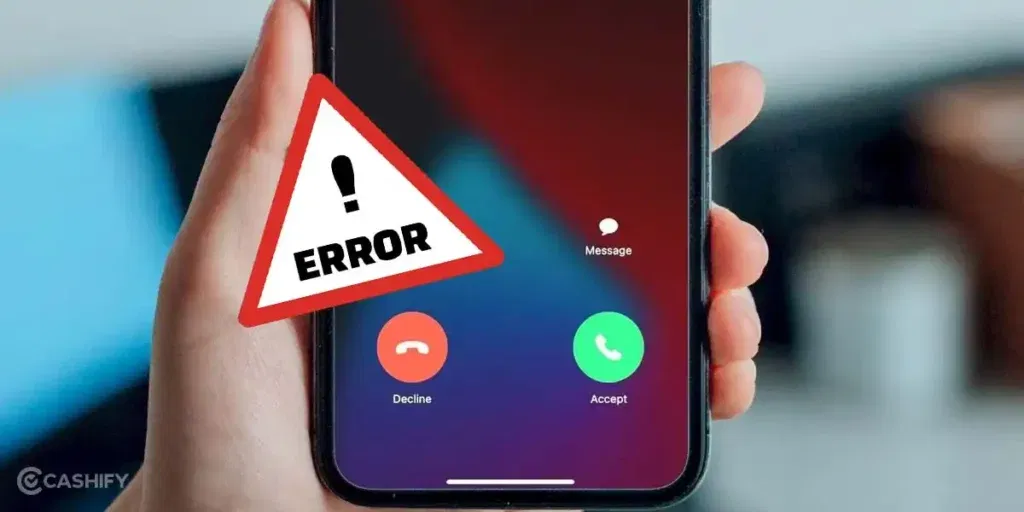
There are several reasons for Apple iPhone receiver failing frequently. Let’s check them one by one:
Earpiece Mesh Getting Clogged From Inside
Over time, very fine dust and pocket lint can settle behind the earpiece mesh, not just on the surface. This blocks the sound from coming out clearly. You may still hear the other person, but the sound feels lower than before. Since it builds up slowly, many users do not notice it until calls become hard to hear.
Loose Internal Connection After Minor Drops
Even small drops can affect the tiny connector that links the receiver to the phone’s board. The receiver may work fine sometimes and then suddenly sound low or stop during calls. This kind of issue does not stay constant, which makes it confusing to identify.
Audio Routing Switching Between Modes
In some cases, the phone keeps switching between earpiece and speaker mode during calls. This can happen due to system glitches or sensor issues near the front camera. As a result, the sound may feel unstable or unclear when you hold the phone to your ear.
Pressure or Bending Near the Top Frame
Keeping the phone in tight pockets or under pressure can slightly affect the top part of the device where the receiver sits. This can impact how sound travels through the earpiece. Over time, the sound may feel uneven or lower than usual.
Background Apps Interfering With Call Audio
Some apps that use the microphone or audio in the background can affect call sound. The receiver may not perform properly when these apps are active. This can lead to unclear or inconsistent audio during calls.
Also read: Vivo Y83 Pro Aux Jack Not Working? Repair It Fast With Cashify
Easy Ways To Fix iPhone Receiver Sound Issues At Home
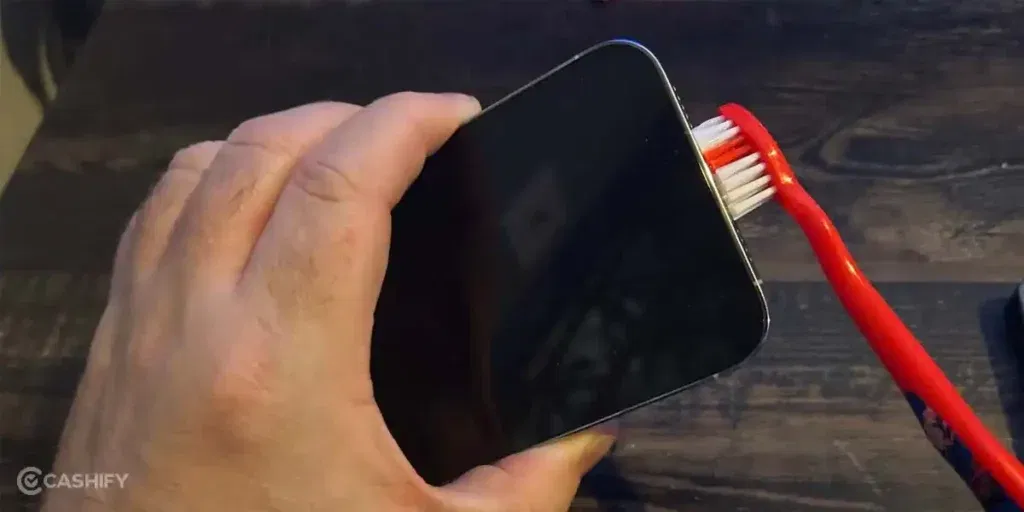
So you’ve seen the reasons behind Apple iPhone receiver failing frequently. Here are a few things you can try before heading for a repair:
Clean the Earpiece Area Gently
Use a soft brush or a dry cloth to clean the earpiece area. Focus on the top grill where sound comes out. Do not use water. Cleaning helps clear any blockage and improves sound output.
Press Lightly Around the Top Area
Gently press around the top edge of the phone while on a call. This can help if the internal connection is slightly loose. Do not apply force. Just check if the sound improves when you hold it in place.
Reset Audio Settings
Go to settings and reset all sound-related options. Check call volume and balance settings. This helps fix issues where sound is not routed properly during calls.
Turn Off Bluetooth and Test Again
Switch off Bluetooth and make a call. This ensures the phone is not sending sound to another device. Many times, the issue is caused by audio being routed elsewhere.
Close Background Apps
Close apps that use sound or microphone access. Then make a call again. This helps avoid conflicts that affect the receiver’s sound during calls.
Also read: 8 Signs That Your Android Phone Motherboard Needs Repair!
Signs You Should Get Professional Help
If you have tried all the fixes and still face the issue of Apple iPhone receiver failing frequently, it is time to go for an Apple mobile repair. At this stage, the problem is likely inside the phone and cannot be fixed with basic steps. If you are wondering where to get it done in a reliable way, Cashify is a good option for a few clear reasons:
Certified Technicians
Your phone is handled by trained technicians who know how to work on iPhone parts. They check the receiver properly and fix or replace it with care. This helps avoid any further damage and keeps your phone working as it should.
Transparent Pricing
You are told the full mobile repair cost before the work starts. There are no hidden charges later. You pay only after the repair is completed and you have checked the phone.
High-Quality Compatible Parts
Cashify uses high-quality compatible parts that fit your phone well. This ensures the receiver works clearly during calls and performs properly after the phone repair.
Convenience
You can book a mobile phone repair online in a few steps. A technician can visit your home, or you can go to a nearby store. Cashify has 200+ service centres across India, so help is easy to find.
Also Read: Do You Lose Data When Replacing LCD Screen?
FAQs About iPhone Receiver Sound Issues
Q. My iPhone receiver sound is too low during calls. What should I do?
Check the call volume first and make sure it is set to maximum. Clean the earpiece area gently and turn off Bluetooth. If the sound is still low, you may need a professional check.
Q. Why does my iPhone receiver work sometimes and fail at other times?
This usually happens due to a loose internal connection or a software issue. The receiver may work fine for some calls and then stop suddenly. If the issue keeps coming back, it is better to get it checked.
Q. Can a software update fix iPhone receiver sound problems?
Yes, if the issue is caused by a system glitch. Updating to the latest iOS version can fix call sound problems in some cases.
Q. Is it safe to fix the iPhone receiver at home?
Basic steps like cleaning or checking settings are safe. Opening the phone at home is not recommended. It can damage internal parts if not done properly.
Q. How long does iPhone receiver repair take?
Most repairs are completed within a few hours. In some cases, it may take a day, depending on the issue and part availability.
Also Read:What Is The Difference Between Screen Repair And Screen Replacement?
Final Thoughts
You’ve seen what causes Apple iPhone receiver failing frequently and a few easy fixes you can try at home. If the issue continues, professional iPhone mobile repair at Cashify is a safe and reliable solution. With certified technicians, high-quality parts, transparent pricing, and simple booking, your phone will be back to normal in no time.
If you have questions or need help choosing the right repair option, leave a comment below. I’ll help you get your iPhone receiver working clearly during calls without any hassle.
Use code: TECH25 to avail of a discount of up to Rs. 300 by using the (on the minimum order value of Rs. 2499).
Use code: RPR50 to avail up to 50 per cent off on a minimum spend value of Rs. 1000. (limited offer).
Are you still browsing through your broken screen? Don’t worry! Book at-home mobile phone screen repair with Cashify, an affordable and one-stop destination for all your mobile phone needs. In case you break your screen within 1 month of repair, we will replace your screen again for FREE.