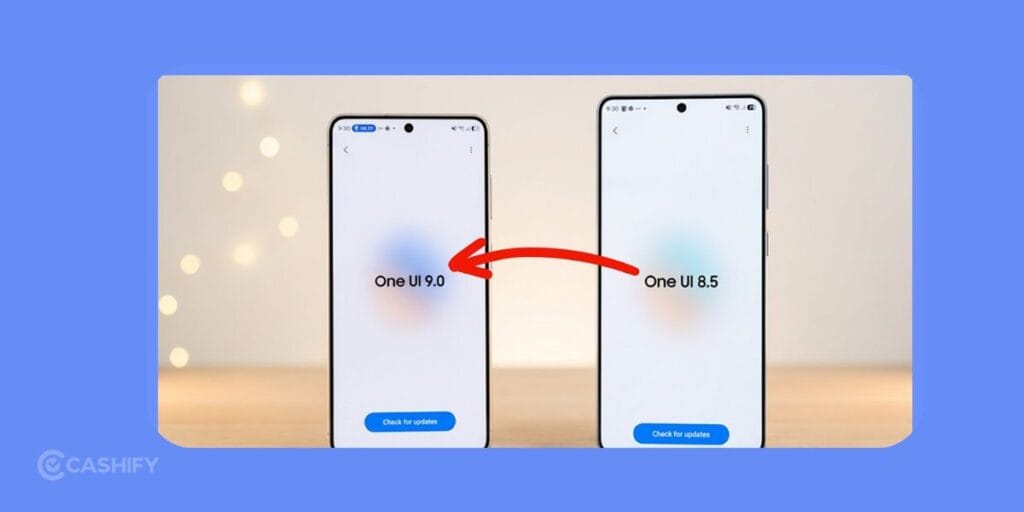
Samsung One UI is one of the best OS out there in the market. It has the perfect balance of design, reliability, customisation options, and AI tools. In this guide, we will talk about One UI 9 vs One UI 8.5. At first glance, both look familiar, but there are changes if you look closely.
One UI 8.5 is the final polished version of Android 16 software. But the One UI 9 is based on Android 17 and has deeper system improvements. Let’s check out which one is better and whether it is even worth upgrading?
One UI 9 Vs One UI 8.5: Quick Comparison
Let’s check out what these two, One UI 9 vs One UI 8.5 offers at a glance:
| Feature | One UI 8.5 | One UI 9 |
|---|---|---|
| Android Version | Android 16 | Android 17 |
| Quick Panel | Thick sliders and bordered tiles | Cleaner layout and borderless circular tiles |
| Lock Screen Music Player | Standard media card | Animated soundwave background |
| Contact Permissions | Full contact access | Select individual contacts |
| Samsung DeX | Manual desktop controls | Dashboard for desktop management |
| Widgets | Traditional text layout | Circular charts and visual usage graphs |
| Battery Efficiency | Good background app management | Improved background optimisation for longer battery life |
| Security | Android 16 security protections | Android 17 privacy improvements, scoped contact sharing, and stronger lock state protection |
Also read: Samsung Galaxy S27 Ultra Release Date, Expected Price And Specs!
Android 17 Changes Everything
The biggest difference isn’t something you immediately notice. One UI 9 runs on Android 17 and the One UI 8.5 stays on Android 16. With Android 17, One UI 9 has smarter background management, stronger privacy controls, and improved resource allocation. That allows One UI 9 to feel smoother during everyday use.
In my opinion, this change matters far more than a visual redesign. Better optimisation beats new icons and wallpapers any day!
Quick Panel Is Cleaner
I am personally using the Samsung Galaxy S25 Ultra. I had complained about the Quick Panel looking messy all the time. But with One UI 9, Samsung has finally redesigned the Quick Panel. There’s plenty of space to breathe.
The dark mode shortcut and sound profile controls no longer sit beside the brightness slider. The layout feels less crowded, and smaller circular tiles create a cleaner appearance. Samsung also removed the thin borders around shrunken tiles. It all looks natural instead of forced.
One UI 8.5 still works well, but after spending time on the newer version, the older layout starts to feel messy.
Lock Screen Gets More Personality
Music playback also changes.
Instead of placing album controls inside a simple media card, One UI 9 adds animated soundwaves. These waves spread across the lock screen background. The animation reacts during playback. It creates a more dynamic appearance which looks really cool.
It’s a small visual change, yet it makes the lock screen feel far more modern.
Better Widgets
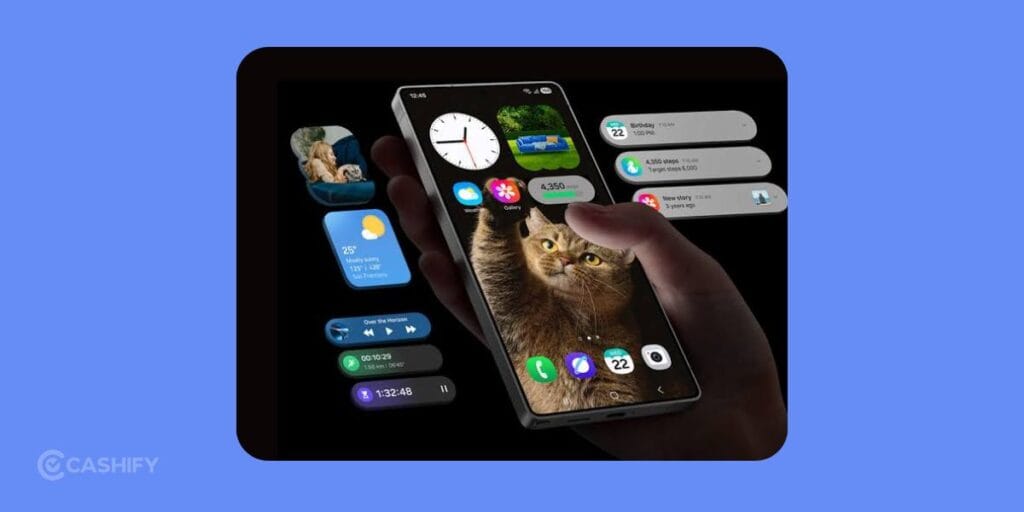
Digital Wellbeing and Screen Time now display circular graphs and colourful usage bars instead of plain text sections. Information becomes easier to understand at a quick glance.
For people who regularly monitor screen time, this update feels genuinely useful.
Samsung Notes Adds Tape Mode
Students and professionals receive one of the most practical additions. Samsung Notes now includes Tape Mode. You can hide text behind digital tape and reveal it instantly by tapping the screen. It’s perfect for memorisation, revision sessions, vocabulary practice, or self-testing before an exam.
This is one of those additions that seems simple until you actually start using it.
Driving Insights
One UI 9 introduces Driving Insights inside connected device settings.
The system records driving history, tracks habits, and calculates a safety score automatically. Instead of relying on third-party apps, Samsung places these tools directly inside the software. Drivers who spend a lot of time on the road will probably love this addition.
Samsung DeX Gets Easier to Use
Samsung also reorganised DeX.
One UI 8.5 requires manual desktop management through a side plus button. One UI 9 uses a dedicated dashboard where active virtual desktops appear in one place. Open apps can also move between desktops much more easily.
Anyone who regularly uses DeX for work will notice the improvement almost immediately.
Stronger Privacy
In One UI 8.5, many apps ask for permission to access your complete contact list.
One UI 9 changes that. You can share only selected contacts instead of exposing your entire phonebook. That gives users much greater control over personal data. Android 17 also enhances security during device lock states.
Better Battery Life
Android 17 reduces unnecessary background activity. It allows inactive apps to consume less power. As a result, many users may notice longer screen-on time during normal daily use.
No software update can completely transform battery life, yet this optimisation helps.
Also Read: Vivo X300 FE Best Camera Settings: Take DSLR Level Shots!
One UI 9 Beta Program
Samsung has already started the One UI 9 Public Beta.
The beta first arrived in the United States, United Kingdom, Germany, and South Korea before expanding to India and Poland. At the moment, public testing supports unlocked Galaxy phones and compatible T-Mobile models.
Eligible users can register through the Samsung Members app, join the beta program, and download roughly 3.6 GB of update files from the Software Update section.
One UI 9 Eligible Devices
Public beta access currently includes the Galaxy S26 series.
Internal testing is already active for:
- Galaxy S25 series
- Galaxy S24 series
- Galaxy S23 series
- Galaxy A56
- Galaxy A36
- Galaxy A35
Samsung plans to release the stable version on July 22, 2026. It will be alongside the Galaxy Z Fold 8, Galaxy Z Fold 8 Ultra, and Galaxy Z Flip 8. Older flagship phones and Galaxy tablets should receive updates during the following months.
Also Read: HyperOS 4 Release Date In India & Full List of Supported Devices!
Should You Upgrade To One UI 9?
If your device receives One UI 9, I think it’s worth installing.
The interface feels cleaner, privacy controls become much stronger, battery optimisation improves, and Samsung DeX finally gets the love. None of these upgrades feel flashy on their own. They create a noticeably better software experience.
If you are already running One UI 8.5, you won’t feel like they’re using outdated software. It is polished, stable, and reliable. Still, One UI 9 is better with Android 17. It’s always good to have the latest software available!
Also Read: Xiaomi HyperOS 3.0 Release Date, Eligible Devices, Features!
Final Verdict
When it comes to One UI 9 vs One UI 8.5, I would choose One UI 9 any day. It is because of optimisation, redesign, and better privacy controls. If your Galaxy device is eligible, upgrading to One UI 9 is an easy recommendation. Android 17 still have a lot of features that are not announced yet. So, you can expect the One UI 9 to be even better!
If you’ve just bought a new phone and don’t know what to do with your old phone, then here’s your answer. Sell old mobile to Cashify and get the best price for it. If you are planning to buy a new phone, check out Cashify’s refurbished mobile phones. You can get your favourite phone at almost half price with six-month warranty, 15 days refund and free delivery.