Nothing has started rolling out the Nothing Phone 4a Pro OS update based on Android 17. The company has now opened the Nothing OS 5.0 Open Beta for Phone (4a) Pro users after first bringing the beta to its flagship Phone (3).
Nothing OS 5.0 is one of the company’s biggest software updates so far. It brings more than 80 changes, with new customisation tools, productivity features and AI improvements. However, this is still a beta version, so users may face bugs or stability issues. So, here's how you can install Nothing OS 5.0 on your Nothing Phone 4a Pro.
Nothing Phone 4a Pro OS Update: How To Install
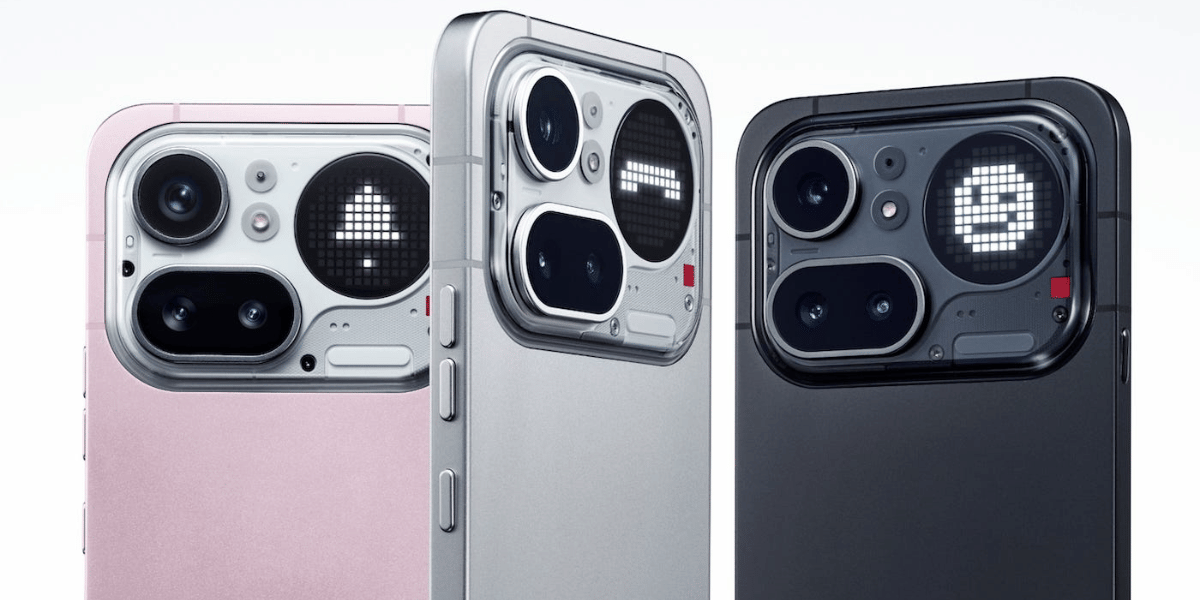
Phone (4a) Pro users need to make sure their device is running the latest Nothing OS 4.1 based on Android 16 before joining the beta programme.
To install the Nothing Phone 4a Pro OS update, users need to download the Nothing Beta Hub V2.0 APK from Nothing’s official website and install it on the phone. After installation, go to Settings > System > Nothing Beta Hub and select the option to join the beta.
Also Read: Nothing Phone 4b Price Drops To Just Rs 30,495 On Amazon! See The Deal Here
Once registered, the update should become available after a few minutes. Users can then start the installation like a regular local software update.
If the beta registration fails, Nothing says users may need to wait and try again later. High server traffic can sometimes cause problems when many users try to join at the same time. Users can also roll back the software through the Beta Hub if they experience serious problems.
What’s New In Nothing OS 5.0?
The new Nothing Phone 4a Pro OS update brings several changes to the phone’s interface, customisation and AI tools.
Some of the major additions include:
• New lock screen clocks: Gooey and Micrographics styles
• Adaptive clock colours: Colours can match the wallpaper
• New widgets: Collector, Away Time and Glyph Timer
• Lucent theme: A new translucent design
• Glyph app: A dedicated app for Glyph related features
• Multi app drag and drop: Move multiple apps directly on the home screen
• Split Quick Settings: Easier access to controls
• Torch intensity control: Adjust flashlight brightness
• Geist font: A new system font
• Refreshed icons: Updated visual design
• AI improvements: Faster voice transcription and Smart Collections
The update also adds Android 17 features, including 3D emojis, an improved Dark Theme and iPhone Quick Share support.
Since Nothing OS 5.0 is currently in beta, users should think twice before installing it on their primary phone. Those who want a more stable experience may prefer to wait for the stable release, which Nothing is expected to roll out in early November.
Comparison With Nothing OS 4
Feature | Nothing OS 5.0 | Nothing OS 4.0 |
|---|---|---|
Android version | Android 17 | Android 16 |
Lock screen | New clock styles | Existing clock styles |
Widgets | New Collector, Away Time, Glyph Timer | Existing widgets |
Themes | New Lucent theme | Existing Nothing themes |
Quick Settings | Split layout | Standard layout |
AI features | Improved AI tools and Smart Collections | Fewer AI features |
Glyph | Dedicated Glyph app | Standard Glyph controls |
Customisation | More fonts, icons and clock options | Fewer customisation options |
Are you still browsing through your broken screen? Don’t worry! Book at-home mobile phone screen repair with Cashify—an affordable and one-stop destination for all your mobile phone needs. In case you break your screen within 1 month of repair, we will replace your screen again—for FREE.