I have been using different AI tools for a while. Google AI Studio has become one of my favourites. It is a simple platform where you can test powerful AI models for free. If you want to learn how to use Google AI Studio for free, this makes it very easy.
You can use Google AI Studio to write ideas, create content, test prompts, or even build small AI apps. The best part is that you don’t need to spend money to start. If you are new and wondering how to use Google AI Studio step by step, it’s actually much easier than it looks.
In this guide, I’ll show you how to use Google AI Studio for free in a simple way. Just follow the steps:
Also Read: How To Delete Contact From WhatsApp: Quick & Easy Steps!
What Is Google AI Studio?
Google AI Studio is basically Google’s playground for anyone who wants to explore AI. This is where you can test prompts for text, images, audio, and even video using their Gemini models.
I use it almost every day because it’s free, simple, and lets you actually build small apps. There’s no complicated setup. All you have to do is just log in and see what AI can do for your projects.
If you’re into content creation, coding, or just experimenting with AI, it’s a total game-changer. It works well with other Google tools.
Use Google AI Studio For Free: Your Step-by-Step Guide
First, head over to https://aistudio.google.com/.
You might see a cookie prompt. Just click accept and move on. There is no sign-up fees, no hidden costs as it’s completely free. Make sure that you sign in from your Gmail account. This is how the Dashboard will look.
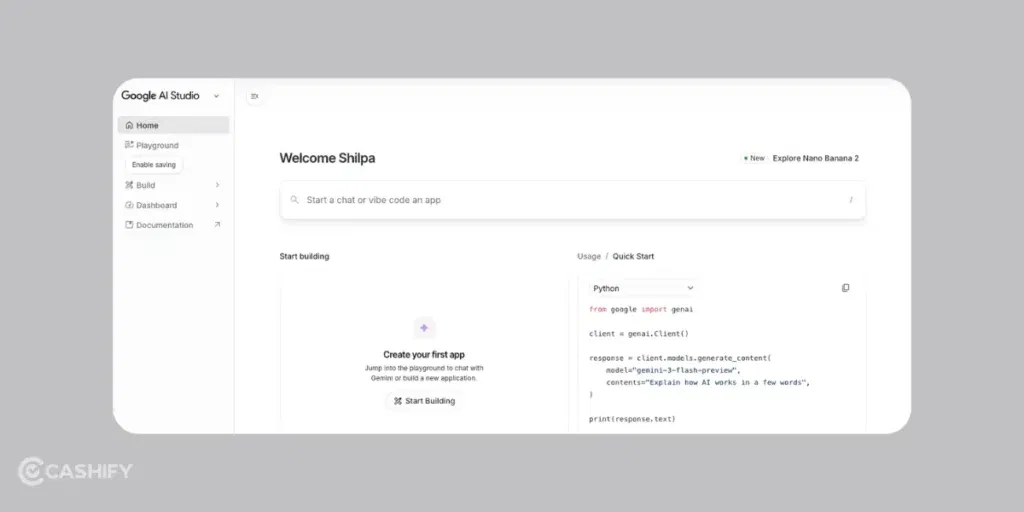
Start by creating a new project. Click the “New prompt” button.
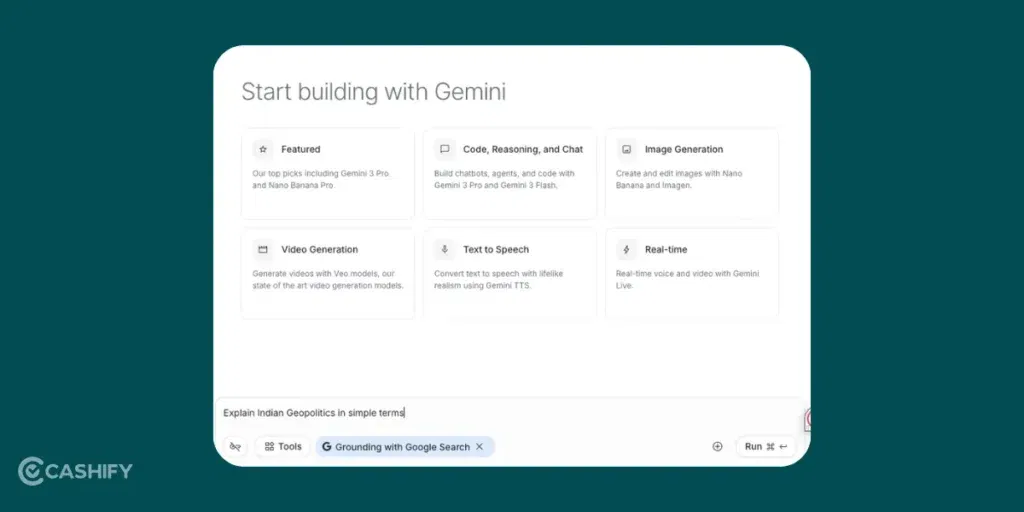
Try something simple first, like: “Explain Indian Geopolitics in simple terms” …then hit generate.
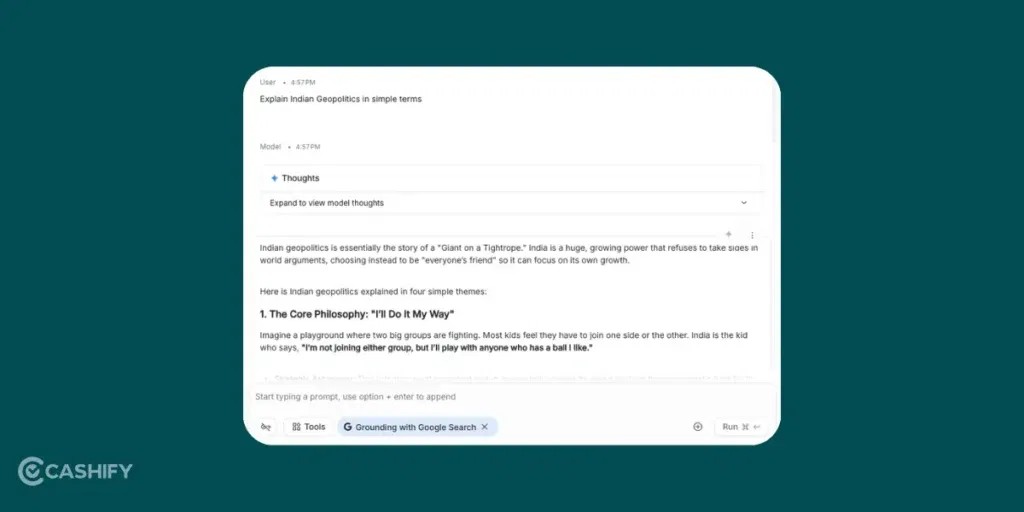
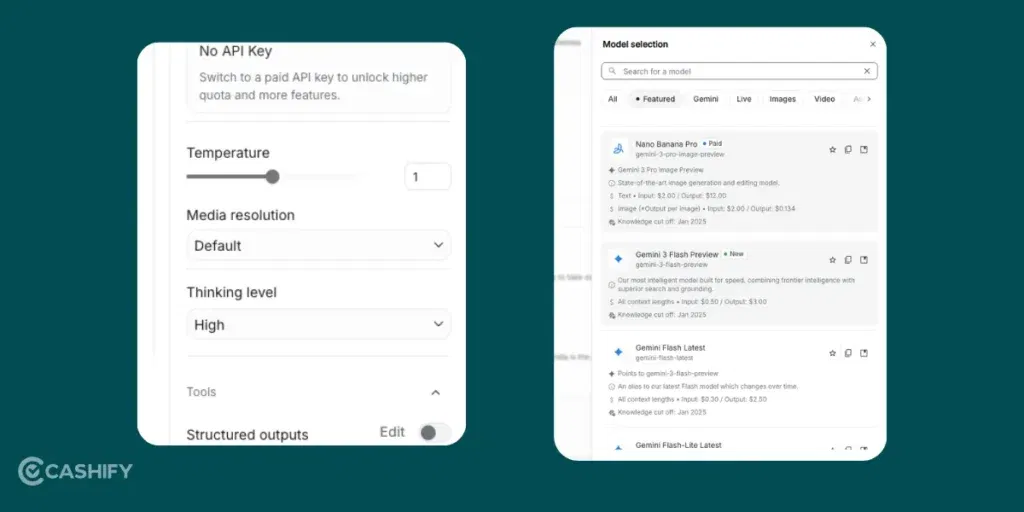
Choose a model from the dropdown. Gemini Pro works great for most tasks. You can also tweak settings like temperature to make the outputs more creative.
If you’re into coding, grab an API key next. Go to the left menu, click “API keys”, and generate one. It lets you integrate AI into your apps.
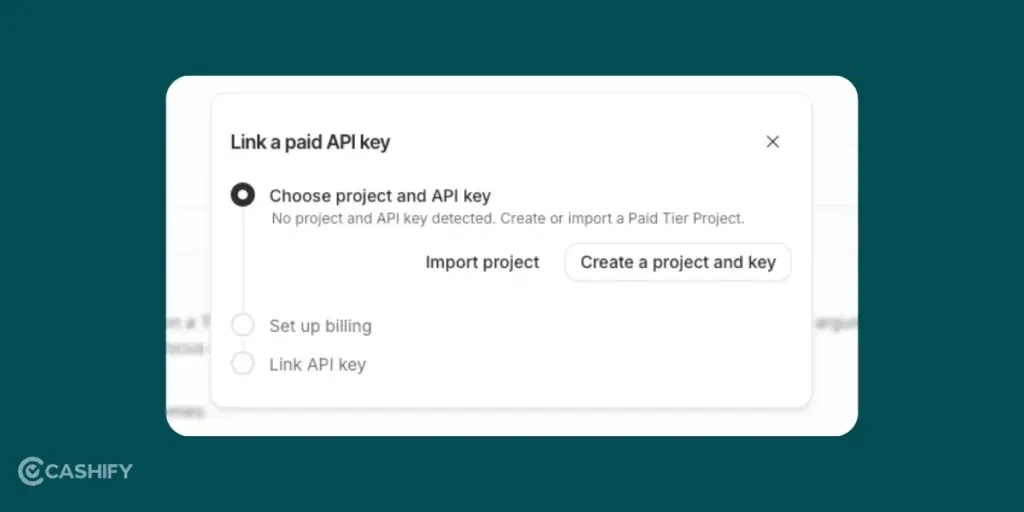
Finally, test it with a quick code snippet.
Use Python, install the SDK if needed, and run a small script. Google’s quickstart guide is super handy.
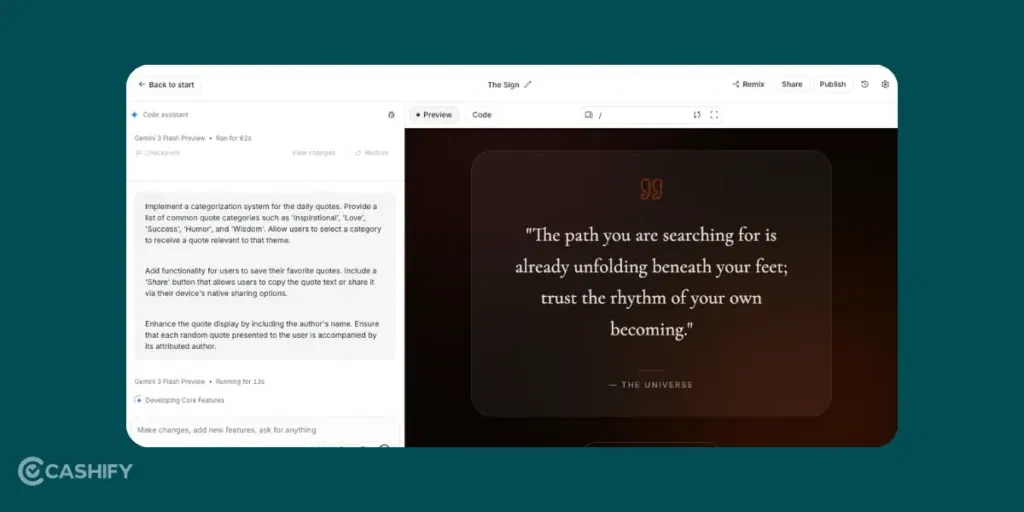
Here, I made an app to give users a “random quote of the day”.
Practical Tips
From my experience, don’t overload your prompts at first. Keep them short and clear because AI responds much better that way. I once wrote a novel-length prompt and got a total mess. That’s what I learned the hard way.
Also, watch your rate limits. The free tier has limits, so space out your tests. If you hit the limit, just wait a bit or optimise your queries.
You should also try multimodal prompts. Upload an image and ask the AI to describe it. And don’t ignore the dashboard. Track your usage so you stay efficient.
Also Read: How To Record Screen In Windows 11: Quick Ways!
Google AI Studio Key Features
- Prompts: These are your instructions to the AI Studio. This is where you will tell what you actually want.
- Models: These are the AI brains. Gemini handles text and code, while Imagen works with images. You can switch models depending on your task.
- API Keys: Generate one, plug it into your code, and automate AI tasks easily.
- Testing Responses: Here, you can tweak prompts, regenerate, and compare outputs side-by-side.
Also Read: How To Raise A UPI Complaint: Step By Step Guide
FAQs
Is Google AI Studio free to use?
Yes, Google AI Studio is free to use. You can test AI models and try different prompts without paying money. The free version has some usage limits.
Do I need coding skills to use Google AI Studio?
No, you do not need coding skills to start using Google AI Studio. You can simply write prompts and get answers from the AI. Coding is only needed if you want to build apps.
What AI models are available in Google AI Studio?
In Google AI Studio, you can use models like Gemini for text and coding tasks. You can also use Imagen to create images.
How can I get an API key in Google AI Studio?
To get an API key, open Google AI Studio and go to the API Keys section in the menu. Then click to generate a new key and use it in your app or project.
What can I do with Google AI Studio?
You can use Google AI Studio to write ideas, create content, test prompts, and build small AI tools.
Is Google AI Studio good for beginners?
Yes, Google AI Studio is good for beginners. The platform is simple and easy to understand.
Can Google AI Studio understand images?
Yes, Google AI Studio can understand images. You can upload a picture and ask the AI to describe or explain it.
What is the difference between Google AI Studio and Gemini?
Google AI Studio is the platform where you test AI tools. Gemini is the AI model that gives answers and helps complete tasks.
The Bottom Line
In short, Google AI Studio makes AI accessible and free. It turns my ideas into reality without complicated setups. It can do the same for you. I’ve added it to my daily workflow, and it saves tons of time. Let me know if you have any questions in the comments section below. I would love to hear you out!
If you’ve just bought a new phone and don’t know what to do with your old phone, then here’s your answer. Sell old mobile to Cashify and get the best price for it. If you are planning to buy a new phone, check out Cashify’s refurbished mobile phones. You can get your favourite phone at almost half price with six-month warranty, 15 days refund and free delivery.