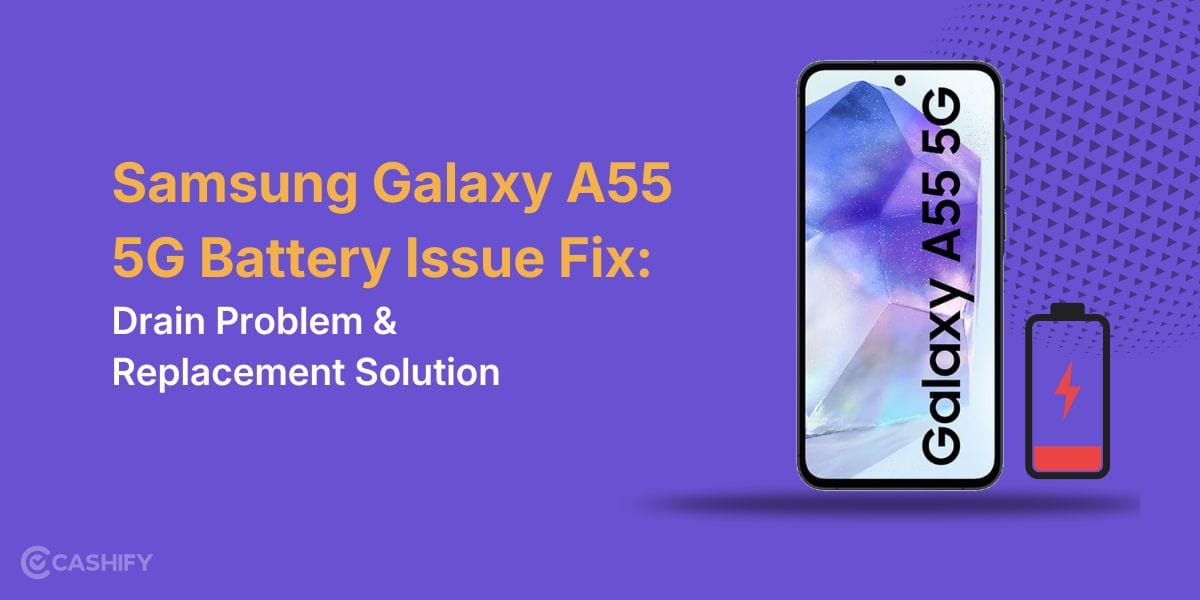
Your Samsung Galaxy A55 5G speaker may still work, but the sound may not feel the same as before. Calls may sound lower, videos may feel quieter, or the volume may suddenly drop. At first, it may not seem like a big problem, but over time, the change becomes easier to notice. Issues like these can arise for various reasons, and some are easier to fix than expected. Let’s look at how to repair Samsung Galaxy A55 5G speaker problem and the fixes that may help bring the sound back to normal.
Also read: How To Fix Vivo V11 Pro Screen Issues? Replace It Affordably!
Why Your Samsung Galaxy A55 5G Speaker Sound Feels Low?
Before you repair Samsung Galaxy A55 5G speaker problem, let’s first look at what may be causing the low sound:
Speaker Mesh Getting Blocked By Fine Pocket Fabric
Samsung Galaxy A55 5G speaker grill can slowly collect very fine cloth fibres from jeans or pockets. These fibres are hard to notice, but they sit right over the tiny holes and reduce the sound gradually. Many users notice a drop in volume without realising the mesh is partially covered.
Water Drying With Mineral Marks Inside The Grill
Sometimes the phone comes in contact with light splashes or sweat, and the water dries on its own. But after drying, tiny mineral marks can remain inside the speaker area. This thin layer affects how clearly the sound comes out and can make audio feel dull.
Audio Switching Between Speaker Modes Incorrectly
The phone may sometimes struggle to switch properly between call audio, media sound, and Bluetooth output. Because of this, the speaker volume may suddenly feel lower even though the volume bar is full. This often happens after using wireless earbuds or connecting to a car speaker.
Pressure Around The Bottom Frame Affecting Sound Flow
Using a very tight phone cover or repeatedly pressing the bottom frame while gaming can slightly affect how sound travels from the speaker area. The speaker still works, but the audio may feel softer or less open.
Tiny Damage After A Minor Drop
Even a small drop that leaves no visible mark can affect the speaker unit inside. The sound may not stop completely, but the volume can become uneven or lower than before. Many users ignore this because the phone looks perfectly fine from the outside.
Also read: How Do I Check My Android Hardware Health?
Easy Ways To Repair Samsung Galaxy A55 5G Speaker Problem At Home
Now that the reasons are clear, there are different ways to repair Samsung Galaxy A55 5G speaker problem. Some issues can be improved with simple checks at home, while others may need professional repair. First, let’s go through the fixes you can try yourself:
Run The Samsung Speaker Test
Open the Samsung hardware test menu and play the built-in speaker test sound. This helps you check the speaker directly without using third-party apps.
Reset All Custom Sound Settings
Go to Sound and Vibration settings and reset the equalizer, separate app sound, and audio enhancement settings. After that, test the speaker again with a ringtone or video.
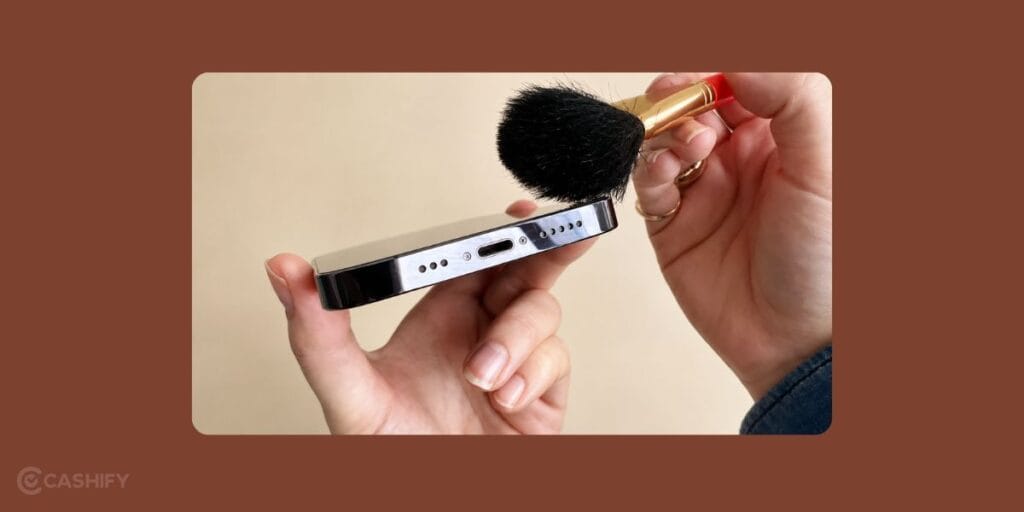
Clean The Speaker Grill With A Soft Brush
Use a soft dry toothbrush or camera cleaning brush to clean the speaker grill gently. Brush lightly across the speaker holes instead of pressing into them.
Turn Dolby Atmos Off And Test Again
Disable Dolby Atmos once and play audio from different apps. Compare the sound before and after turning it off.
Clear Cache From Music And Video Apps
Open the app settings for YouTube, Spotify, or other media apps and clear their cache files. Then restart the phone and test the speaker again.
Install The Latest Samsung Update
Check for pending software or security updates from Settings. Install the update fully and restart the phone after completion.
Also read: 8 Signs That Your Android Phone Motherboard Needs Repair!
How To Repair Samsung Galaxy A55 5G Speaker Problem With Cashify?

So, you have tried all the fixes, but the Samsung Galaxy A55 5G speaker problem is still there. If you are wondering where to get it repaired, Cashify is one of the easier options for professional mobile phone repair. Here are some benefits you get with the service:
- Doorstep phone repair support, so you do not have to visit different repair shops.
- Skilled technicians who inspect the speaker properly before the repair.
- Clear repair pricing is shared before the mobile repair starts.
- High-quality compatible parts are used during Samsung mobile repair.
- Flexible booking options based on your preferred time slot.
Also, booking the repair is simple. Here’s how you can schedule the phone repair:
- Visit the Cashify website or open the app
- Go to the Mobile Repair section
- Select Samsung as the brand
- Choose Samsung Galaxy A55 5G
- Select Speaker as the issue
- Enter your address
- Choose a suitable date and time
- Confirm the booking
Use code: TECH25 to avail a discount of up to Rs. 300 (on the minimum order value of Rs. 2499).
Use code: RPR50 to avail up to 50 per cent off on a minimum spend value of Rs. 1000 (limited offer).
Also read: Vivo Y83 Pro Aux Jack Not Working? Repair It Fast With Cashify
Final Thoughts
To sum up, speaker issues on the Samsung Galaxy A55 5G can begin with small changes like lower sound or unclear audio during calls and videos. We shared some simple ways to repair Samsung Galaxy A55 5G speaker problem and improve the sound before the issue becomes worse.
If the speaker still does not work properly after trying the fixes, getting professional mobile repair becomes the better option. In such cases, choosing a trusted repair service helps make sure the phone is checked and repaired properly. Cashify can help you fix the Samsung Galaxy A55 5G speaker problem in a simple and convenient way.
Are you still browsing through your broken screen? Don’t worry! Book at-home mobile phone screen repair with Cashify, an affordable and one-stop destination for all your mobile phone needs. In case you break your screen within 1 month of repair, we will replace your screen again for FREE.