The biggest update for every Android user is when the Android OS gets an overhaul, comes back with some banger updates, and shakes up the internet and the whole Android community altogether! This time, the deal is about Android 17. Yes, Android 17 is here with its Beta version, and in this blog, we are going to cover all the new features and upgrades that this version is going to bring. And trust me, this time, the Android users are going to be very happy with this update. So, let’s begin unveiling all the details.
Also Read: Google Drops Android 17 Beta 1 Update: Smoother Performance, Big Camera Upgrades
Android 17 Beta 1 Releases With New Privacy Upgrades And System Enhancements
On 13 February 2026, Google released the Android 17 Beta 1 update. This update took away the Valentine’s showtime, and the whole internet was just discussing about this new update. As we all know, the Android user community is large, so any new update that comes out becomes a huge trend.
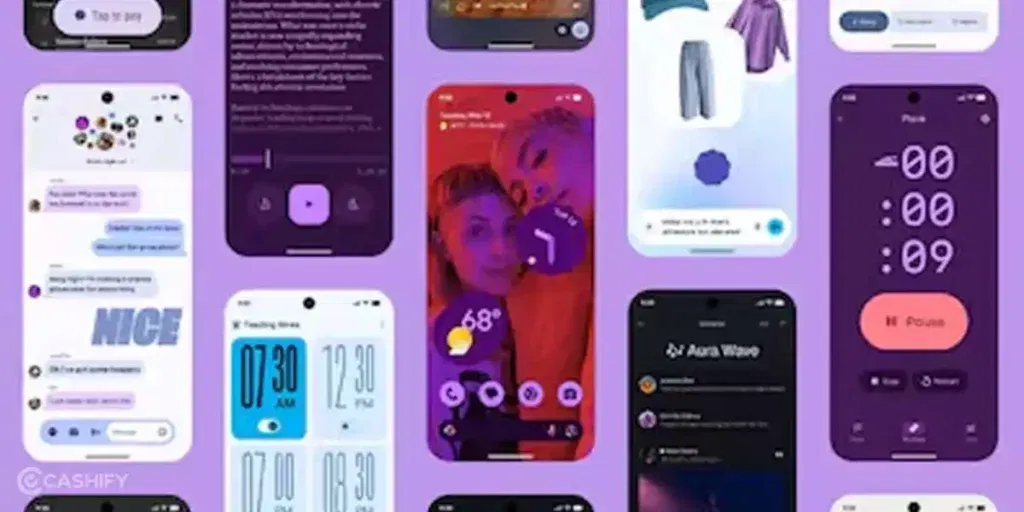
Split-screen facilities, multitasking enhancements, battery optimisation, new UI specs, and whatnot, Android 17 brought it all. Android 17 brings a new customisable search bar, you will see better icon looks, and more widgets as well for the UI department. For performance, this update will bring better battery optimisation, and an approximate enhancement of up to 14-16 per cent will come in CPU performance with this new update.
Well, to be fair, the Android 16 update was good too, and Google could have waited for this release and made it a stronger and more worthy upgrade, but the brand decided to go with some trailers and invited its users to take part in the early Beta program. So, now, it’s time that we discuss all about the Android 17 Beta update. We will start with the features.
Also Read: Instagram, Facebook And WhatsApp Premium Subscription: All You Need to Know
All New Features Of The Android 17 Beta 1
| Category | Feature | Description |
| User Interface | Customizable Search Bar | The Pixel Launcher search bar now allows you to swap shortcuts for Gemini Live, Translate, Song Search, or Lens. |
| Remove “At a Glance” | Users can finally remove the persistent “At a Glance” widget from the top of the Pixel home screen. | |
| Refined Design | New transparent/glassy search bar style; updated brightness slider icon and volume panel shortcuts. | |
| Gemini Animation | A new “screen shrink” animation triggers when you invoke Gemini via a corner swipe. | |
| No Opt Out From Large Screen | Mandatory Adaptivity | Apps can no longer “opt out” of resizing or landscape mode. This eliminates black bars on tablets and foldables. |
| Performance Upgrades | Generational GC | A new “Garbage Collection” algorithm that reduces CPU usage and memory “stutter” during heavy tasks. |
| Lock-free MessageQueue | Reduces missed frames and UI jank, making the entire OS feel significantly snappier. | |
| Camera & Media | Dynamic Sessions | Switch between Photo and Video modes instantly without the viewfinder lagging or the camera app “restarting.” |
| VVC (H.266) Support | Native support for the next-gen video codec, offering better quality at much smaller file sizes. | |
| Constant Quality Video | New professional-grade tool allows users to set a specific quality level rather than just a bitrate. | |
| Security | VoIP Call Privacy | New user controls for how VoIP calls (like WhatsApp/Telegram) appear in the system call history. |
| Notification Limits | Strict size limits on custom notifications to prevent background apps from draining system memory. |
So were all the new features of this new update. Now, it’s time for the release timeline of this update and know when it will actually hit all the phones.
Also Read: Nothing Phone 4a Launch Date In India, Price, Specs And More
Android 17 Beta Release Timeline: Complete Schedule
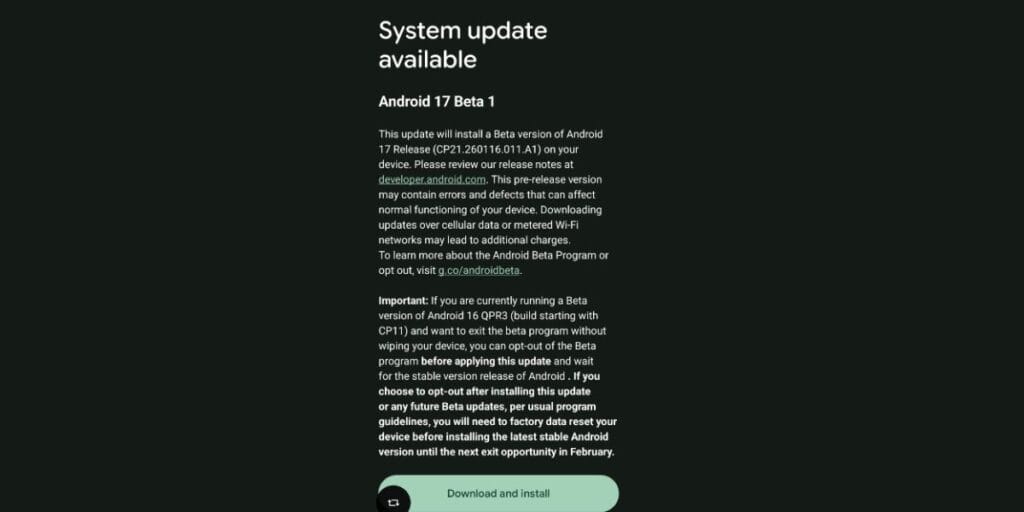
The Android 17 Beta 1 testing phase began on 13 February, and the next stable update version for testing is planned to be released around March or April. Talking about when Android 17 will be officially released for all Android phones? Well, to answer that, here is the detailed schedule:
Android 17 Release Dates
- Beta 1 Version: February 13, 2026
- Platform Stability Version: Targeted for March 2026.
- Final Release: Expected much earlier than usual, likely around June 2026
Should You Download The Android 17 Beta 1 Or Not? Here Is The Answer
As soon as the Google Pixel phones started to receive the notifications of this new Android 17 Beta 1 version, they seemed excited. But soon, a layer of debates spread online, which stated that you should not download this update, as it is new, full of bugs, and will not suit your phone. Well, now, it’s time to debunk all the myths.
- The Android 17 Beta 1 is completely safe to download, and there is no security risk to your Google phone.
- Since this is “Beta 1,” it is relatively stable but not perfect. You might encounter some bugs.
- If you have too many apps running on your phone, you will witness App crashes (especially with banking or niche apps).
- As this is a new update, as usual, you will face higher battery drain than usual.
- You can wait for some time as there are general bugs that haven’t been ironed out yet.
So, in short, if you can wait, then do wait, or else, just go for it, and download the Android 17 Beta 1 update, as it is safe and will definitely bring new enhancements to your phone.
End Note: It’s Time To Enter Some Serious Enhancements
That’s it from our end in this blog about the Android 17 Beta 1 update program. As the second month of 2026 is here, Android users will finally rejoice with this new years’ new upgrades, and this time, the OS updates will bring some serious performance upgrades.
This new program is now rolling out on Pixel phones, and the notifications have started to come. Meanwhile, other brands which use their own OS based on Android OS, like the OxygenOS, Xiaomi HyperOS, and others, have also started to develop the next versions, and just alongside the Android 17 development and release, they will proceed with their own OS rollouts as well. So, the new era for all Android users has finally begun, and safe to say that this new era is filled with exciting specs and some serious performance updates.
Also Read: Know How To Use Ok Google To Set Up My Device: Start Your New Phone Easily!
Did you know that refurbished mobile phones cost almost 50 per cent less than new phones on Cashify? You also get other discounts, No-cost EMI and more, making it the most affordable way to buy a premium phone. So, what are you waiting for? Buy refurbished mobile phones at your nearest cashify store and avail exclusive offers.